
What is the ASCII Code to Text Converter?
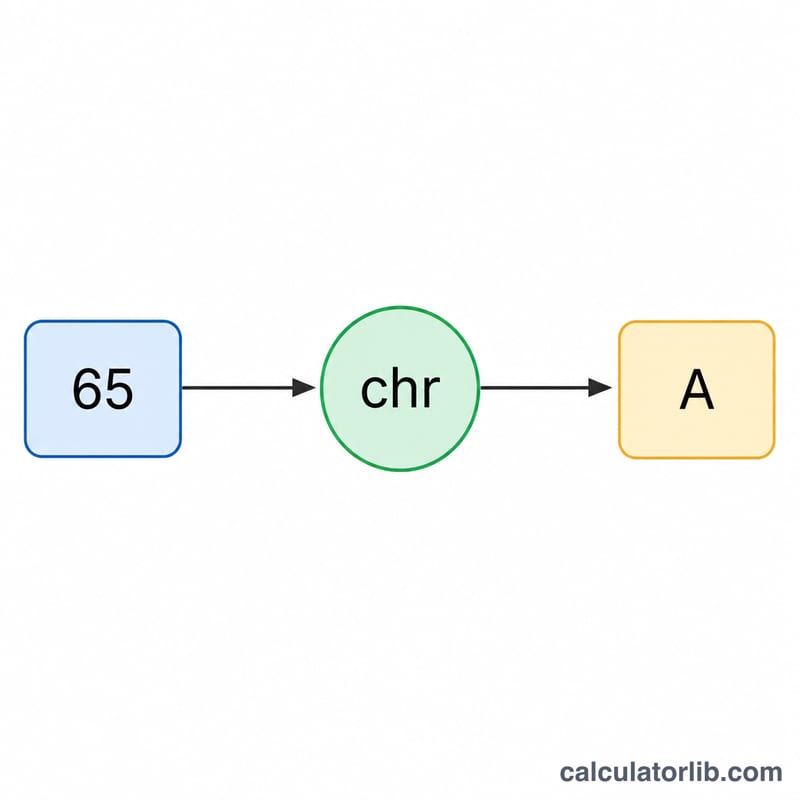
This tool turns a list of decimal ASCII (or Unicode code-point) numbers back into the text they represent. ASCII assigns a number to every letter, digit, and symbol — for example 65 is "A", 97 is "a", and 32 is a space. By looking up each number's character and joining them together, you recover the original message.
How to use it
Type or paste your decimal codes into the box, separating each value with a space or a comma. For instance, 72 101 108 108 111 decodes to "Hello". Mixed separators are fine, and any value outside the valid range (0 to 1,114,111) is skipped. Click calculate to see the decoded string and how many characters were produced.
The formula explained
For each code \(c_i\), the converter computes \(\text{chr}(c_i)\) — the character whose code point is that number — and concatenates the results in order:
$$\text{text} = \text{chr}(c_1) + \text{chr}(c_2) + \ldots + \text{chr}(c_n)$$This is the inverse of taking each character's ord() value.
Worked example
Given the codes 67, 97, 116: 67 → "C", 97 → "a", 116 → "t". Concatenated, the result is "Cat" with a character count of 3.
ASCII Code Reference Table
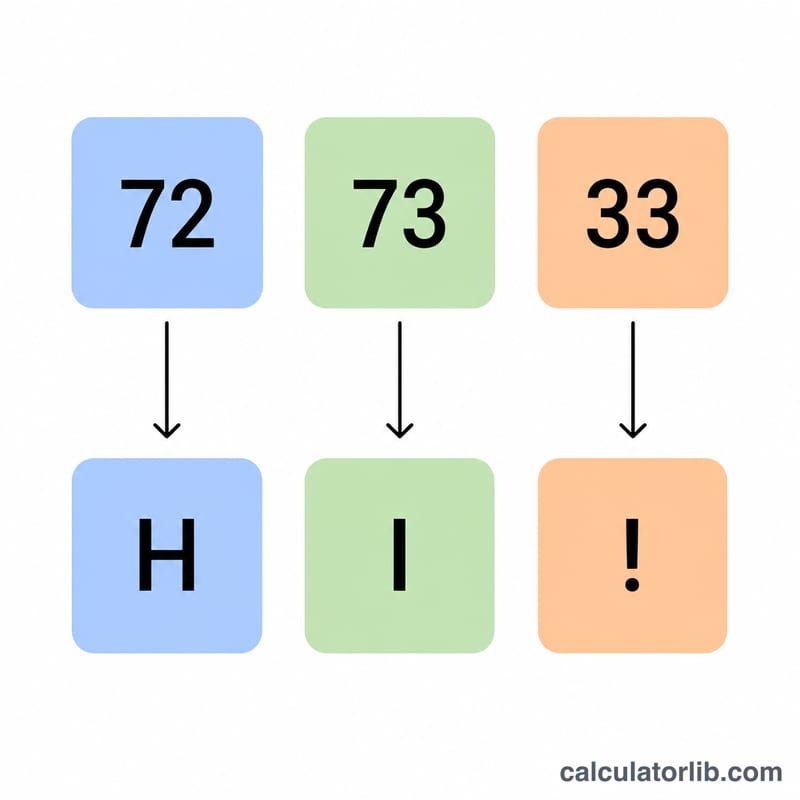
The standard ASCII (American Standard Code for Information Interchange) set defines 128 characters mapped to the decimal codes 0 through 127. Codes 0–31 (plus 127) are non-printing control characters, code 32 is the space, and the remaining codes are printable letters, digits and symbols. To decode a sequence such as 72 105, look up each number below: 72 → H and 105 → i, giving the text Hi.
Control Characters (0–31) and Delete (127)
| Dec | Abbr | Name |
|---|---|---|
| 0 | NUL | Null |
| 1 | SOH | Start of Heading |
| 2 | STX | Start of Text |
| 3 | ETX | End of Text |
| 4 | EOT | End of Transmission |
| 5 | ENQ | Enquiry |
| 6 | ACK | Acknowledge |
| 7 | BEL | Bell |
| 8 | BS | Backspace |
| 9 | HT | Horizontal Tab |
| 10 | LF | Line Feed (newline) |
| 11 | VT | Vertical Tab |
| 12 | FF | Form Feed |
| 13 | CR | Carriage Return |
| 14 | SO | Shift Out |
| 15 | SI | Shift In |
| 16 | DLE | Data Link Escape |
| 17 | DC1 | Device Control 1 (XON) |
| 18 | DC2 | Device Control 2 |
| 19 | DC3 | Device Control 3 (XOFF) |
| 20 | DC4 | Device Control 4 |
| 21 | NAK | Negative Acknowledge |
| 22 | SYN | Synchronous Idle |
| 23 | ETB | End of Transmission Block |
| 24 | CAN | Cancel |
| 25 | EM | End of Medium |
| 26 | SUB | Substitute |
| 27 | ESC | Escape |
| 28 | FS | File Separator |
| 29 | GS | Group Separator |
| 30 | RS | Record Separator |
| 31 | US | Unit Separator |
| 127 | DEL | Delete |
Printable Characters (32–126)
| Dec | Char | Note |
|---|---|---|
| 32 | (space) | Space |
| 33 | ! | Exclamation mark |
| 34 | " | Double quote |
| 35 | # | Number / hash |
| 36 | $ | Dollar sign |
| 37 | % | Percent |
| 38 | & | Ampersand |
| 39 | ' | Apostrophe |
| 40 | ( | Left parenthesis |
| 41 | ) | Right parenthesis |
| 42 | * | Asterisk |
| 43 | + | Plus |
| 44 | , | Comma |
| 45 | - | Hyphen / minus |
| 46 | . | Period |
| 47 | / | Slash |
| 48 | 0 | Digit zero |
| 49 | 1 | Digit |
| 50 | 2 | Digit |
| 51 | 3 | Digit |
| 52 | 4 | Digit |
| 53 | 5 | Digit |
| 54 | 6 | Digit |
| 55 | 7 | Digit |
| 56 | 8 | Digit |
| 57 | 9 | Digit nine |
| 58 | : | Colon |
| 59 | ; | Semicolon |
| 60 | < | Less than |
| 61 | = | Equals |
| 62 | > | Greater than |
| 63 | ? | Question mark |
| 64 | @ | At sign |
| 65 | A | Uppercase A |
| 66 | B | |
| 67 | C | |
| 68 | D | |
| 69 | E | |
| 70 | F | |
| 71 | G | |
| 72 | H | |
| 73 | I | |
| 74 | J | |
| 75 | K | |
| 76 | L | |
| 77 | M | |
| 78 | N | |
| 79 | O | |
| 80 | P | |
| 81 | Q | |
| 82 | R | |
| 83 | S | |
| 84 | T | |
| 85 | U | |
| 86 | V | |
| 87 | W | |
| 88 | X | |
| 89 | Y | |
| 90 | Z | Uppercase Z |
| 91 | [ | Left bracket |
| 92 | \ | Backslash |
| 93 | ] | Right bracket |
| 94 | ^ | Caret |
| 95 | _ | Underscore |
| 96 | ` | Grave accent |
| 97 | a | Lowercase a |
| 98 | b | |
| 99 | c | |
| 100 | d | |
| 101 | e | |
| 102 | f | |
| 103 | g | |
| 104 | h | |
| 105 | i | |
| 106 | j | |
| 107 | k | |
| 108 | l | |
| 109 | m | |
| 110 | n | |
| 111 | o | |
| 112 | p | |
| 113 | q | |
| 114 | r | |
| 115 | s | |
| 116 | t | |
| 117 | u | |
| 118 | v | |
| 119 | w | |
| 120 | x | |
| 121 | y | |
| 122 | z | Lowercase z |
| 123 | { | Left brace |
| 124 | | | Vertical bar |
| 125 | } | Right brace |
| 126 | ~ | Tilde |
For example, the codes 72 101 108 108 111 decode to Hello using this table.
FAQ
What separators can I use? Spaces, commas, tabs, or newlines all work — and you can mix them.
Does it support extended/Unicode codes? Yes. Standard ASCII covers 0–127, but the converter accepts code points up to 1,114,111, so it handles extended Latin and many Unicode symbols too.
What happens to invalid entries? Negative numbers, non-numeric text, and out-of-range values are ignored so the rest of your input still decodes cleanly.