
What is the Bitwise XOR Calculator?
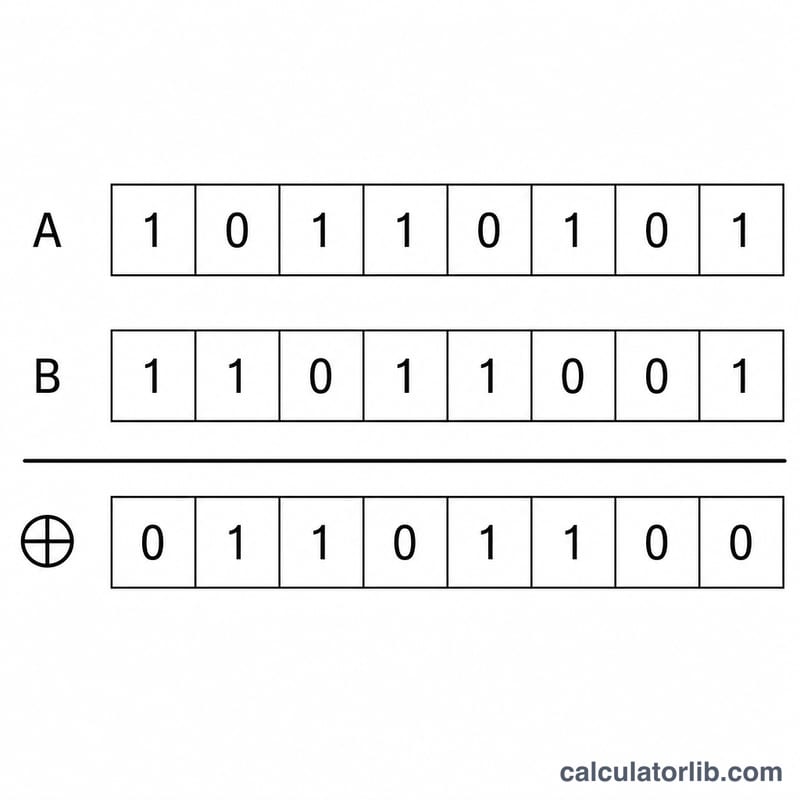
The bitwise XOR (exclusive OR) calculator takes two whole numbers and combines them bit by bit. For each position, the output bit is 1 when the two input bits are different, and 0 when they are the same. It is one of the fundamental operations in programming, digital logic, cryptography, and error detection.
How to use it
Enter your first integer (A) and second integer (B), then submit. The calculator returns the XOR result in decimal, plus its binary and hexadecimal representations so you can verify it bit by bit. Both positive and negative integers are accepted.
The formula explained
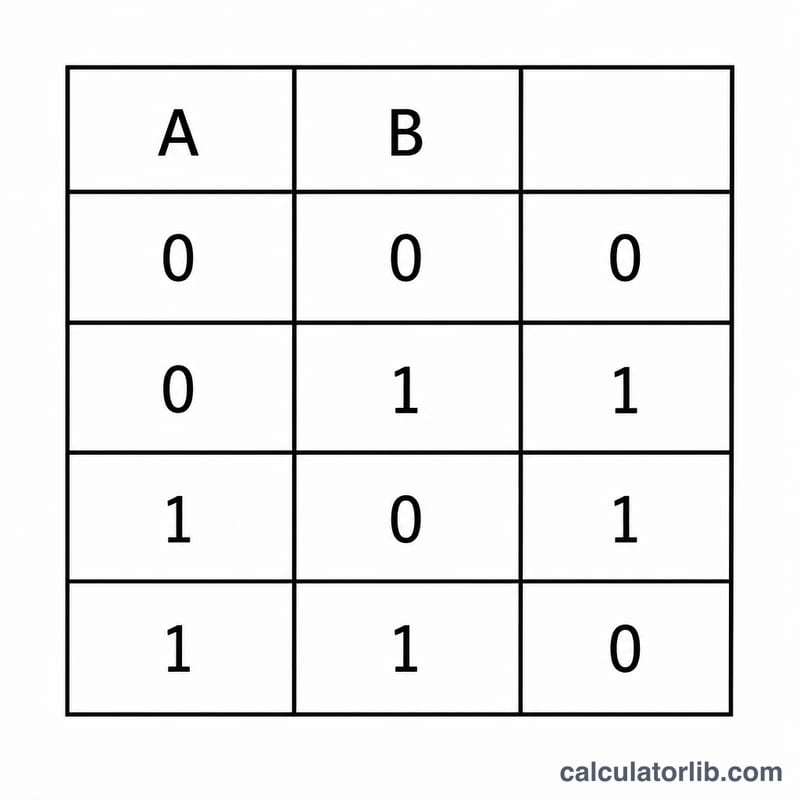
XOR is written A ^ B in most programming languages and \(A \oplus B\) in math notation. The truth table for a single bit is: \(0\oplus0=0\), \(0\oplus1=1\), \(1\oplus0=1\), \(1\oplus1=0\). The operation is applied independently to every bit pair. A handy property: A ^ A = 0 and A ^ 0 = A, which is why XOR is used for swapping values and toggling flags.
Worked example
Take A = 12 and B = 10. In binary, 12 = 1100 and 10 = 1010. Comparing each column: \(1\oplus1=0\), \(1\oplus0=1\), \(0\oplus1=1\), \(0\oplus0=0\), giving 0110 = 6. So $$12 \oplus 10 = 6.$$
Bitwise Operations Comparison
Every bitwise operation works one bit at a time. For each pair of input bits \(A\) and \(B\), the operation produces a single output bit. The table below shows the complete single-bit truth table for the six most common operations. XOR (exclusive OR, written \(A \oplus B\)) outputs 1 only when the two input bits differ.
| A | B | AND (A&B) | OR (A|B) | XOR (A^B) | NAND ~(A&B) | NOR ~(A|B) | XNOR ~(A^B) |
|---|---|---|---|---|---|---|---|
| 0 | 0 | 0 | 0 | 0 | 1 | 1 | 1 |
| 0 | 1 | 0 | 1 | 1 | 1 | 0 | 0 |
| 1 | 0 | 0 | 1 | 1 | 1 | 0 | 0 |
| 1 | 1 | 1 | 1 | 0 | 0 | 0 | 1 |
Notice that XOR is the exact complement of XNOR, and that XOR equals 1 in precisely the two rows where the inputs disagree. This "difference detector" property is what makes XOR useful for parity checks, simple encryption, and toggling bits.
XOR Across Common Input Pairs
The following table works several representative pairs through the bitwise XOR operation, showing each operand in binary, then the result in decimal, binary, and hexadecimal. XOR is performed bit-by-bit: align the two binary numbers and output 1 wherever the bits differ.
| A | B | A (binary) | B (binary) | A ^ B (dec) | A ^ B (binary) | A ^ B (hex) |
|---|---|---|---|---|---|---|
| 5 | 3 | 0101 | 0011 | 6 | 0110 | 0x6 |
| 255 | 15 | 11111111 | 00001111 | 240 | 11110000 | 0xF0 |
| 12 | 12 | 1100 | 1100 | 0 | 0000 | 0x0 |
| 7 | 0 | 0111 | 0000 | 7 | 0111 | 0x7 |
| 10 | 6 | 1010 | 0110 | 12 | 1100 | 0xC |
| -1 | 1 | …11111111 | …00000001 | -2 | …11111110 | 0x…FE |
Two patterns stand out. When an operand is 0, XOR returns the other operand unchanged (\(7 \oplus 0 = 7\)). When both operands are identical, XOR returns 0 (\(12 \oplus 12 = 0\)). The negative example uses two's-complement representation: \(-1\) is all 1-bits, so XORing it with any value flips every bit (this is equivalent to the bitwise NOT), giving \(-1 \oplus 1 = -2\).
FAQ
What does XOR mean? Exclusive OR — true only when exactly one of the two inputs is true (1).
Why is XOR used in cryptography? Because XORing data with a key is reversible: applying the same key again recovers the original data (\(A \oplus K \oplus K = A\)).
Does it handle negative numbers? Yes. Negative values use two's-complement representation, so the binary display may include many bits for negatives.