
这个计算器能做什么
「下一个指定星期几日期计算器」可以告诉你,从你选定的任意日期开始,下一个落在某个星期几的日期是哪一天——比如「下一个周五是几号?」。它还会顺便算出那一天距离起始日期还有几天。无论你是想安排周期性事项、规划「每周二」的固定会议、为每周截止日倒数,还是养成绑定到某个星期几的打卡习惯,它都能派上用场。
使用方法
先选定一个起始日期(默认为今天),再从下拉菜单中选择目标星期几,然后决定:如果起始日期本身就正好是这个星期几,是否要把它算进去。计算结果会显示距今还有多少天、完整的下一个日期(拆分为年、月、日),以及一个紧凑的 YYYYMMDD 格式日期编号。
公式详解
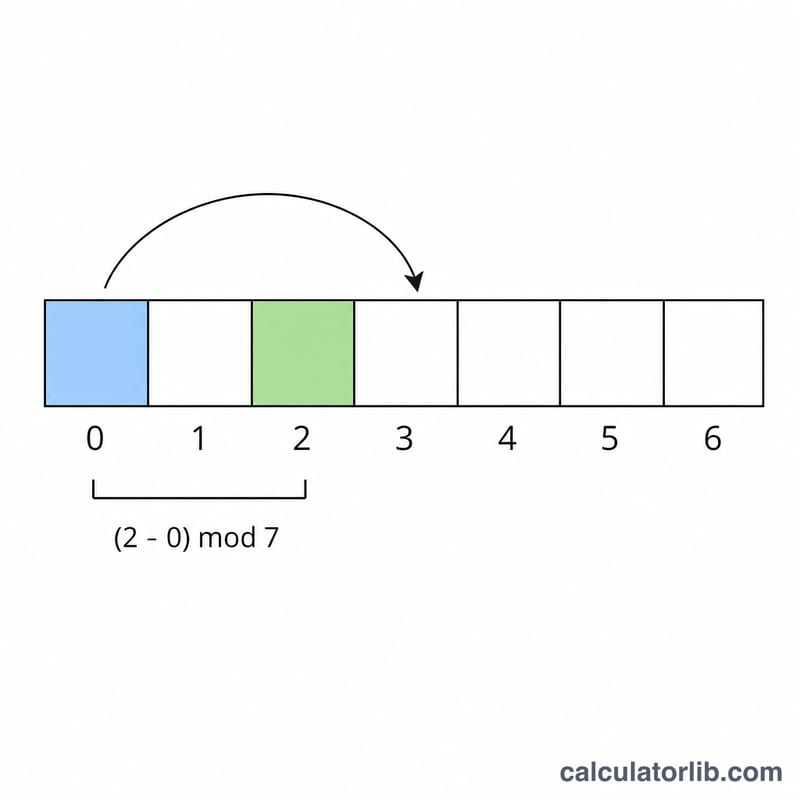
星期几用数字表示,周日 = 0,依次到周六 = 6。计算器先确定起始日期是星期几,然后计算:
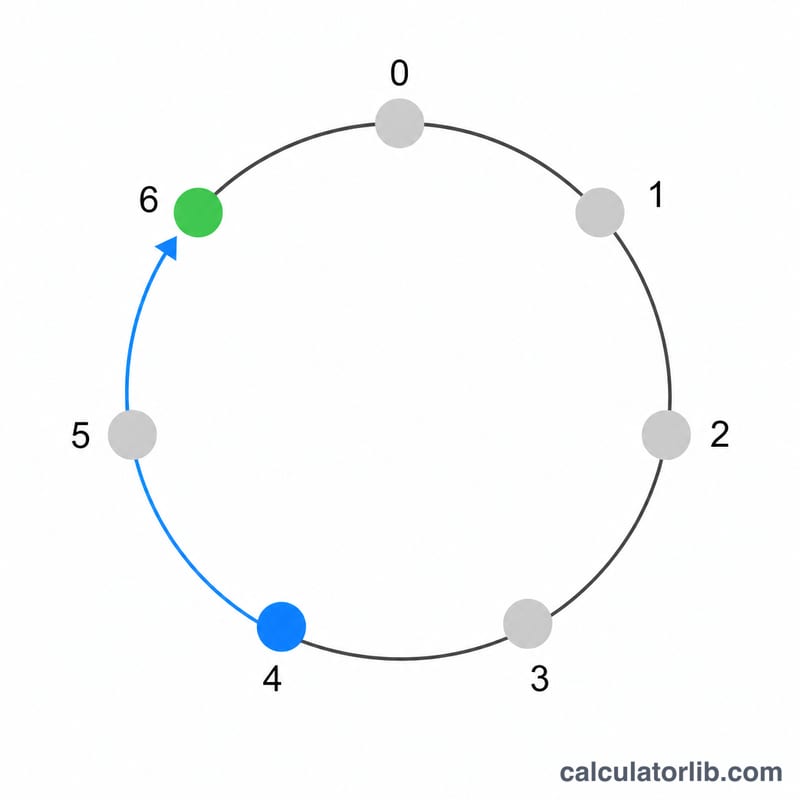
$$\text{daysAhead} = \big((\text{目标} - \text{当前}) \bmod 7 + 7\big) \bmod 7$$
之所以做两次取模,是为了即便减法结果为负,最终也能稳定落在 0–6 的范围内。下一个日期就等于起始日期加上 daysAhead 天。如果你选择不把起始日期算进去,而它恰好又是目标星期几(即 \(\text{daysAhead} = 0\)),计算器会自动往后推一整周(7 天),跳到下一次出现的同一星期几。
实例演示
假设起始日期是 2025 年 1 月 1 日(周三)。周三对应数字 3。你想知道下一个周日(数字 0)。$$\text{daysAhead} = \big((0 - 3) \bmod 7 + 7\big) \bmod 7 = (-3 + 7) \bmod 7 = 4$$因此下一个周日就是 1 月 1 日 + 4 天 = 2025 年 1 月 5 日。
常见问题
如果起始日期本身就是目标星期几怎么办? 默认情况下,计算器会跳到下一周(7 天后)。如果勾选对应选项,就会把起始日期本身算进去,结果为 0 天。
采用的是哪种星期几编号方式? 周日 = 0,一直到周六 = 6,与下拉菜单中的顺序一致。
能正确处理跨月、跨年的情况吗? 可以——日期运算会在跨月、跨年时正确进位,闰年同样处理无误。