
What Is the Affiliate Commission Calculator?
The Affiliate Commission Calculator helps affiliate marketers, influencers, and partners quickly estimate how much they will earn from promoting a product or service. By entering the sale amount, the commission rate offered by the merchant, and the number of sales you expect to drive, the tool instantly shows your total payout, your earnings per sale, and the total revenue you generated. It works with any currency and any commission structure.
How to Use It
Enter three values: the Sale Amount (the price of the product or the average order value), the Commission Rate as a percentage (for example, 10 for a 10% program), and the Number of Sales you expect to make. The calculator multiplies these together and displays your total commission earnings along with a per-sale breakdown.
The Formula Explained
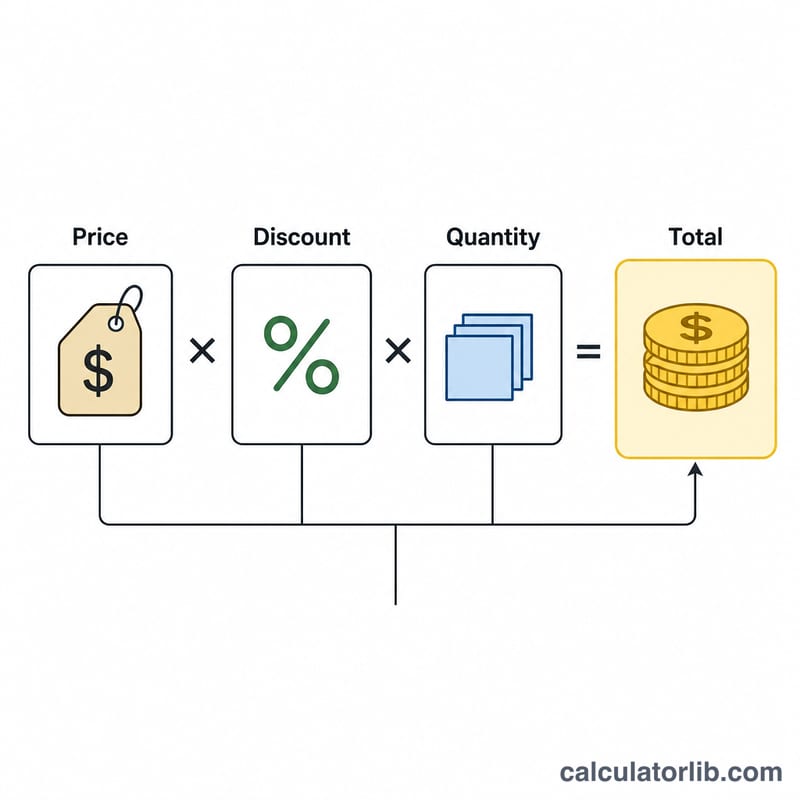
The core formula is straightforward:
$$\text{Commission} = \text{Sale Amount} \times \frac{\text{Rate}}{100} \times \text{Number of Sales}$$
First, the rate is converted from a percentage to a decimal by dividing by 100. Multiplying by the sale amount gives the commission for one sale, and multiplying that by the number of sales gives your total earnings. The total revenue figure (sale amount × number of sales) shows how much business you generated for the merchant.
Worked Example
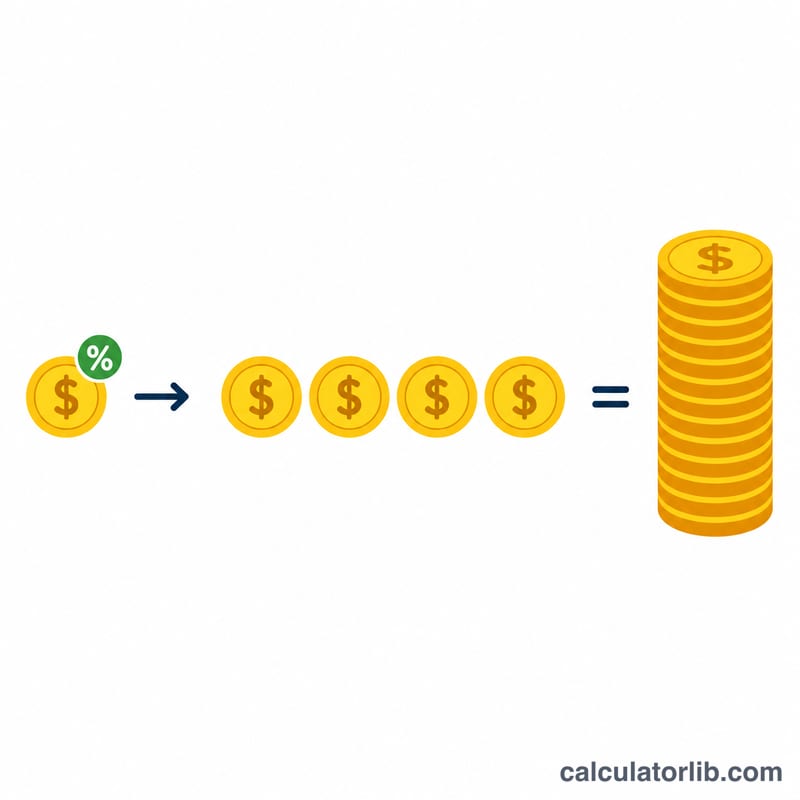
Suppose you promote a $250 product through an affiliate program paying 12% commission, and you make 8 sales. Commission per sale = \(\$250 \times 0.12 = \$30\). Total commission = \(\$30 \times 8 = \$240\). You also generated \(\$250 \times 8 = \$2{,}000\) in total revenue for the merchant.
Typical Affiliate Commission Rates by Industry
Commission rates vary widely by niche, program type, and product margin. Low-margin physical goods pay small percentages, while digital products and software — which cost almost nothing to reproduce — can afford much higher payouts. The table below shows commonly observed ranges; always confirm the exact terms in your specific affiliate agreement.
| Niche / Program Type | Typical Commission | Structure |
|---|---|---|
| Physical goods retail | 1%–10% | Percentage of sale |
| Digital products & online courses | 20%–50% | Percentage of sale |
| SaaS / subscriptions | 15%–40% | Percentage, often recurring |
| Web hosting | $50–$150 flat (up to 100% of first month) | Flat bounty |
| Amazon Associates | 1%–10% (varies by category) | Percentage of sale |
| Fashion & apparel | 5%–15% | Percentage of sale |
| Finance & insurance | $50–$200 flat (common) | Flat bounty per lead/account |
| Travel (hotels, flights, OTAs) | 3%–7% | Percentage of booking |
Earnings Across Different Scenarios
The same total payout can come from many sales of small items or a few high-ticket sales. Each row uses \(\text{Per-Sale} = \text{Sale Amount} \times \frac{\text{Rate}}{100}\) and \(\text{Total} = \text{Per-Sale} \times \text{Number of Sales}\). For example, a $1,000 SaaS plan at 30% earns \(1000 \times 0.30 = \$300\) per sale, and across 5 sales totals $1,500.
| Sale Amount | Rate | Sales | Per-Sale Commission | Total Commission | Total Revenue Generated |
|---|---|---|---|---|---|
| $50 | 10% | 20 | $5.00 | $100 | $1,000 |
| $250 | 12% | 8 | $30.00 | $240 | $2,000 |
| $1,000 | 30% | 5 | $300.00 | $1,500 | $5,000 |
| $100 | 5% | 100 | $5.00 | $500 | $10,000 |
Notice the $100-at-5% row generates the most revenue ($10,000) yet pays less commission than the five SaaS sales — the higher rate on digital products outweighs raw sales volume.
Key Affiliate Marketing Terms
- Sale Amount / Average Order Value (AOV)
- The dollar value of a single qualifying transaction. AOV is the average across many orders (total revenue ÷ number of orders) and is often used as the typical sale amount when projecting earnings.
- Commission Rate
- The percentage of the sale amount paid to the affiliate, e.g. 10%. Some programs use a flat fee instead of a percentage.
- Per-Sale Commission
- The amount earned on one transaction: \(\text{Sale Amount} \times \frac{\text{Rate}}{100}\). For a $250 sale at 12% this is $30.
- Total Payout
- Per-sale commission multiplied by the number of qualifying sales — the figure that actually lands in your account for a given period.
- EPC (Earnings Per Click)
- Average commission earned for each click sent to the merchant: total earnings ÷ total clicks. It combines conversion rate and commission into a single comparison metric across programs.
- Conversion Rate
- The share of visitors or clicks that result in a sale (conversions ÷ visitors). Even small changes here scale your total payout proportionally.
- Cookie / Attribution Window
- The time period after a click during which a resulting purchase is still credited to you — commonly 24 hours to 90 days. Longer windows generally mean more attributed sales.
- Recurring vs One-Time Commission
- One-time commissions pay once per sale; recurring commissions pay on every renewal of a subscription for as long as the customer stays, making them valuable for SaaS and membership programs.
- Flat-Fee vs Percentage Commission
- A flat fee pays a fixed dollar amount per conversion (e.g. $100 per account) regardless of sale size, while a percentage commission scales with the order value.
FAQ
Does this handle recurring commissions? This tool calculates one-time commissions. For recurring subscriptions, multiply the result by the number of billing cycles.
What if my program pays a flat fee instead of a percentage? For flat per-sale payouts, enter the flat fee as the Sale Amount and use a 100% rate.
Are taxes or platform fees included? No. The result is gross commission before any applicable taxes, payment processing, or platform deductions.