
What Is a Reverse Sales Tax Calculator?
A reverse sales tax calculator works backwards from a final, tax-inclusive price to reveal the original pre-tax price and the exact amount of sales tax that was added. This is useful when a receipt shows only the grand total, or when you need to record the net (pre-tax) amount for bookkeeping, expense reports, or reimbursement claims. The tool is universal — just supply the total and the applicable tax rate for your location.
How to Use It
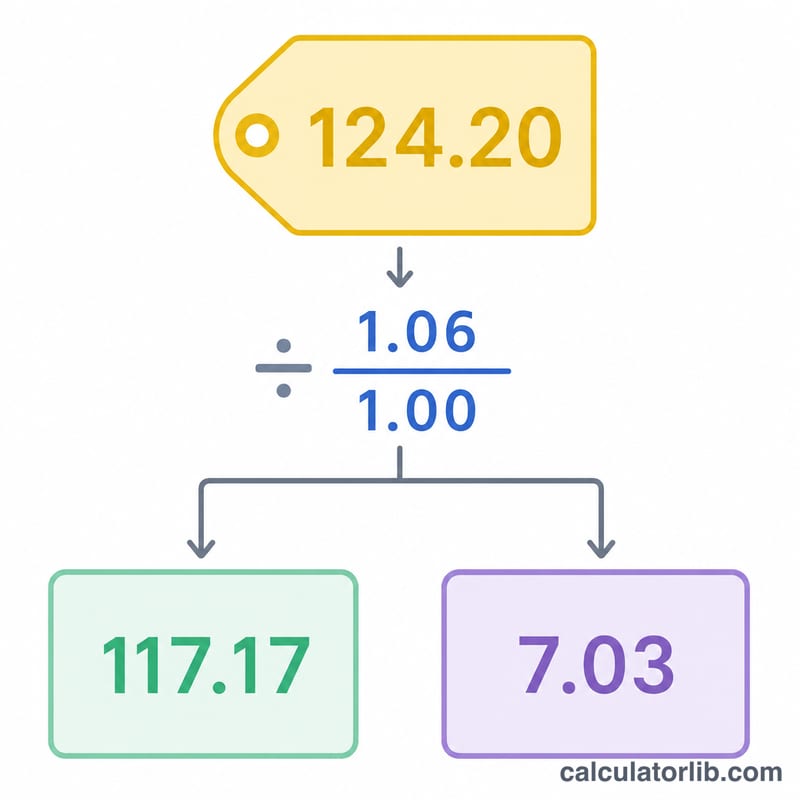
Enter the total price you actually paid (including tax), then enter the sales tax rate as a percentage. The calculator instantly returns the pre-tax price and the tax that was baked into the total. Because the tax is already part of the total, you cannot simply multiply by the rate — you must divide, which is exactly what this calculator does for you.
The Formula Explained
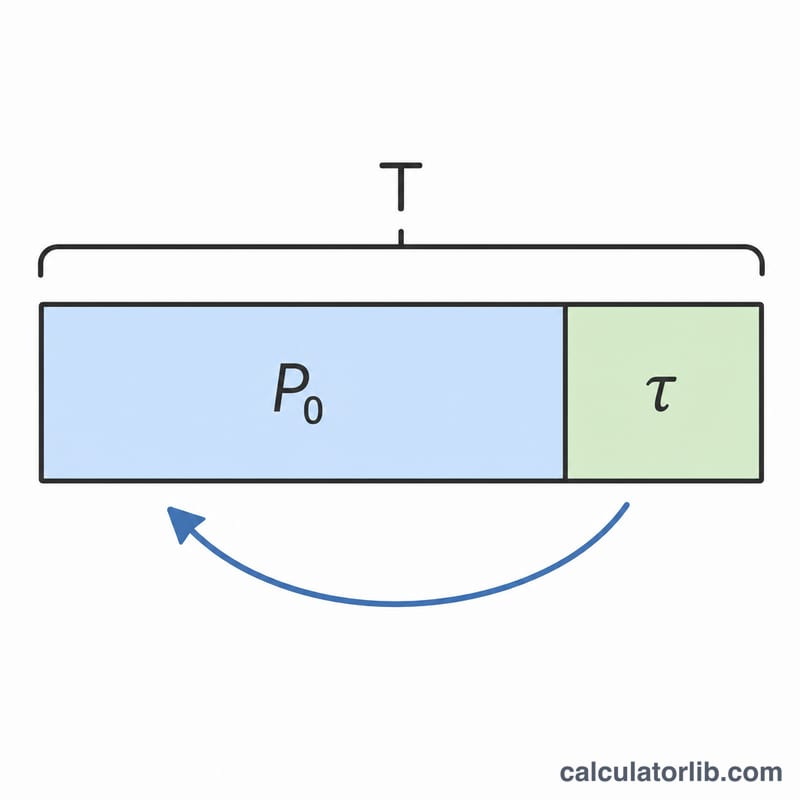
If a price already includes tax, the total equals the pre-tax price multiplied by one plus the rate. Rearranging gives:
$$\text{Pre-Tax} = \frac{\text{Total}}{1 + \dfrac{\text{Rate}}{100}}$$
and the tax is simply the difference: $$\text{Tax} = \text{Total} - \text{Pre-Tax}$$. Dividing (rather than subtracting a flat percentage of the total) is essential, otherwise you overstate the tax.
Worked Example
Suppose you paid $107.50 and the sales tax rate is 7.5%. Divide: $$107.50 \div 1.075 = 100.00$$ pre-tax. The tax is \(107.50 - 100.00 = 7.50\). Notice that 7.5% of $100 is exactly $7.50, confirming the result.
FAQ
Why can't I just take the rate off the total? Because the rate applies to the pre-tax price, not the total. Subtracting 7.5% of $107.50 would wrongly remove $8.06 instead of the correct $7.50.
What rate should I enter? Use the combined sales tax rate for your jurisdiction (state plus any local rates). This calculator is rate-agnostic and works for any country or region.
Does this handle VAT or GST? Yes — the same math applies to any single-rate tax included in a total, including VAT and GST.