
What Is the Pay Raise Calculator?
This calculator shows your new salary after a percentage pay increase, whether it's an annual merit raise, a promotion bump, or a cost-of-living adjustment (COLA). Enter your current salary and the raise percentage to instantly see both your new salary and the exact dollar amount of the increase.
How to Use It
Type in your current annual salary, then enter the raise as a percentage (for example, enter 3 for a 3% raise). The tool multiplies your salary by the rate to find the raise amount, then adds it to your current pay to give your new salary. It works equally well for hourly wages — just enter your hourly rate instead.
The Formula Explained
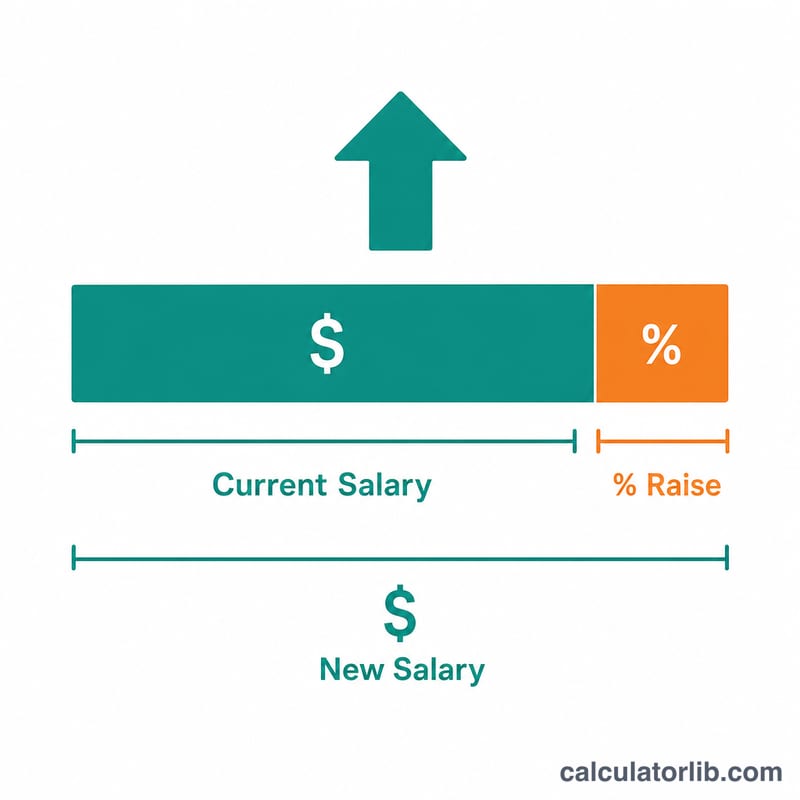
The math is simple. The raise amount equals your current salary times the raise percentage divided by 100. Your new salary is your current salary plus that raise amount, which is the same as multiplying your current salary by (1 + raise% ÷ 100).
$$\text{New Salary} = \text{Current Salary} \times \left(1 + \frac{\text{Raise (\%)}}{100}\right)$$For example, a 4% raise on $60,000: the raise amount is \(60{,}000 \times 0.04 = \$2{,}400\), and the new salary is \(60{,}000 + 2{,}400 = \$62{,}400\).
Worked Example
Suppose you earn $50,000 and receive a 3% cost-of-living raise. Raise amount = \(50{,}000 \times 0.03 = \$1{,}500\). New salary = \(50{,}000 + 1{,}500 = \$51{,}500\) per year.
FAQ
Does this account for taxes? No — it shows your gross salary before tax. Your take-home pay will rise by less than the gross raise amount.
What is a cost-of-living raise? A COLA is a pay increase meant to keep up with inflation, so your purchasing power stays roughly the same as prices rise.
Can I use this for hourly pay? Yes. Enter your hourly wage as the "current salary" and the result will be your new hourly rate.