What this converter does
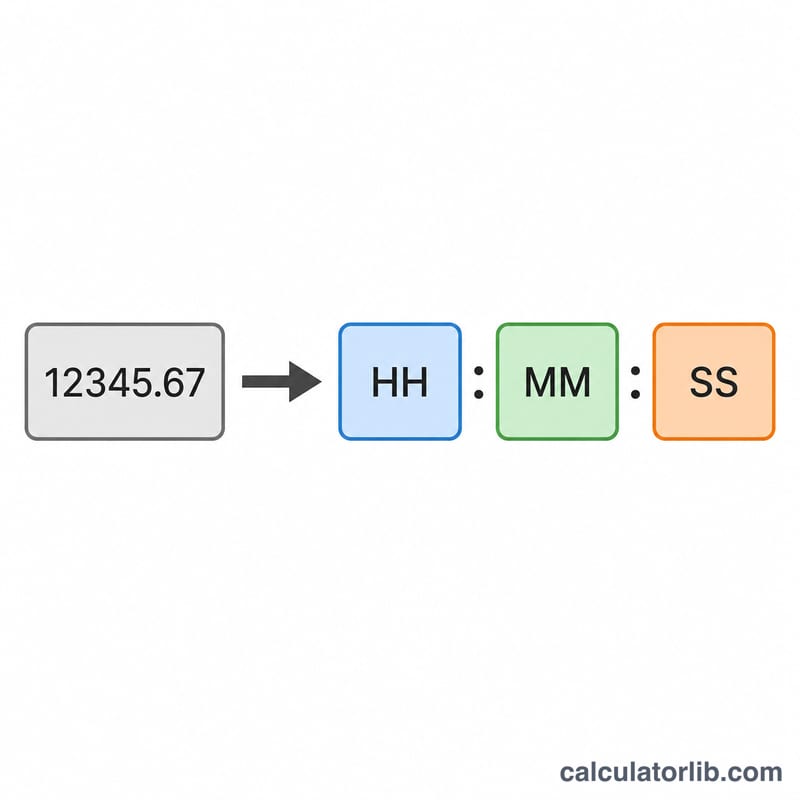
This tool turns a single decimal number into a clean hh:mm:ss duration. You pick what your number represents — days, hours, minutes, or seconds — and the calculator normalizes it to total seconds, then splits it into hours, minutes, and seconds. Because it measures a duration (not a wall-clock time), the hours field is never wrapped at 24: 1.75 days correctly shows as 42 hours, not 18.
How to use it
Enter your decimal value (for example 42.756), choose the matching unit from the dropdown, and optionally tick "show hundredths of seconds" to keep two decimal places on the seconds. The result shows the formatted time plus an "in words" breakdown and the equivalent day-normalized form.
The formula explained
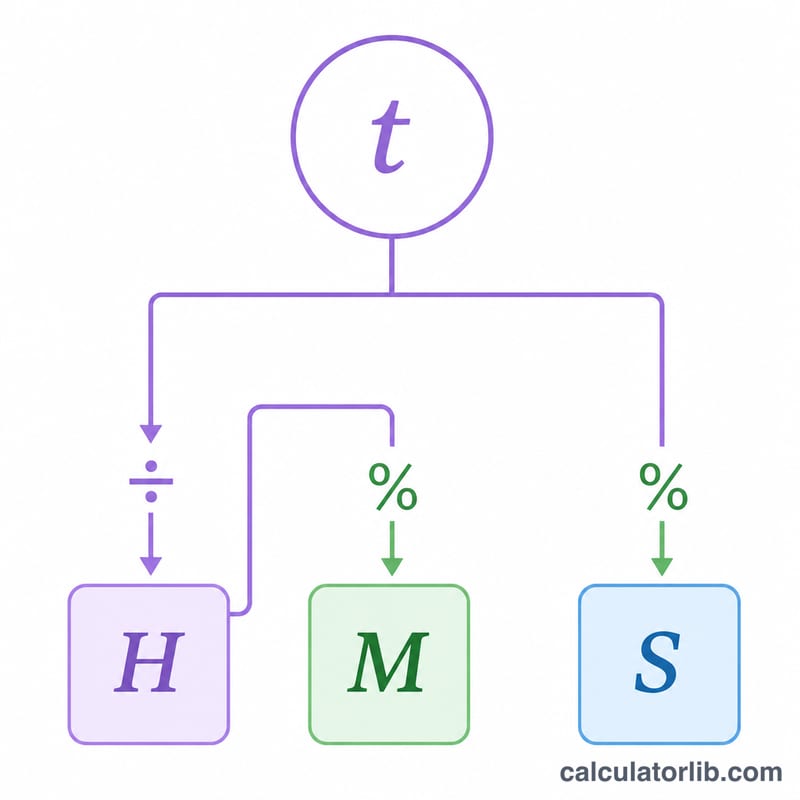
The reliable method converts everything to total seconds first: $$t_{\text{sec}} = v \times k$$ where the scale factor \(k\) is 86400 for days, 3600 for hours, 60 for minutes, and 1 for seconds. Then \(H=\left\lfloor\tfrac{t}{3600}\right\rfloor\), the remainder is split into \(M=\left\lfloor\tfrac{t-3600H}{60}\right\rfloor\), and the leftover becomes seconds \(S=t-3600H-60M\). Rounding only happens at the very last step, which avoids fractional drift. If rounding pushes seconds to 60 it carries into minutes, and 60 minutes carries into hours.
Worked example
Take 42.756 hours. Total seconds = $$42.756 \times 3600 = 153921.6.$$ Hours = \(\left\lfloor 153921.6 / 3600 \right\rfloor = 42\). Remainder = \(2721.6\) s, so minutes = \(\left\lfloor 2721.6 / 60 \right\rfloor = 45\). Remaining seconds = \(21.6\), which rounds to 22. The result is 42:45:22, or in words "1 days, 18 hours, 45 minutes, 22 seconds". With hundredths enabled the seconds display as 21.60, giving 42:45:21.60.
FAQ
Why can the hours be larger than 24? This is a duration, not a time of day, so hours accumulate beyond 24 (e.g. 76 hours for 3.2 days).
Why does the whole-second result sometimes differ from hundredths? Whole-second mode rounds to the nearest second, so 21.6 becomes 22; hundredths mode keeps 21.60.
What inputs are valid? Any number greater than zero. Zero, blanks, and negative values are rejected.