
What this tool does
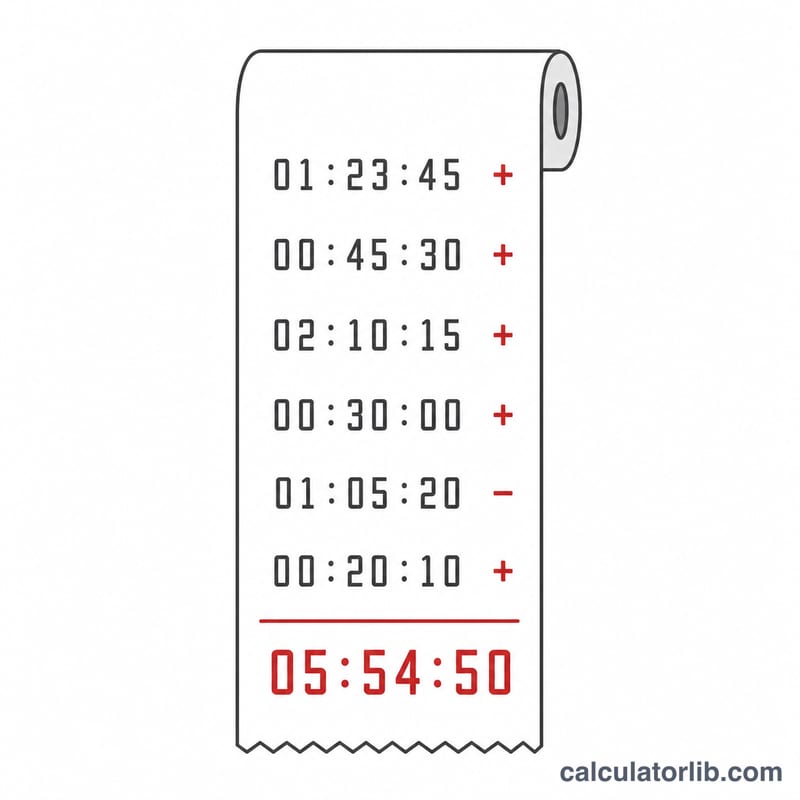
This is an "adding-machine"-style time calculator that keeps a running total in hh:mm:ss (hours:minutes:seconds). You type a time value, choose add or subtract, and press Calculate. Each entry is applied to a running total that you can keep building up, just like a desktop adding machine for clock time. It is pure elapsed-time arithmetic, so it works the same everywhere and needs no calendar or time-zone rules.
How to use it
Choose the operator (+ to add, − to subtract), type a time in the hh:mm:ss box, then click Calculate. The running total updates and is shown as Total: hh:mm:ss. The most recent operand result is shown as the Answer. Use Clear to reset the total to 00:00:00. Separators can be a colon, period, dash, or space — so 5:22:10, 5.22.10, 5-22-10 and 5 22 10 all mean 5 hours 22 minutes 10 seconds. Empty positions count as zero: 5.. is 5 hours, ..5 is 5 seconds. A leading minus (e.g. -1:30:00) makes the operand itself negative.
The formula
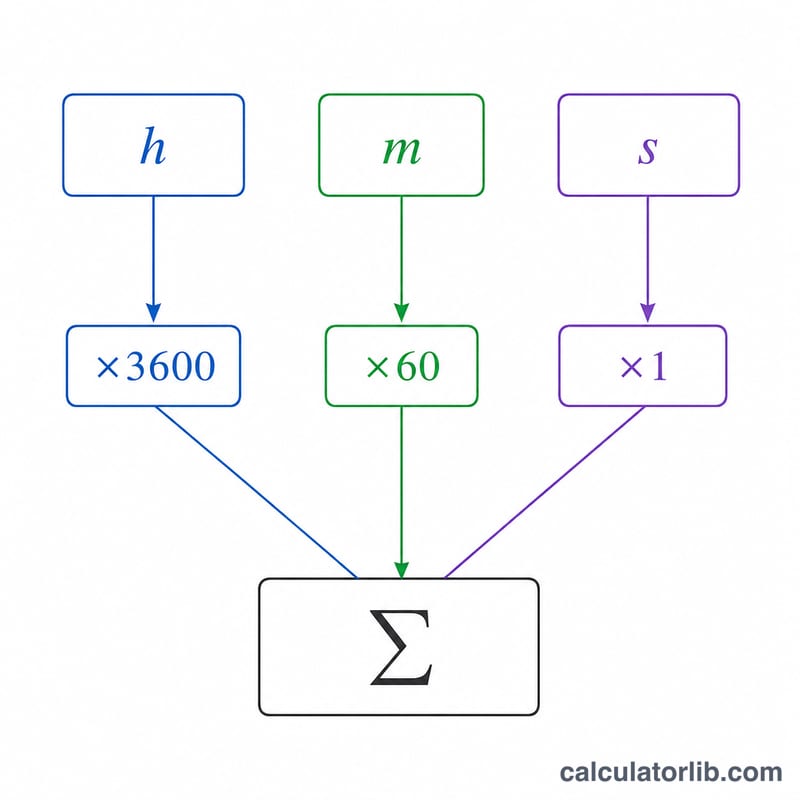
Each entry is converted to seconds: $$\text{operandSeconds} = \text{sign} \times (\text{hours}\times 3600 + \text{minutes}\times 60 + \text{seconds})$$ The running total updates by \(\text{total} \mathrel{+}= \text{operandSeconds}\) for add or \(\text{total} \mathrel{-}= \text{operandSeconds}\) for subtract. To display, take \(a = |\text{total}|\), then $$hh = \lfloor a/3600 \rfloor,\quad mm = \lfloor (a \bmod 3600)/60 \rfloor,\quad ss = a \bmod 60$$ prefixing a minus when the total is negative. Hours are not capped on display.
Worked example
Start at 00:00:00. Add 5.22.10 → 19330 s → 05:22:10. Subtract .30. (30 minutes = 1800 s) → 17530 s → 04:52:10. Add -1... (a negative 1 hour) → $$17530 - 3600 = 13930 \text{ s} \to 03{:}52{:}10$$
FAQ
Can the total go negative? Yes. Negative totals are shown with a leading minus, e.g. -01:30:00.
What if both the operator is − and the operand has a leading minus? The signs multiply, so subtracting a negative value adds it.
Why must minutes and seconds of one entry be under 60? Each entry is a real clock-style value; carrying happens only when the running total is normalized for display, which is why hours can exceed 99.