
What Is the Hex to HSL Color Converter?
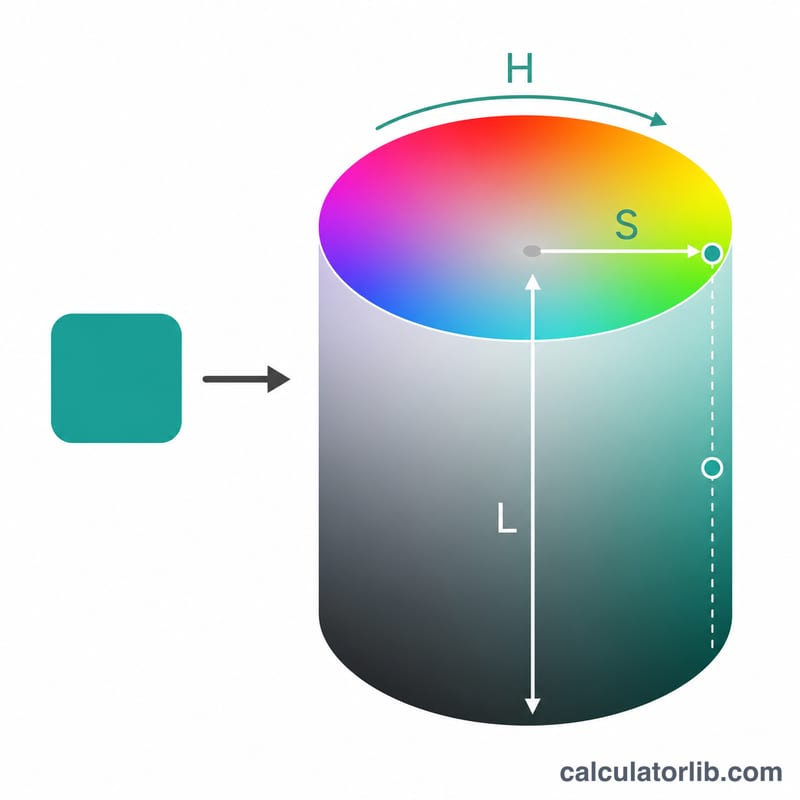
This tool converts a hexadecimal color code (the familiar #RRGGBB notation used in CSS and design software) into the HSL color model — Hue, Saturation, and Lightness. HSL is often more intuitive than hex or RGB because it describes color the way humans think about it: what color it is (hue), how vivid it is (saturation), and how light or dark it is (lightness). It works universally for any RGB-based color and is not tied to any country or standard beyond standard sRGB hex notation.
How to Use It
Enter a hex color value such as #3498DB. You can include or omit the leading #, and three-digit shorthand like #0AF is automatically expanded to #00AAFF. The converter returns the equivalent HSL triple plus the decoded red, green and blue channel values (0–255).
The Formula Explained
First the hex is split into red, green and blue bytes and each is divided by 255 to normalize it to a 0–1 range. Let max and min be the largest and smallest of these three values. Lightness is simply their average: \(L = \frac{\max + \min}{2}\). Saturation is 0 when max equals min (a gray). Otherwise, if \(L > 0.5\) then \(S = \frac{\max - \min}{2 - \max - \min}\), else \(S = \frac{\max - \min}{\max + \min}\). Hue depends on which channel is the maximum and is scaled to degrees by multiplying by 60.
$$ L = \frac{\max + \min}{2}, \quad S = \begin{cases} \dfrac{\max - \min}{2 - \max - \min}, & L > 0.5 \\[0.6em] \dfrac{\max - \min}{\max + \min}, & L \le 0.5 \end{cases} $$ $$ \text{where}\quad \left\{ \begin{aligned} (R,G,B) &= \frac{\text{RGB from }\text{Hex Color}}{255} \\ \max &= \operatorname{max}(R,G,B),\ \min = \operatorname{min}(R,G,B) \end{aligned} \right. $$ $$ H = 60^{\circ} \times \begin{cases} \dfrac{G - B}{d} \bmod 6, & \max = R \\[0.6em] \dfrac{B - R}{d} + 2, & \max = G \\[0.6em] \dfrac{R - G}{d} + 4, & \max = B \end{cases} \qquad d = \max - \min $$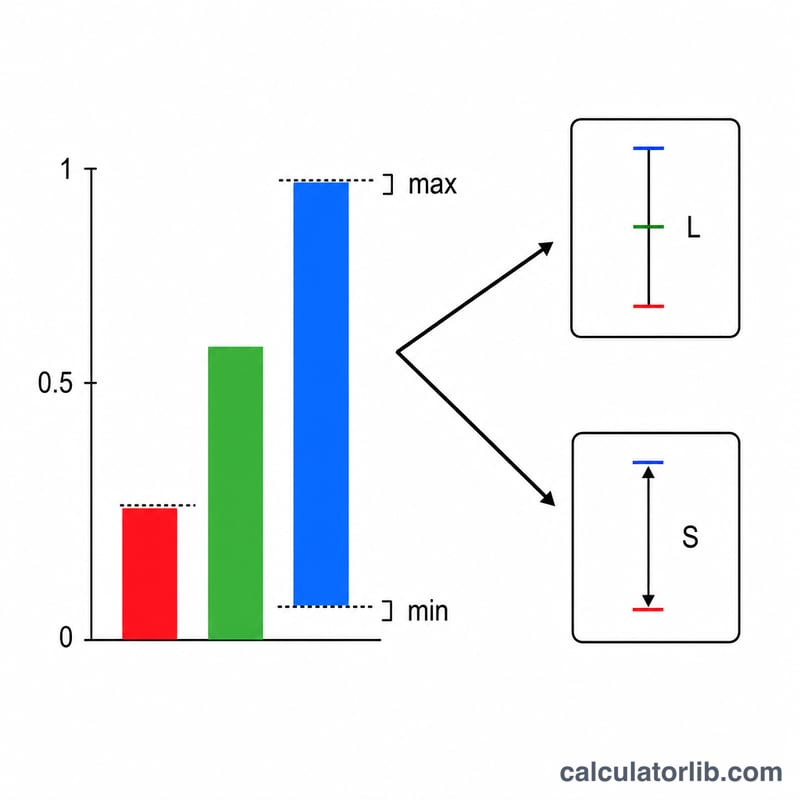
Worked Example
Take #3498DB: R = 52, G = 152, B = 219. Normalized: \(r \approx 0.2039\), \(g \approx 0.5961\), \(b \approx 0.8588\). max = b = 0.8588, min = r = 0.2039, so L = 0.5314 (53.14%). Since \(L > 0.5\), S = (0.6549) / (2 − 1.0627) = 0.6987 (69.87%). Blue is max, so
Result: hsl(204, 70%, 53%).
FAQ
Does it accept shorthand hex? Yes — three-digit codes like #F0C are expanded automatically.
Are the HSL values exact? The hue, saturation and lightness are computed at full precision and rounded only for display; the raw values are available too.
Is the hash required? No, the converter handles values with or without the leading #.