
What Is the Adding Hours Calculator?
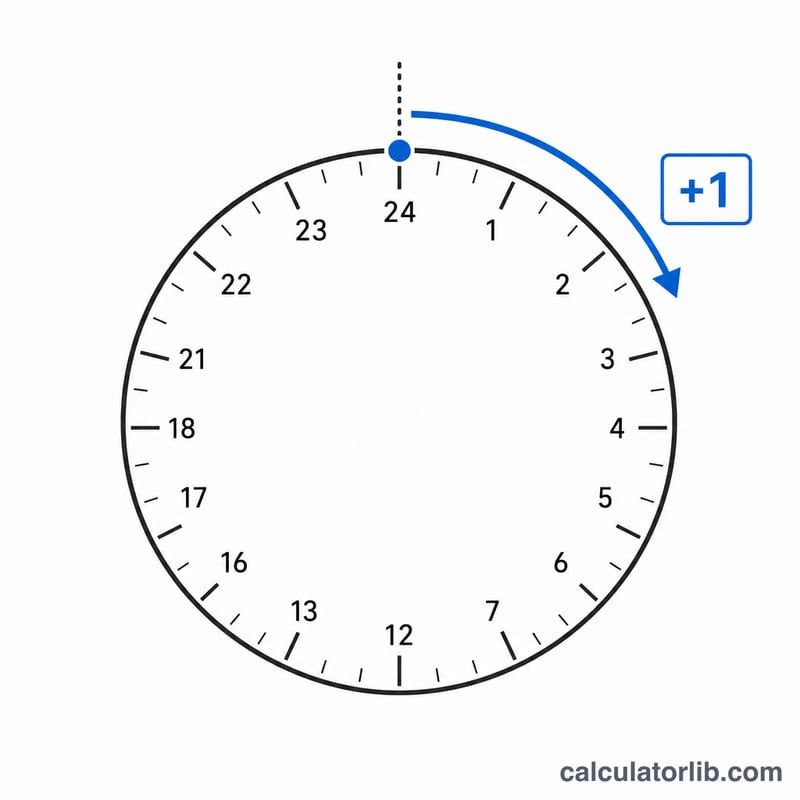
The Adding Hours Calculator lets you take a starting clock time and add any number of hours (and minutes) to it. It automatically wraps around midnight using 24-hour arithmetic and tells you how many days roll over. This is handy for scheduling shifts, calculating delivery or arrival times, planning cooking or fermentation windows, and any task where you need to know "what time will it be in X hours?"
How to Use It
Enter your start hour (0–23) and start minute (0–59). Then enter the number of hours you want to add and, optionally, extra minutes. Press calculate and you'll get the resulting clock time in 24-hour format plus the number of full days carried forward.
The Formula Explained
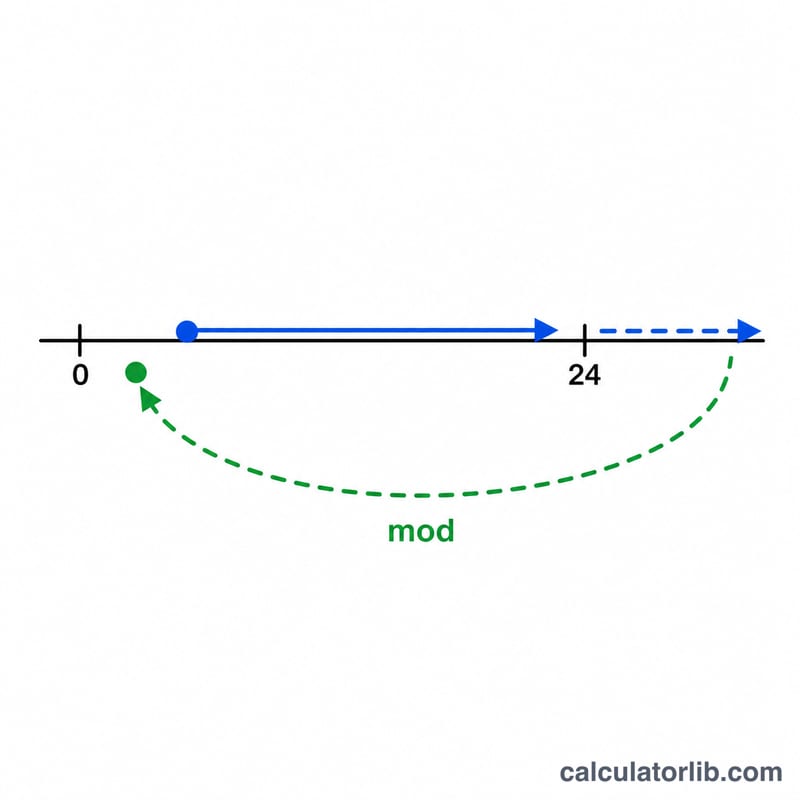
Everything is converted to minutes since midnight. We add the hours and minutes you want to include, then take the remainder when divided by 1440 (the number of minutes in a day) to find the new clock time. Dividing the total by 1440 and rounding down gives the number of days that have passed.
$$\text{result\_time} = (\text{start\_time} + N\ \text{hours}) \bmod 24\ \text{hours}$$ with carried days $$\text{days} = \left\lfloor \frac{\text{total}}{24\text{h}} \right\rfloor$$
Worked Example
Start at 22:30 and add 5 hours and 45 minutes. Start minutes = \(22\times60 + 30 = 1350\). Added = \(5\times60 + 45 = 345\). Total = \(1695\). \(1695 \bmod 1440 = 255\) minutes → 4 hours 15 minutes → 04:15. Days carried = \(\left\lfloor 1695 / 1440 \right\rfloor = 1\). So the result is 04:15, one day later.
12-Hour to 24-Hour Conversion
The calculator works in 24-hour (military) clock format. Use this table to translate a 12-hour AM/PM time into the startHour value to enter. The key rules: 12:00 AM (midnight) is 00:00, 12:00 PM (noon) is 12:00, and for any PM time from 1:00 onward you add 12 to the hour.
| 12-hour time | 24-hour time |
|---|---|
| 12:00 AM (midnight) | 00:00 |
| 1:00 AM | 01:00 |
| 2:00 AM | 02:00 |
| 3:00 AM | 03:00 |
| 4:00 AM | 04:00 |
| 5:00 AM | 05:00 |
| 6:00 AM | 06:00 |
| 7:00 AM | 07:00 |
| 8:00 AM | 08:00 |
| 9:00 AM | 09:00 |
| 10:00 AM | 10:00 |
| 11:00 AM | 11:00 |
| 12:00 PM (noon) | 12:00 |
| 1:00 PM | 13:00 |
| 2:00 PM | 14:00 |
| 3:00 PM | 15:00 |
| 4:00 PM | 16:00 |
| 5:00 PM | 17:00 |
| 6:00 PM | 18:00 |
| 7:00 PM | 19:00 |
| 8:00 PM | 20:00 |
| 9:00 PM | 21:00 |
| 10:00 PM | 22:00 |
| 11:00 PM | 23:00 |
If you prefer to convert a specific time both directions, a dedicated military time converter handles minutes and the AM/PM label automatically.
FAQ
Does it support 24-hour time? Yes, the result is shown in 24-hour (00:00–23:59) format.
Can I add more than 24 hours? Absolutely. Adding 50 hours simply carries 2 days and wraps the remaining 2 hours.
Can I add minutes too? Yes, use the optional "add minutes" field for precise timing.