
What this calculator does
The File Download & Data Transfer Time Calculator estimates how long it takes to move a file across a network connection. Enter the file size, the connection speed, and choose the appropriate units — the tool converts everything to a common base and returns the transfer time in seconds, plus a friendly hours/minutes/seconds breakdown.
The formula
The core relationship is:
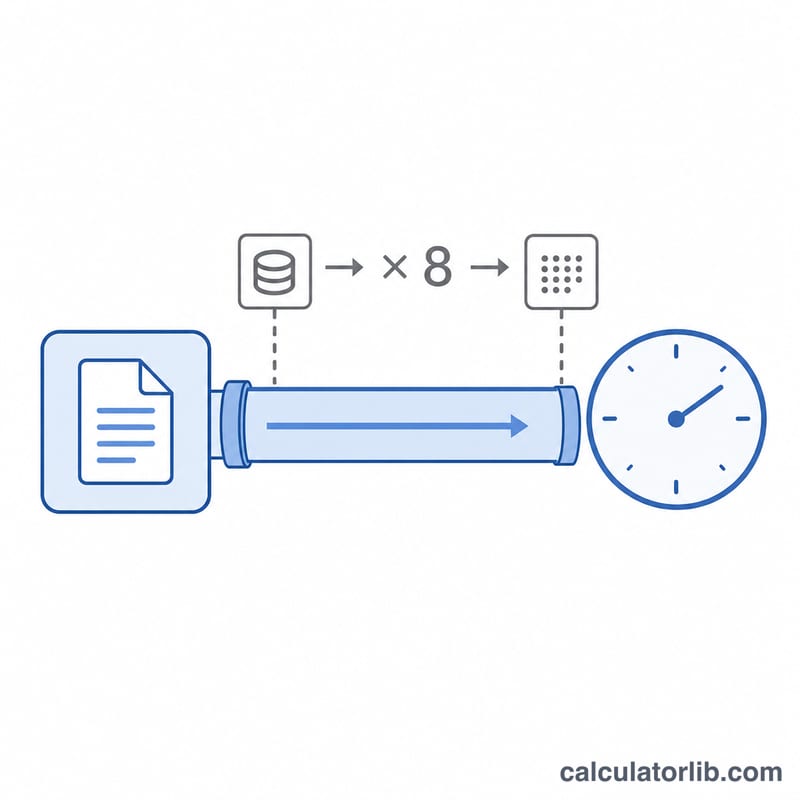
$$t = \frac{\text{File}_{\text{MB}} \times 8}{\text{Speed}_{\text{Mbps}}}$$
Network speeds are quoted in megabits per second (Mbps), but file sizes are measured in megabytes (MB). Because one byte equals 8 bits, we multiply the file size in megabytes by 8 to convert it to megabits, then divide by the speed in Mbps to get the time in seconds. Units like GB, TB, Kbps, Gbps and MB/s are normalised before the division (this tool uses the decimal convention where \(1\,\text{GB} = 1000\,\text{MB}\)).
Worked example
Suppose you download a 700 MB file over a 50 Mbps connection. First convert to megabits: \(700 \times 8 = 5600\) megabits. Then divide by speed: \(5600 \div 50 = 112\) seconds, which is about 1 minute and 52 seconds. Note this is the theoretical best case — real-world speeds are usually lower due to overhead and shared bandwidth.
How to use it
1) Type the file size and pick its unit. 2) Enter your connection speed and pick its unit (most ISP plans are advertised in Mbps). 3) Read the estimated time. For a 4 GB game on a 100 Mbps line, expect roughly 320 seconds (about 5.3 minutes) in ideal conditions.
Speed & Size Unit Conversions
The single most common source of confusion is that connection speeds are quoted in bits per second (Mbps) while file sizes are quoted in bytes (MB). Because one byte equals eight bits, a 100 Mbps link delivers a maximum of about 12.5 MB/s, not 100 MB/s.
| Relationship | Equivalent |
|---|---|
| Bits and bytes | |
| 1 byte | 8 bits |
| 1 MB/s | 8 Mbps |
| 1 Mbps | 0.125 MB/s |
| Speed unit | In Mbps |
|---|---|
| 1 Kbps | 0.001 Mbps |
| 1 Mbps | 1 Mbps |
| 1 Gbps | 1000 Mbps |
| 1 MB/s | 8 Mbps |
| File size (decimal, 1000-based) | In bytes | In megabits (×8) |
|---|---|---|
| 1 KB | 1000 bytes | 0.008 Mb |
| 1 MB | 1,000,000 bytes | 8 Mb |
| 1 GB | 1,000,000,000 bytes | 8000 Mb |
| 1 TB | 1,000,000,000,000 bytes | 8,000,000 Mb |
Example conversion: a 1 Gbps link equals 125 MB/s of throughput. Note that storage vendors and operating systems sometimes use binary (1024-based) units — a "1 GB" file reported in binary (GiB) is about 7.4% larger than the decimal GB used here, which slightly lengthens real transfer times.
FAQ
Why does my download take longer than the calculator says? The result assumes you get the full advertised speed with zero overhead. Protocol overhead, network congestion, server limits and Wi-Fi loss typically reduce actual throughput by 10–30%.
What's the difference between Mbps and MB/s? Mbps is megabits per second; MB/s is megabytes per second. \(1\,\text{MB/s} = 8\,\text{Mbps}\). A 100 Mbps line tops out at about 12.5 MB/s.
Does it use 1000 or 1024? This calculator uses the decimal standard (\(1\,\text{GB} = 1000\,\text{MB}\)) to match how ISPs and storage are advertised.