
What Is the Download Speed Calculator?
This tool tells you how fast a file actually downloaded by comparing the file's size to the time it took to arrive. You enter the file size in megabytes (MB) and the number of seconds the download lasted, and the calculator returns your real-world download speed in megabits per second (Mbps) — the unit internet providers use to advertise plans — as well as megabytes per second (MB/s).
How to Use It
Enter the file size in MB. If your file is shown in gigabytes (GB), multiply by 1,000 first (or by 1,024 for binary GiB). Enter the download time in seconds. Click calculate to see your speed instantly. This is a universal calculation that works the same anywhere in the world.
The Formula Explained
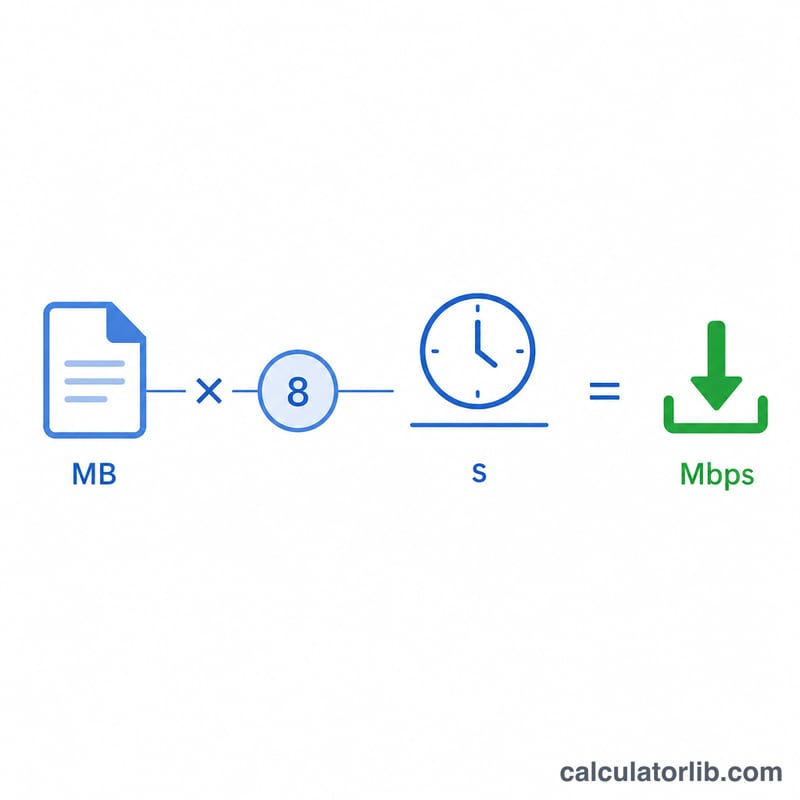
Network speeds are measured in bits, while file sizes are measured in bytes, and there are 8 bits in a byte. So we first convert the file size to megabits by multiplying MB by 8, then divide by the elapsed time:
$$\text{Speed (Mbps)} = \frac{\text{File Size (MB)} \times 8}{\text{Time (s)}}$$
To get megabytes per second instead, simply divide file size by time without the \(\times 8\) step.
Worked Example
Suppose you downloaded a 100 MB file in 20 seconds. Convert to megabits: \(100 \times 8 = 800\) megabits. Divide by time: $$800 \div 20 = 40 \text{ Mbps}$$ In megabytes per second that is \(100 \div 20 = 5\) MB/s.
FAQ
Why is my measured speed lower than my plan? Overhead, server limits, Wi-Fi, and other devices on the network all reduce real throughput below your advertised maximum.
What's the difference between Mbps and MB/s? Mbps is megabits per second; MB/s is megabytes per second. Since 1 byte = 8 bits, \(\text{MB/s} = \text{Mbps} \div 8\).
Should I use 1000 or 1024 to convert GB to MB? Storage marketing uses 1,000; operating systems often use 1,024 (binary). Use whichever matches how your file size was reported.