
What is the Download Time Calculator?
This tool estimates how long it takes to download (or upload) a file given its size and your connection speed. File sizes are measured in bytes (KB, MB, GB, TB) while internet speeds are quoted in bits per second (Kbps, Mbps, Gbps). Because one byte equals eight bits, you cannot simply divide the two numbers — this calculator handles the conversion for you and adds an optional overhead factor to reflect real-world conditions.
How to use it
Enter the file size and choose its unit, then enter your bandwidth and its unit. Optionally set a protocol overhead percentage to account for TCP/IP headers, retransmissions and network inefficiency (5–20% is typical in practice; leave it at 0 for a theoretical best case). The result shows the time in hours, minutes and seconds plus the total in seconds.
The formula explained
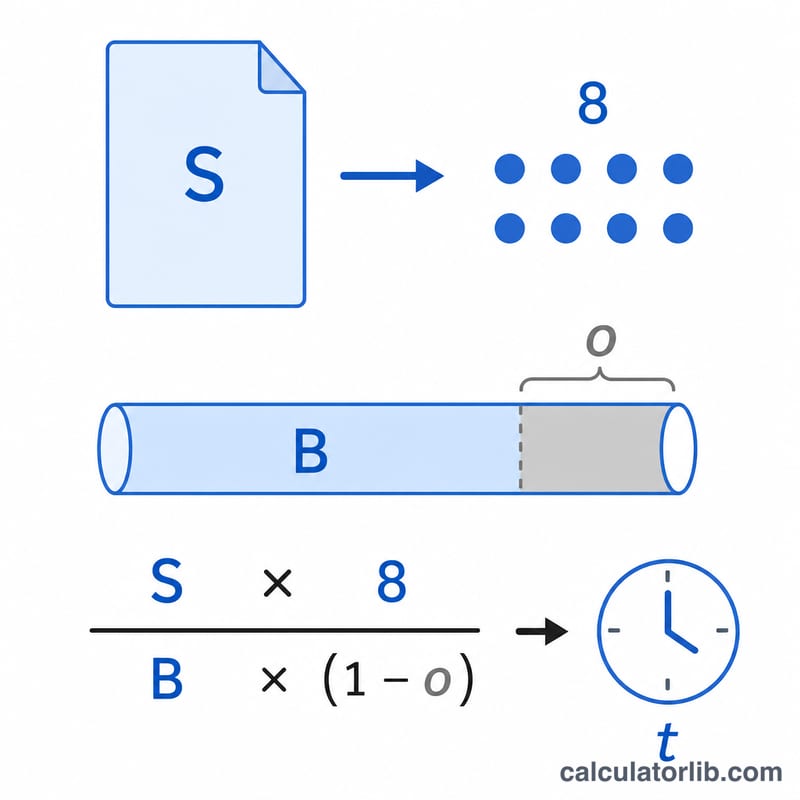
The core equation is $$t = \frac{S \times 8}{B \times (1 - o)}$$, where \(S\) is the file size in bytes, multiplying by \(8\) converts it to bits, \(B\) is the bandwidth in bits per second, and \(o\) is the overhead expressed as a fraction. We use decimal (SI) multiples: \(1\,\text{MB} = 1{,}000{,}000\) bytes and \(1\,\text{Mbps} = 1{,}000{,}000\) bits/s, matching how ISPs advertise speeds.
Worked example
Downloading a 700 MB file over a 100 Mbps connection with 0% overhead: \(700\,\text{MB} = 700{,}000{,}000\) bytes \(= 5{,}600{,}000{,}000\) bits. Dividing by \(100{,}000{,}000\) bits/s gives \(56\) seconds — that is 0h 0m 56s.
Bits, Bytes & Unit Conversions
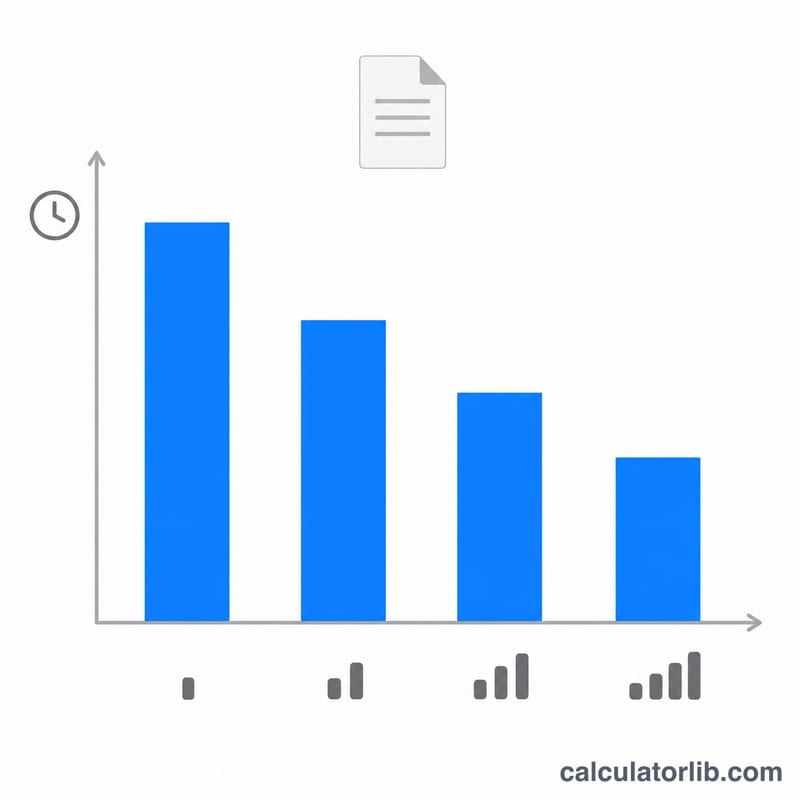
Download speeds are advertised in bits per second (Mbps), but file sizes are measured in bytes (MB, GB). The single most important fact for estimating download time is that 1 byte = 8 bits, so you divide a connection's bit rate by 8 to get the equivalent byte-rate throughput. This calculator uses decimal (SI) units, where each step is a factor of 1000.
File size units (bytes, decimal)
| Unit | Bytes | Bits |
|---|---|---|
| 1 byte (B) | 1 | 8 |
| 1 kilobyte (KB) | 1,000 | 8,000 |
| 1 megabyte (MB) | 1,000,000 | 8,000,000 |
| 1 gigabyte (GB) | 1,000,000,000 | 8,000,000,000 |
| 1 terabyte (TB) | 1,000,000,000,000 | 8,000,000,000,000 |
Bandwidth units (bits per second)
| Unit | Bits/second | Equivalent byte rate |
|---|---|---|
| 1 Kbps | 1,000 | 125 B/s |
| 1 Mbps | 1,000,000 | 125 KB/s |
| 1 Gbps | 1,000,000,000 | 125 MB/s |
Advertised Mbps to effective throughput (MB/s)
To convert an advertised bit rate to a real-world byte-rate throughput, divide the Mbps figure by 8. For example, 100 Mbps ÷ 8 = 12.5 MB/s.
| Advertised speed | Bits/second | Effective throughput (MB/s) |
|---|---|---|
| 10 Mbps | 10,000,000 | 1.25 MB/s |
| 25 Mbps | 25,000,000 | 3.125 MB/s |
| 50 Mbps | 50,000,000 | 6.25 MB/s |
| 100 Mbps | 100,000,000 | 12.5 MB/s |
| 300 Mbps | 300,000,000 | 37.5 MB/s |
| 500 Mbps | 500,000,000 | 62.5 MB/s |
| 1 Gbps (1000 Mbps) | 1,000,000,000 | 125 MB/s |
These are theoretical maximums. Real downloads run a little slower because of protocol overhead (TCP/IP headers, handshakes, retransmissions), which typically eats 5–15% of raw bandwidth — the reason this calculator offers an optional overhead factor.
FAQ
Why is my real download slower? Advertised speeds are maximums. Server limits, Wi-Fi, congestion and protocol overhead all reduce throughput — use the overhead field to model this.
Bits vs bytes? Speeds (Mbps) are megabits per second; file sizes (MB) are megabytes. \(1\) byte \(= 8\) bits, so 100 Mbps delivers about 12.5 MB per second.
Does it work for uploads? Yes — just enter your upload bandwidth instead of download speed.