
What the Video Playback Speed Calculator Does
This tool tells you how long a video will actually take to watch once you change its playback speed, and how much time you save in the process. Whether you speed up a lecture to 1.5×, binge a podcast at 2×, or slow a tutorial to 0.5× to follow along, the calculator converts the original running time into an adjusted viewing time instantly. It works for any video length on any platform, since the maths is the same regardless of the player.
The Inputs You Provide
- Video Duration (HH:MM:SS) — the original length of the video, entered in hours, minutes and seconds (for example,
01:20:00). Minutes and seconds must each be between 0 and 59. - Playback Speed — your chosen multiplier. You can enter any value between 0.25 (quarter speed) and 5 (five times speed). Values above 1 shorten the watch time; values below 1 lengthen it.
The Formula
The calculator first converts your duration to total seconds:
- $$\text{Total seconds} = (\text{hours} \times 3600) + (\text{minutes} \times 60) + \text{seconds}$$
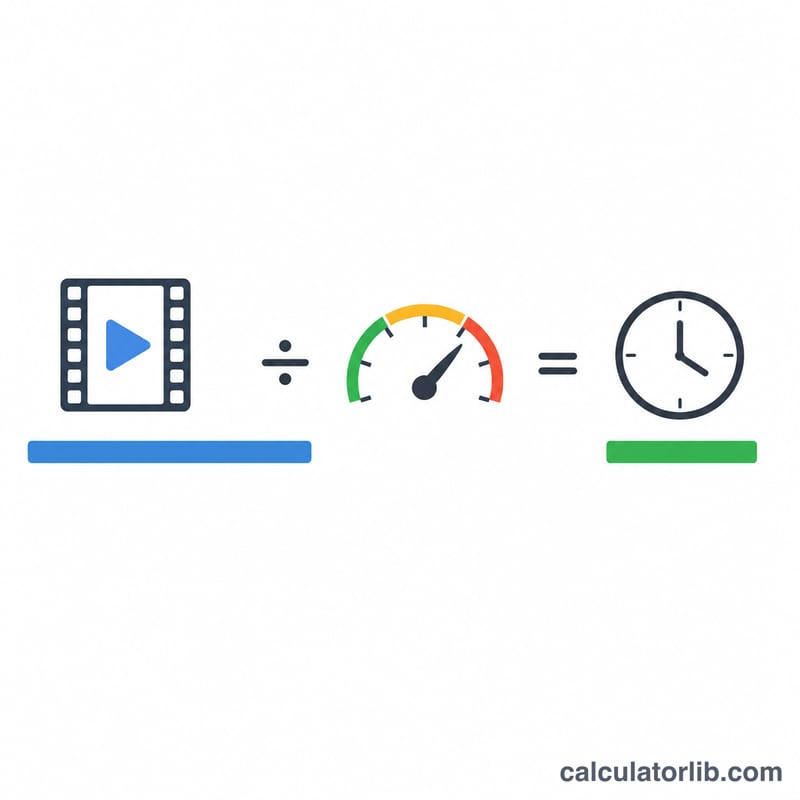
- $$\text{Adjusted seconds} = \frac{\text{Total seconds}}{\text{Playback Speed}}$$
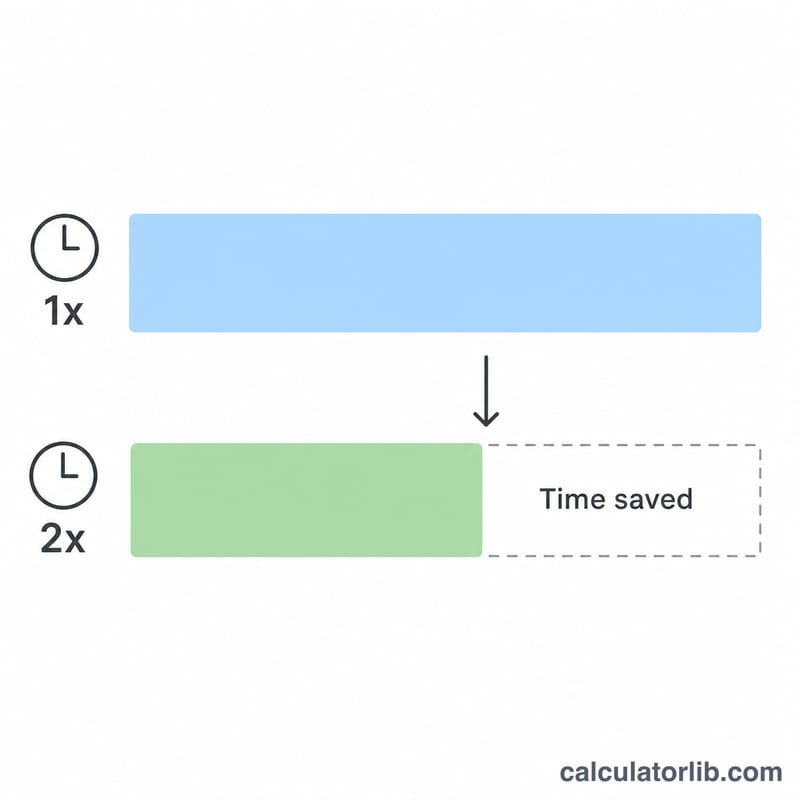
- $$\text{Time saved} = \text{Total seconds} - \text{Adjusted seconds}$$
- $$\text{Percentage of original} = \frac{\text{Adjusted seconds}}{\text{Total seconds}} \times 100$$
The adjusted seconds are then reformatted back into HH:MM:SS for an easy-to-read result.
Worked Example
Suppose you have a 1 hour 20 minute lecture (01:20:00) and watch it at 1.5×:
- Total seconds = 4,800
- Adjusted seconds = \(4{,}800 \div 1.5 = 3{,}200\) seconds = 00:53:20
- Time saved = \(4{,}800 - 3{,}200 = 1{,}600\) seconds ≈ 26 minutes 40 seconds
- Percentage of original ≈ 66.7%
So you finish the lecture in under 54 minutes and save more than 26 minutes.
Common Playback Speeds and What They Mean
Most streaming platforms let you change how fast media plays. Because adjusted duration is simply the original length divided by the playback speed, a higher multiplier always shortens the time you spend watching or listening. The table below lists the speeds offered by major platforms, their typical maximum (cap), and the effect each speed has on a video's running time.
| Playback speed | Effect on duration | Time to finish a 60-minute video | Time saved vs. 1x |
|---|---|---|---|
| 0.5x (half speed) | Plays slower; duration doubles | 120 min | −60 min (takes longer) |
| 0.75x | Slightly slower; duration ×1.33 | 80 min | −20 min (takes longer) |
| 1x (normal) | No change | 60 min | 0 min |
| 1.25x | Modest speed-up; duration ×0.8 | 48 min | 12 min |
| 1.5x | Common comfortable speed; duration ×0.667 | 40 min | 20 min |
| 1.75x | Fast; duration ×0.571 | 34 min 17 s | 25 min 43 s |
| 2x (double speed) | Plays twice as fast; duration halves | 30 min | 30 min |
Typical platform caps
| Platform | Speed options | Maximum cap |
|---|---|---|
| YouTube (web & app) | 0.25x, 0.5x, 0.75x, 1x, 1.25x, 1.5x, 1.75x, 2x | 2x |
| Spotify (podcasts) | 0.5x, 0.8x, 1x, 1.2x, 1.5x, 2x, 3x, 3.5x | 3.5x |
| Apple Podcasts | 0.5x, 0.75x, 1x, 1.25x, 1.5x, 1.75x, 2x | 2x |
| Audible | 0.5x to 3.5x (fine increments) | 3.5x |
| Netflix | 0.5x, 0.75x, 1x, 1.25x, 1.5x | 1.5x |
| VLC media player | Any value (manual) | Unlimited (practical limit varies) |
For speeds above 1x the duration multiplier is \(1/\text{speed}\): for example, 2x gives \(1/2 = 0.5\) of the original length, while 1.5x gives \(1/1.5 \approx 0.667\). Speech remains intelligible for most listeners up to roughly 1.5x–2x; beyond that, pitch-correction quality and individual comprehension determine how usable the audio is.
Frequently Asked Questions
What playback speeds can I enter? Any value from 0.25 to 5. Most platforms cap at 2×, but the tool allows a wider range for planning purposes.
What happens if I slow a video down? A speed below 1 (such as 0.5×) increases the adjusted duration, and the "time saved" figure becomes negative, showing extra time spent instead.
Why must I use HH:MM:SS format? The calculator validates each part separately, so minutes and seconds must be under 60. Entering 01:20:00 works, but 0:80:00 will return a format error.