What is a Download Time Calculator?
A Download Time Calculator is a tool that estimates how long it will take to download a file based on the file size and your internet connection speed. It converts different units of file size (KB, MB, GB, TB) and connection speeds (Kbps, Mbps, Gbps) to provide accurate time estimates in various formats including seconds, minutes, hours, and days.
When to Use a Download Time Calculator
This calculator is useful in several scenarios:
- Planning large downloads: Before downloading large files like movies, games, or software updates, estimate the time required to plan your schedule accordingly.
- Comparing internet plans: Evaluate different internet service provider plans by seeing how they would affect your download times for typical file sizes.
- Network capacity planning: IT professionals can estimate bandwidth requirements and download times for distributing files across networks or planning system updates.
How to Calculate Download Time
The calculation involves converting file sizes and connection speeds to standard units, then applying the basic formula:
Basic Formula:
$$\text{Download Time (seconds)} = \frac{\text{File Size (Megabits)}}{\text{Connection Speed (Mbps)}}$$
Unit Conversions:
File Size Conversion to MB:
- KB to MB: \(\text{Size} \div 1024\)
- GB to MB: \(\text{Size} \times 1024\)
- TB to MB: \(\text{Size} \times 1024^2\)
Speed Conversion to Mbps:
- Kbps to Mbps: \(\text{Speed} \div 1024\)
- Gbps to Mbps: \(\text{Speed} \times 1024\)
File Size to Megabits:
$$\text{File Size (Megabits)} = \text{File Size (MB)} \times 8$$
For more network-related calculations, you can also use our Network Throughput Calculator or Data Transfer Calculator for additional bandwidth planning tools.
Typical File Sizes and Connection Speeds
Actual sizes vary with quality, length, and compression, but these ranges are useful for quick estimates.
| File type | Typical size |
|---|---|
| MP3 song (3–4 min) | 3–8 MB |
| Smartphone photo (JPEG) | 2–6 MB |
| Ebook (EPUB/PDF) | 0.5–5 MB |
| Standard-definition movie | 700 MB – 1.5 GB |
| HD (1080p) movie | 3–8 GB |
| 4K UHD movie | 20–50 GB |
| AAA video game | 50–150 GB |
| Operating-system update | 1–6 GB |
| Connection type | Typical speed tier |
|---|---|
| 3G mobile | 1–5 Mbps |
| 4G / LTE mobile | 10–50 Mbps |
| 5G mobile | 100–1000 Mbps |
| DSL broadband | 5–25 Mbps |
| Cable broadband | 50–500 Mbps |
| Fiber broadband | 300 Mbps – 1 Gbps+ |
Understanding Your Download Time Estimate
The number this calculator returns is a theoretical best case — the time it would take if your connection ran at its full advertised speed with nothing else competing for it. In practice your real download will almost always be slower, for several reasons:
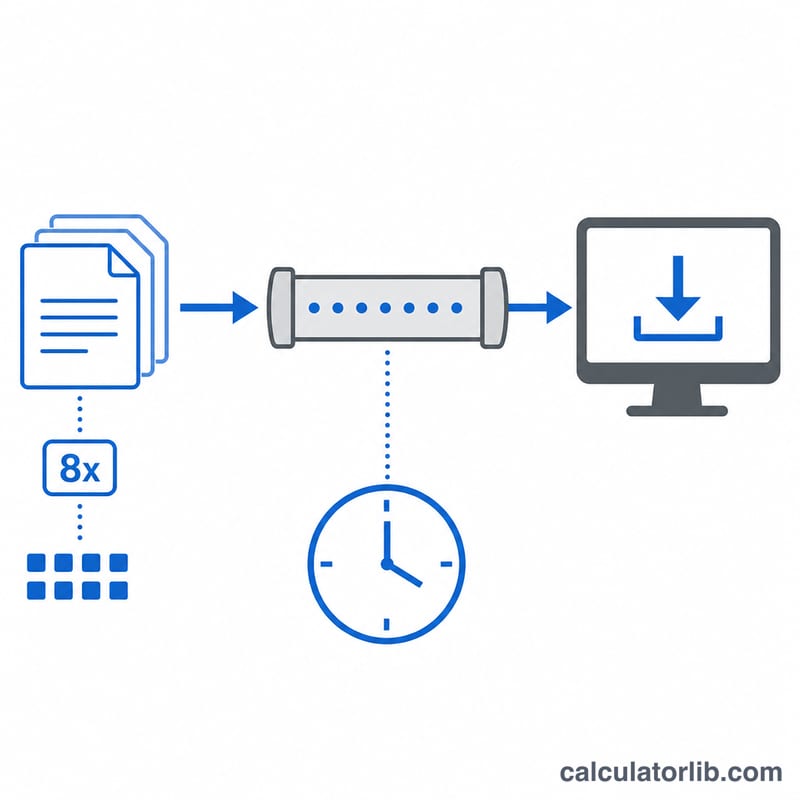
- Bits vs. bytes. Speeds are measured in bits per second (Mbps, lowercase b), while files are measured in bytes (MB, uppercase B). One byte is 8 bits, so a 100 Mbps connection delivers at most about 12.5 megabytes per second. Confusing the two is the most common reason people expect downloads to finish 8× faster than they do.
- Protocol overhead. TCP/IP, encryption, and packet headers consume a slice of bandwidth, so usable throughput is typically 90–95% of the raw link speed.
- Network congestion. During peak hours your ISP, the internet backbone, or the server you are downloading from can all become bottlenecks.
- Wi-Fi and local factors. Distance from the router, walls, interference, and older Wi-Fi standards often cap real speeds well below your wired plan.
- Server and throttling limits. The download source may cap per-user speed, and some ISPs throttle certain traffic types.
As a rule of thumb, add a comfortable margin — expecting real download times to be roughly 10–30% longer than the theoretical estimate is realistic for most home connections.