
What the Data Transfer Calculator Does
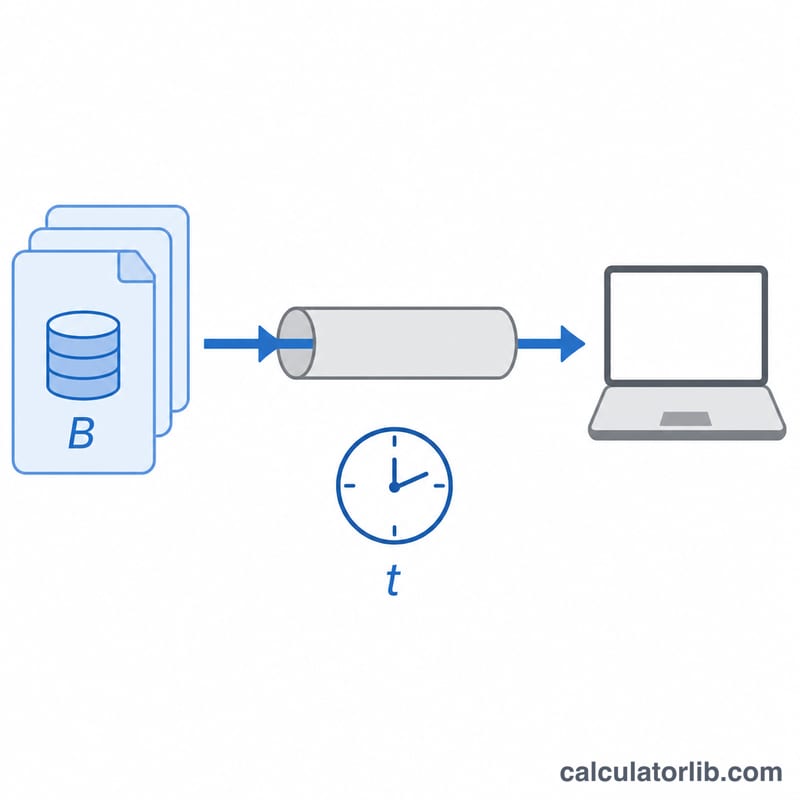
The Data Transfer Calculator estimates how long it will take to move a file or dataset across a network or storage connection. You enter the size of the data and the speed of your connection, and the tool returns the transfer time in seconds, minutes, hours, and days. It's ideal for planning large downloads, cloud backups, file migrations, or video uploads where you need a realistic time estimate before you start.
The Input Fields Explained
- Data Size – the amount of data you want to transfer (a number).
- Data Size Unit – choose Bytes (B), Kilobytes (KB), Megabytes (MB), Gigabytes (GB), or Terabytes (TB).
- Transfer Speed – your connection or transfer rate (a number).
- Transfer Speed Unit – choose bits per second (bps), Kilobits per second (Kbps), Megabits per second (Mbps), or Gigabits per second (Gbps).
The Formula Used
The key detail is that file sizes are measured in bytes while network speeds are quoted in bits — and 1 byte = 8 bits. The calculator handles this conversion automatically.
$$t = \frac{8 \cdot S_{\text{bytes}}}{R_{\text{bps}}}$$ $$\text{where}\quad \left\{ \begin{aligned} S_{\text{bytes}} &= \text{Data Size} \times \text{Size Factor (bytes)} \\ R_{\text{bps}} &= \text{Speed} \times \text{Speed Factor (bps)} \end{aligned} \right.$$- Data size is converted to bytes using binary (1024-based) multipliers: \(1\,\text{KB} = 1024\,\text{B}\), \(1\,\text{MB} = 1024^2\,\text{B}\), \(1\,\text{GB} = 1024^3\,\text{B}\), \(1\,\text{TB} = 1024^4\,\text{B}\).
- Speed is converted to bits per second using decimal (1000-based) multipliers: \(1\,\text{Kbps} = 1{,}000\,\text{bps}\), \(1\,\text{Mbps} = 1{,}000{,}000\,\text{bps}\), \(1\,\text{Gbps} = 1{,}000{,}000{,}000\,\text{bps}\).
- Transfer time (seconds) = (data size in bytes \(\times 8\)) \(\div\) speed in bits per second.
Worked Example
Suppose you want to download a 5 GB file on a 100 Mbps connection.
- Data size in bytes: \(5 \times 1024^3 = 5{,}368{,}709{,}120\) bytes.
- In bits: \(5{,}368{,}709{,}120 \times 8 = 42{,}949{,}672{,}960\) bits.
- Speed in bits per second: \(100 \times 1{,}000{,}000 = 100{,}000{,}000\) bps.
- Time = \(42{,}949{,}672{,}960 \div 100{,}000{,}000 \approx\) 429.5 seconds, or about 7.2 minutes.
Frequently Asked Questions
Why does my real download take longer than the estimate? The calculator assumes you use the full advertised speed continuously. In practice, network overhead, throttling, server limits, and shared bandwidth reduce actual throughput.
Why mix 1024 and 1000? File sizes traditionally use binary units (1024), while internet speeds are advertised in decimal units (1000). The tool reflects this common real-world convention.
Can I estimate upload time too? Yes — just enter your upload speed instead of download speed; the math is identical.