
What is the Video Bitrate Calculator?
Bitrate is the amount of data used per second of video, usually expressed in megabits per second (Mbps) or kilobits per second (kbps). Higher bitrate generally means better quality but a larger file. This calculator lets you work in two directions: find the bitrate of an existing clip from its file size and length, or estimate the resulting file size when you encode at a chosen target bitrate.

How to use it
Pick a mode. To find bitrate, enter the file size in megabytes and the duration. To find file size, enter your target bitrate in Mbps and the duration. Duration is split into minutes plus any extra seconds, so a 1-hour clip is simply 60 minutes and 0 seconds.
The formula explained
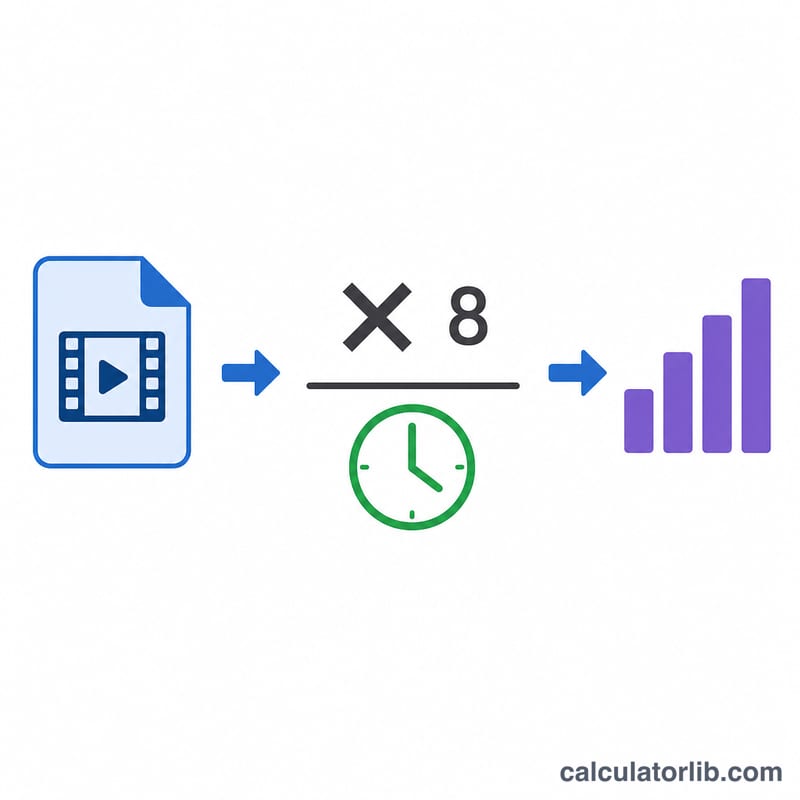
One byte equals 8 bits. To get bitrate we convert the file size to bits and divide by the number of seconds: bitrate = (size in bytes × 8) ÷ seconds. Reversing it, file size in bytes = (bitrate in bits/s × seconds) ÷ 8. This tool uses decimal units where 1 MB = 1,000,000 bytes and 1 Mbps = 1,000,000 bits/s, matching how most encoders and media tools report values.
$$\text{Bitrate (Mbps)} = \frac{\text{Size (MB)} \times 8}{60 \times \text{Minutes} + \text{Seconds}}$$
$$\text{Size (MB)} = \frac{\text{Bitrate (Mbps)} \times \left(60 \times \text{Minutes} + \text{Seconds}\right)}{8}$$
Worked example
A 700 MB file that runs 60 minutes (3,600 seconds): bits = \(700 \times 1{,}000{,}000 \times 8 = 5{,}600{,}000{,}000\) bits. Divide by 3,600 s = \(1{,}555{,}555\) bps ≈ 1.556 Mbps (about 1,555.56 kbps). Encoding 60 minutes at 5 Mbps instead would produce \(5{,}000{,}000 \times 3{,}600 \div 8 = 2{,}250{,}000{,}000\) bytes = 2,250 MB.
Recommended Bitrate Ranges by Resolution
The right video bitrate balances visual quality against file size and the bandwidth available to your viewers. Higher resolutions and frame rates pack more pixels per second, so they need proportionally more data. Modern codecs (H.265/HEVC and AV1) achieve similar quality at roughly 40–50% lower bitrate than H.264 because they compress more efficiently. The ranges below summarise widely published guidance from YouTube and Twitch encoding documentation.
| Resolution / FPS | H.264 (AVC) | H.265 / AV1 | Typical streaming target |
|---|---|---|---|
| 480p (SD) | 2.5–4 Mbps | 1.5–2.5 Mbps | ~2.5 Mbps |
| 720p30 | 5 Mbps | 2.5–4 Mbps | 3–5 Mbps (Twitch) |
| 720p60 | 7.5 Mbps | 4–5 Mbps | 4.5–6 Mbps |
| 1080p30 | 8 Mbps | 4–6 Mbps | 4.5–6 Mbps (Twitch) |
| 1080p60 | 12 Mbps | 7.5–9 Mbps | 6 Mbps (Twitch max) |
| 1440p30 | 16 Mbps | 9–12 Mbps | ~16 Mbps (YouTube) |
| 1440p60 | 24 Mbps | 14–18 Mbps | ~24 Mbps (YouTube) |
| 4K (2160p) 30 | 35–45 Mbps | 20–30 Mbps | ~40 Mbps (YouTube) |
| 4K (2160p) 60 | 53–68 Mbps | 30–45 Mbps | ~60 Mbps (YouTube) |
These are guidelines for upload/storage. Streaming platforms re-encode uploads, so providing a bitrate at or slightly above the recommended target preserves quality through their transcoding pipeline. Live streaming is also constrained by your upload bandwidth and the platform's maximum (Twitch caps at 6 Mbps for most non-partner channels).
Key Terms
- Bitrate
- The amount of data used to represent one second of video, the primary driver of both quality and file size. Higher bitrate generally means better quality and larger files.
- Mbps (megabits per second)
- A bitrate unit equal to 1,000,000 bits per second. Most video encoding targets are expressed in Mbps.
- kbps (kilobits per second)
- 1000 bits per second; 1000 kbps = 1 Mbps. Commonly used for audio tracks and low-resolution video.
- Byte vs bit
- A bit is the smallest unit of data; a byte is 8 bits. Bitrates are quoted in bits, while file sizes are quoted in bytes, so convert by dividing or multiplying by 8.
- CBR / VBR
- Constant Bit Rate keeps the data rate fixed throughout, giving predictable file sizes (useful for live streaming). Variable Bit Rate allocates more data to complex scenes and less to simple ones, improving quality per megabyte.
- Codec
- The algorithm that compresses and decompresses video (e.g. H.264/AVC, H.265/HEVC, AV1, VP9). More efficient codecs deliver the same quality at lower bitrates.
- Container overhead
- Extra bytes added by the file container (MP4, MKV, MOV) for metadata, indexing and stream multiplexing — typically a small percentage on top of the raw video and audio data.
- Audio bitrate
- The data rate of the audio track (commonly 128–320 kbps), which must be added to the video bitrate to estimate total file size.
- Decimal vs binary units
- Decimal units use powers of 1000 (1 MB = 1,000,000 bytes); binary units use powers of 1024 (1 MiB = 1,048,576 bytes). Storage and bandwidth are usually marketed in decimal units, which this calculator uses.
FAQ
Why doesn't this match exactly in my player? Players sometimes use binary units (1 MB = 1,048,576 bytes) and the total bitrate includes audio plus container overhead. This tool uses decimal units for the combined stream.
Is this for video bitrate only? The math applies to any media. For a target video bitrate, subtract your audio bitrate from the total first.
What's a good bitrate? Roughly 5–8 Mbps for 1080p and 35–45 Mbps for 4K streaming, but it depends heavily on the codec.