
What is the IP Address to Binary Calculator?
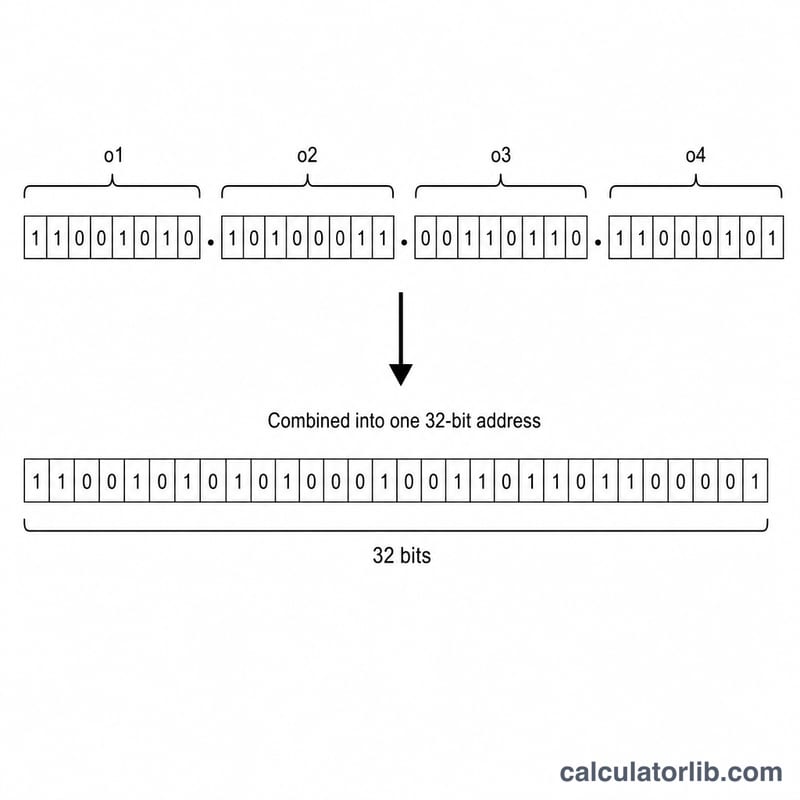
An IPv4 address such as 192.168.1.1 is really just a 32-bit number, written for human convenience as four decimal numbers (octets) separated by dots. This calculator converts those four octets into their binary representation, into a single 32-bit decimal integer, and into hexadecimal — the three forms network engineers, programmers and students switch between most often.
How to use it
Enter each of the four octets, every one a whole number from 0 to 255. Click calculate and you instantly get the dotted-binary form (eight bits per octet), the continuous 32-bit binary string, the equivalent decimal integer, and the dotted hexadecimal form.
The formula explained
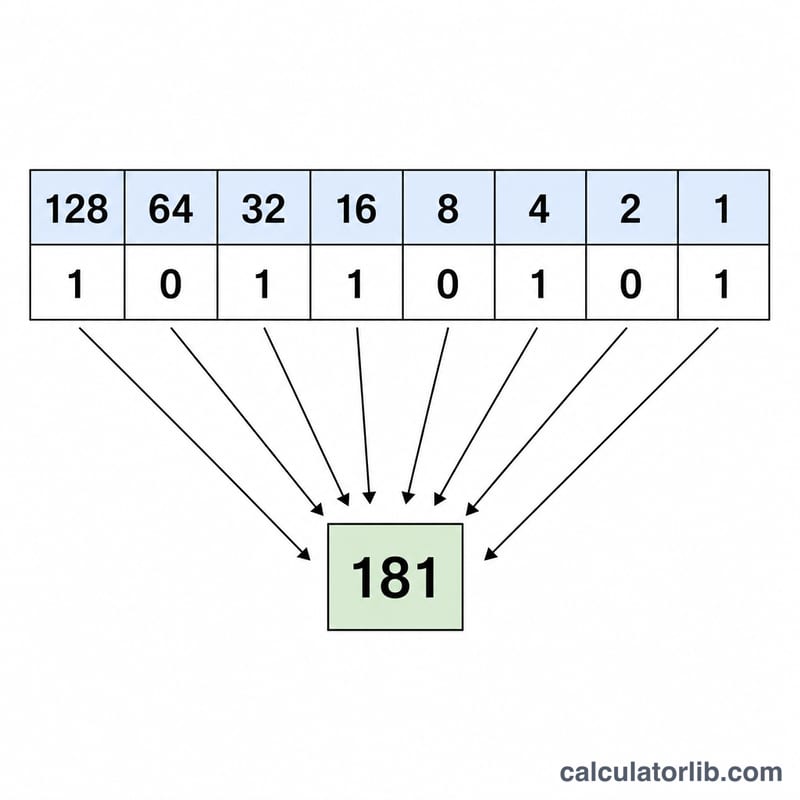
Each octet is converted to binary and left-padded with zeros to exactly 8 bits, so 1 becomes 00000001 and 255 becomes 11111111. Joining all four gives a 32-bit value. The decimal integer is found by weighting each octet by its position:
Because each octet is 8 bits, shifting left by 24, 16 and 8 bits places them in the correct part of the 32-bit word.
Worked example
Take 192.168.1.1. In binary: \(192 = 11000000\), \(168 = 10101000\), \(1 = 00000001\), \(1 = 00000001\), giving 11000000.10101000.00000001.00000001. The decimal integer is
In hex: C0.A8.01.01.
FAQ
Why must each octet be 0–255? Each octet is 8 bits, and 8 bits can represent values from 0 to 255 (\(2^{8} = 256\) values).
What is the decimal integer used for? Databases, geolocation tables and routing code often store IPs as a single integer because comparisons and range checks are faster than parsing dotted strings.
Does this work for IPv6? No — IPv6 addresses are 128 bits and written in hex groups. This tool handles IPv4 (32-bit) addresses only.