
What Is the Average Grade Calculator?
This calculator finds the arithmetic mean of a list of grades or test scores. The average is one of the most common ways to summarize academic performance: it tells you the single value that best represents a whole set of results. Simply enter your scores separated by commas or spaces and the tool adds them up and divides by how many there are.
How to Use It
Type each score into the field, separating them with commas or spaces — for example 85, 90, 78, 92. The calculator counts the entries, totals them, and returns the mean along with the sum and the number of scores so you can double-check the result.
The Formula Explained
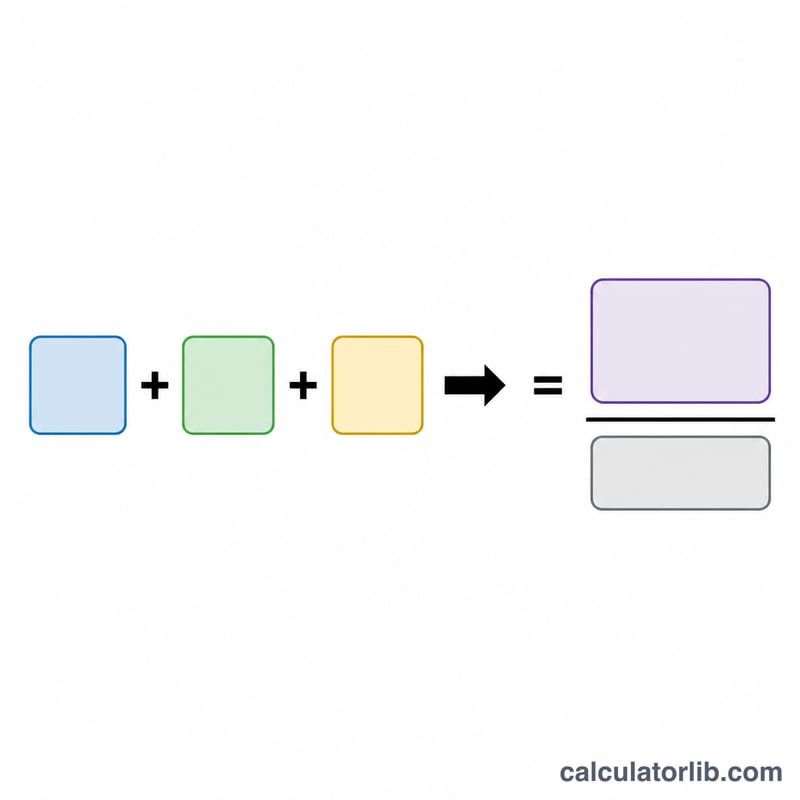
The average (arithmetic mean) is defined as the sum of all values divided by the count of values:
$$\text{Average} = \frac{x_1 + x_2 + \dots + x_n}{n}$$Here each \(x_i\) is an individual score and \(n\) is the total number of scores. Every score contributes equally to the result, which is why a single very high or very low grade can noticeably shift the average.
Worked Example
Suppose you earned the following scores: 85, 90, 78, and 92. First add them: \(85 + 90 + 78 + 92 = 345\). There are 4 scores, so divide: $$345 \div 4 = 86.25$$ Your average grade is 86.25.
Grade Letter & Percentage Reference
Most US schools convert a numeric average into a letter grade and a 4.0-scale grade point. The table below shows a common scheme that includes plus/minus modifiers. Exact cutoffs and the GPA value assigned to each band vary by institution, so always confirm against your own syllabus or registrar.
| Letter | Percentage range | GPA (4.0 scale) |
|---|---|---|
| A+ | 97–100 | 4.0 |
| A | 93–96 | 4.0 |
| A− | 90–92 | 3.7 |
| B+ | 87–89 | 3.3 |
| B | 83–86 | 3.0 |
| B− | 80–82 | 2.7 |
| C+ | 77–79 | 2.3 |
| C | 73–76 | 2.0 |
| C− | 70–72 | 1.7 |
| D+ | 67–69 | 1.3 |
| D | 63–66 | 1.0 |
| D− | 60–62 | 0.7 |
| F | Below 60 | 0.0 |
Simplified (no +/−) bands: A 90–100, B 80–89, C 70–79, D 60–69, F below 60.
FAQ
Does each score have to be weighted equally? Yes — this calculator computes a simple (unweighted) mean. If some assignments count more than others, use a weighted average instead.
Can I enter decimals? Absolutely. Decimal scores such as 88.5 are fully supported.
What if I leave extra spaces or commas? The calculator ignores empty entries, so trailing commas or double spaces won't affect the result.