
What this calculator does
The Checkbook Running Total Calculator works like a classic desktop adding machine: it keeps a persistent running total and updates it each time you submit an entry. It is ideal for balancing a checkbook, tallying receipts, or any task where you add and subtract a long series of numbers one at a time. The math is universal arithmetic, so it works in any country or currency.
How to use it
Type a number in the Entry box and press Enter. In the default auto mode the number is simply added; type a leading sign to choose the operator: + add, - subtract, * multiply, / divide. Prefer the keypad? Use the Operation dropdown to lock an operator instead. Add a trailing % to use a percentage of the current total. Tick Reset to set the total back to 0.00.
The formula explained
For each entry the operand is resolved first. A trailing percent makes the operand \( \text{operand} = \frac{n}{100} \times \text{runningTotal} \). In auto decimal (cents) mode a plain number is divided by 100, so 5236 means 52.36. The chosen operator then combines the operand with the carried total: $$\text{newTotal} = \text{runningTotal} \;\{+,-,\times,\div\}\; \text{operand}$$ Division by zero is blocked and leaves the total unchanged.
Worked example
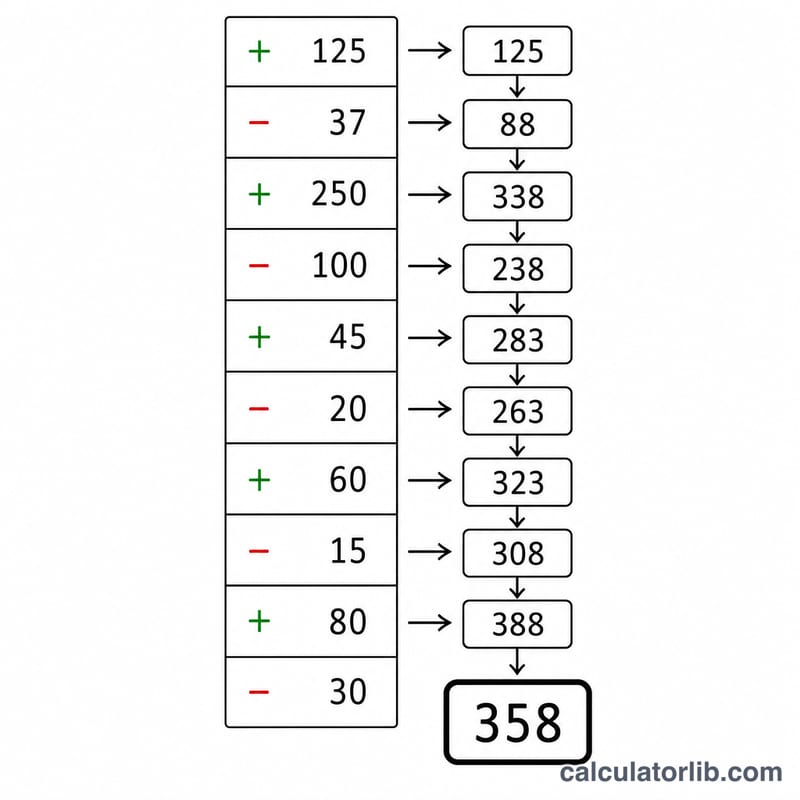
Starting at 0.00 in auto mode: enter 100 (default add) to get 100.00; enter -25.50 to subtract for 74.50; enter +20% to add 20% of 74.50 \( (0.20 \times 74.50 = 14.90) \) for 89.40; switch Operation to multiply, enter 2 for 178.80. Try divide by 0 and the total stays 178.80 with an error notice.
FAQ
Does it keep a tape/history? No history list is shown, but the running total is carried to the next entry automatically and accepts unlimited entries.
Are decimals exact? The total is displayed rounded to two places, but full precision is retained internally between entries to avoid compounding rounding error.
What is cents mode for? It lets you type whole cents from a numeric keypad without a decimal point, so 5236 becomes 52.36.