What is the Cloud vs On-Premise TCO Calculator?
This calculator compares the true Total Cost of Ownership (TCO) of running infrastructure on-premise versus in the cloud. On-premise spending mixes a large upfront capital expenditure (CapEx) — servers, storage, networking — with ongoing operating expenses (OpEx) like power, cooling, maintenance and staff. Cloud is a recurring monthly subscription. By amortizing the on-premise CapEx across the hardware's useful life and adding monthly OpEx, the tool puts both options on a fair, like-for-like monthly basis.
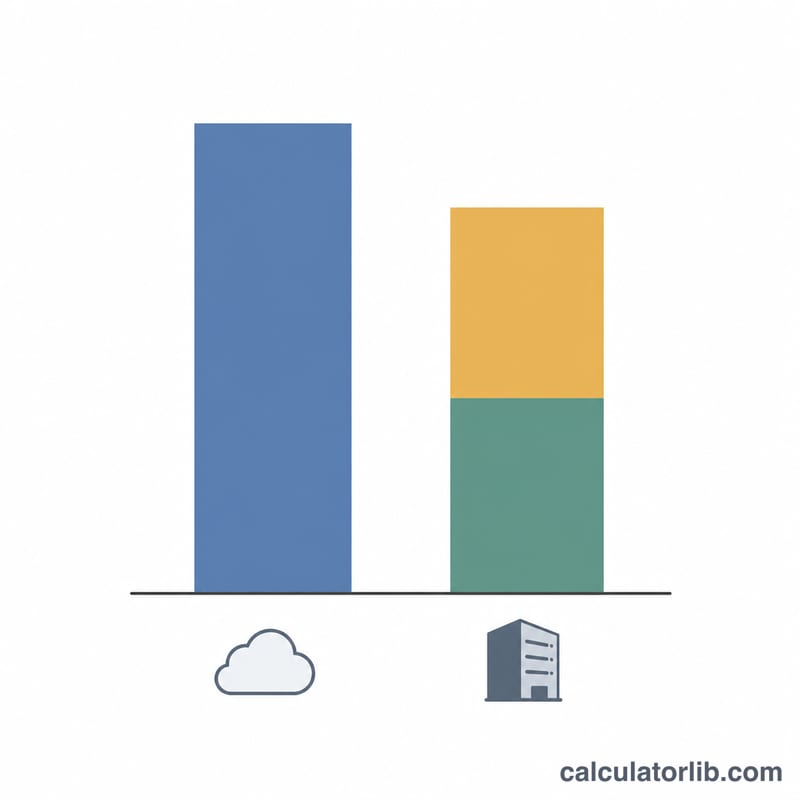
How to use it
Enter your on-premise upfront CapEx, the hardware lifespan in months, your monthly on-premise OpEx, and your equivalent cloud monthly cost. The calculator returns the effective monthly cost of each option, the monthly and total difference over the lifespan, and which option is cheaper.
The formula explained
The on-premise effective monthly cost is CapEx ÷ Lifespan + Monthly OpEx. Dividing CapEx by the lifespan spreads the one-time purchase evenly across the months you expect to use the hardware. Cloud monthly cost is taken directly. Totals are each monthly figure multiplied by the lifespan.
$$\Delta_{\text{monthly}} = \left( \frac{\text{CapEx}}{\text{Lifespan}} + \text{OpEx} \right) - \text{Cloud Cost}$$The total difference over the hardware lifespan is:
$$\begin{gathered} \Delta_{\text{total}} = \left( C_{\text{on}} - C_{\text{cloud}} \right) \times \text{Lifespan} \\[1.5em] \text{where}\quad \left\{ \begin{aligned} C_{\text{on}} &= \frac{\text{CapEx}}{\text{Lifespan}} + \text{OpEx} \\ C_{\text{cloud}} &= \text{Cloud Cost} \end{aligned} \right. \end{gathered}$$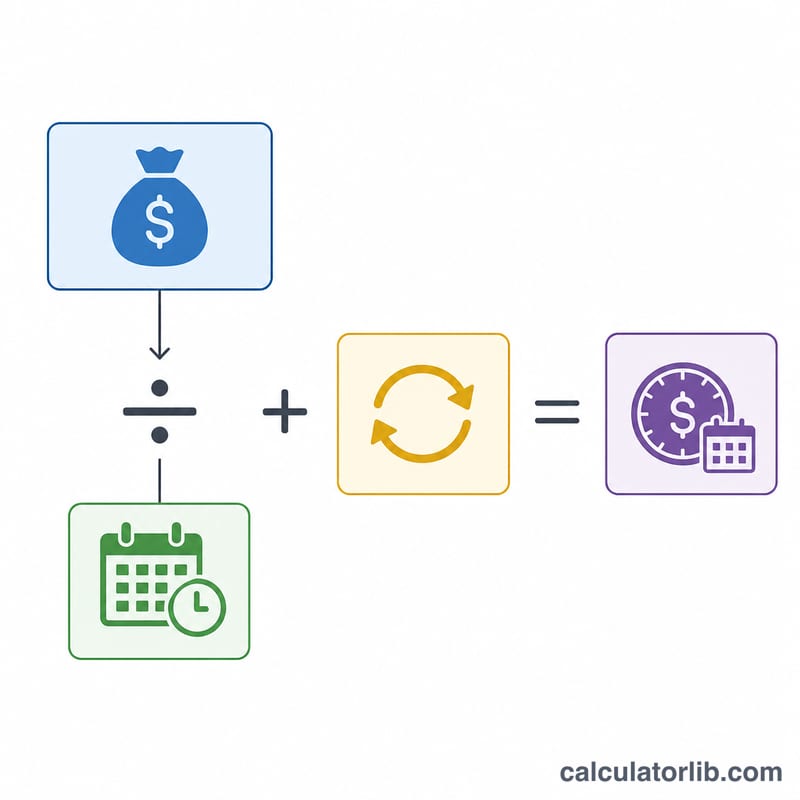
Worked example
Suppose CapEx is $120,000, lifespan is 36 months, monthly OpEx is $2,500, and cloud costs $6,000/month. On-premise effective monthly cost =
$$120{,}000 \div 36 + 2{,}500 = 3{,}333.33 + 2{,}500 = \$5{,}833.33$$Cloud is $6,000. On-premise is cheaper by $166.67/month, or $6,000 over 36 months.
Scenario Comparison: How Lifespan and Cloud Cost Change the Result
The calculator uses \(\Delta_{\text{monthly}} = \frac{\text{CapEx}}{\text{Lifespan}} + \text{OpEx} - \text{Cloud}\). A positive \(\Delta\) means on-premise costs more per month; a negative \(\Delta\) means cloud costs more. The total difference is \(\Delta_{\text{monthly}} \times \text{Lifespan}\). All scenarios below use illustrative figures (not market data) and a hardware CapEx of $120,000.
| Scenario | Lifespan (months) | Monthly OpEx | On-prem monthly (CapEx ÷ Lifespan + OpEx) | Cloud monthly | Monthly difference | Total difference over lifespan | Cheaper |
|---|---|---|---|---|---|---|---|
| A | 24 | $2,000 | $5,000.00 + $2,000 = $7,000.00 | $7,500 | −$500.00 | −$12,000 | On-premise |
| B | 36 | $2,000 | $3,333.33 + $2,000 = $5,333.33 | $7,500 | −$2,166.67 | −$78,000 | On-premise |
| C | 60 | $2,000 | $2,000.00 + $2,000 = $4,000.00 | $3,500 | +$500.00 | +$30,000 | Cloud |
| D | 36 | $4,500 | $3,333.33 + $4,500 = $7,833.33 | $7,500 | +$333.33 | +$12,000 | Cloud |
Worked example (Scenario B):
$$\Delta_{\text{monthly}} = \left(\frac{120000}{36} + 2000\right) - 7500 = 5333.33 - 7500 = -2166.67$$
Over 36 months: \(-2166.67 \times 36 = -78000\). Check: on-premise total = 120,000 + 72,000 = 192,000; cloud total = 270,000; difference = −78,000.
What the table shows: stretching the same hardware over a longer lifespan lowers the amortized CapEx (A to B). Higher recurring OpEx (D) or a cheaper cloud bill (C) can reverse the result. Scenario C is cloud-cheaper even at 60 months because the cloud bill is only $1,500 above on-premise OpEx.
Key Terms: CapEx, OpEx, Amortization and TCO
- TCO (total cost of ownership): all costs of running a system over a defined period, not just the purchase price. This calculator compares the TCO of on-premise and cloud on a monthly and total basis.
- CapEx (capital expenditure): up-front spending on assets used for multiple years. Examples: servers, storage arrays, network switches, racks, and sometimes perpetual software licenses and installation.
- OpEx (operating expenditure): recurring costs of running things. On-premise examples: electricity, cooling, data-center space or rent, maintenance contracts, support licenses, and IT staff time. In cloud, the subscription or usage bill (compute, storage, bandwidth) is typically treated as OpEx.
- Straight-line amortization: spreading a cost evenly over a period: \(\text{monthly amortized cost} = \frac{\text{CapEx}}{\text{Lifespan in months}}\). Example: $120,000 over 48 months = $2,500 per month.
- Hardware lifespan (useful life): the number of months you expect to use the equipment before replacing it. It is an assumption you choose, and it strongly affects the result.
- Effective monthly cost: the on-premise figure the calculator compares: amortized CapEx plus monthly OpEx. The cloud equivalent is simply the monthly cloud bill.
- Break-even: the point where both options cost the same, i.e. \(\Delta_{\text{monthly}} = 0\). Solving for lifespan gives \(\text{Lifespan}_{\text{break-even}} = \frac{\text{CapEx}}{\text{Cloud} - \text{OpEx}}\), which only exists when the cloud cost exceeds on-premise OpEx.
Interpreting Your TCO Result
Positive vs negative difference. A positive monthly difference means the on-premise effective monthly cost is higher than the cloud cost, so cloud is cheaper under your inputs. A negative difference means on-premise is cheaper. The total difference is the monthly difference multiplied by the lifespan, so it shows the cumulative gap over the hardware's life. A result near zero means the options are effectively equal given the uncertainty in the inputs.
Break-even lifespan. If cloud cost exceeds your on-premise OpEx, the break-even lifespan is \(\frac{\text{CapEx}}{\text{Cloud} - \text{OpEx}}\). Example: \(\frac{120000}{7500 - 2000} \approx 21.8\) months. If the hardware is used longer than that, on-premise is cheaper in this model; if it must be replaced sooner, cloud is cheaper. If cloud cost is at or below on-premise OpEx, on-premise never breaks even, because OpEx alone already matches or exceeds the cloud bill.
What the model leaves out. The formula is a simplified comparison. It does not include:
- Cost of capital: the return on money tied up in up-front purchases, or financing interest.
- Hardware refresh and residual value: resale or salvage value, and the cost of replacing equipment when it ends its life.
- Migration and setup: moving workloads and data, re-architecture, retraining.
- Data egress and network fees charged by cloud providers.
- Scaling and utilization: on-premise capacity is paid for whether or not it is used, while cloud cost can rise or fall with demand. A constant monthly cloud figure hides this.
- Cloud discounts such as reserved or committed-use pricing, which can lower the cloud input.
- Non-cost factors such as security, compliance, latency, reliability, and staff skills.
Treat the output as a starting point and test several lifespan and cloud-cost assumptions, as in the scenario table. This is general information, not financial or professional advice.
FAQ
Does this include the cost of capital? No — it uses straight-line amortization. For high interest rates, consider discounting future cash flows separately.
What should go in OpEx? Power, cooling, rack space, maintenance contracts, and the labor needed to run the on-premise environment.
Why amortize CapEx? Because comparing a single large purchase to a monthly cloud bill is misleading; spreading it over the useful life gives a fair monthly comparison.