
What the Cosine Calculator Does
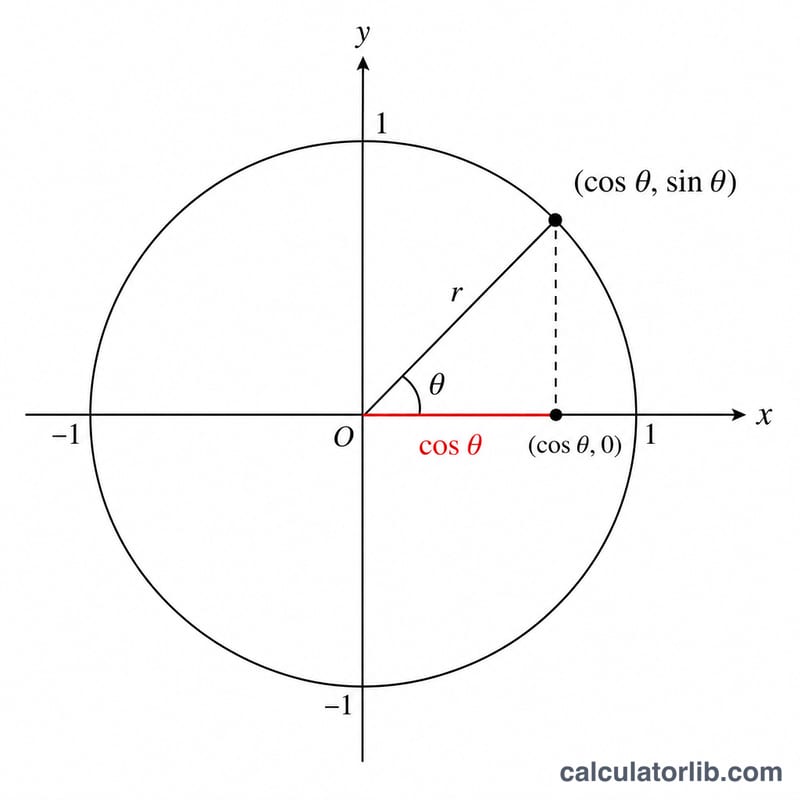
This Cosine Calculator takes a single angle measured in degrees and instantly returns two results: the angle converted to radians, and the cosine value \(\cos(\theta)\). It's a quick, no-fuss tool for students, engineers, surveyors and anyone who needs a fast trigonometric lookup without reaching for a scientific calculator or memorising the unit circle.
The Input You Provide
- Angle (in degrees): the only field. Enter any number — positive or negative, whole or decimal. For example, 60, 90, 45.5 or -30 are all valid.
Because the cosine function is periodic, you can also enter angles larger than 360° (such as 720°) and still get a correct, sensible result.
The Formula Behind It
Most maths libraries expect angles in radians, so the calculator works in two steps:
- Convert to radians: \(\text{radians} = \text{degrees} \times \frac{\pi}{180}\)
- Apply cosine: \(\text{result} = \cos(\text{radians})\)
This mirrors exactly what the tool computes internally — first Math.toRadians(angle), then Math.cos(...) — and is why the radian value is shown alongside the cosine.
$$\cos(\theta) = \cos\left(\text{Angle} \times \frac{\pi}{180}\right)$$
Worked Example
Suppose you enter an angle of 60 degrees:
- Step 1 – radians: $$60 \times \frac{\pi}{180} = 1.0472 \text{ radians}$$
- Step 2 – cosine: $$\cos(1.0472) = 0.5$$
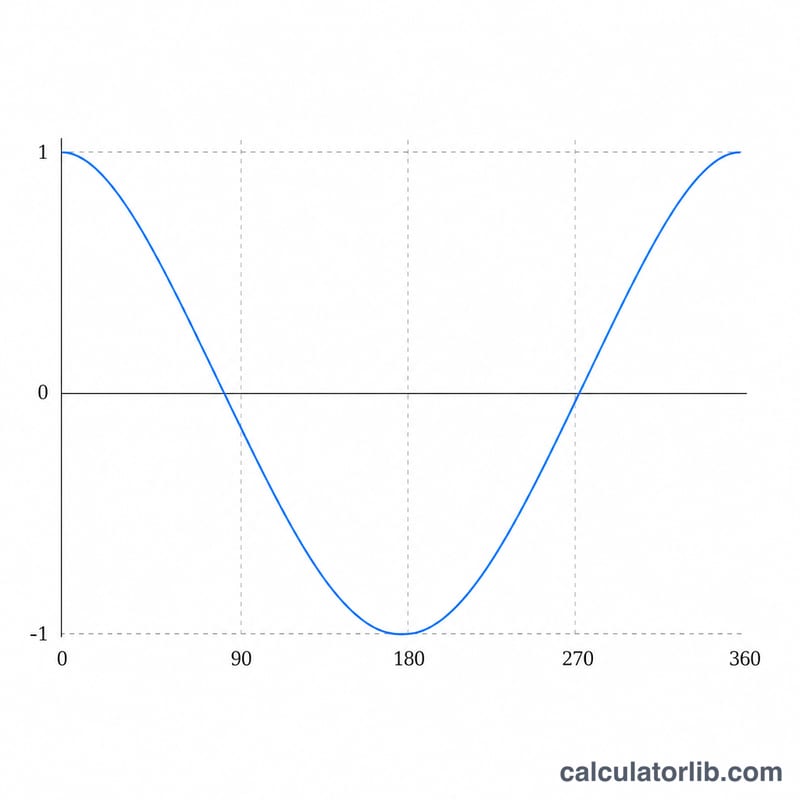
So \(\cos(60°) = \) 0.5, with the radian equivalent of roughly 1.0472. Try 0° (cosine = 1), 90° (cosine ≈ 0) or 180° (cosine = -1) to confirm the familiar reference values.
Frequently Asked Questions
Does it accept radians directly? No. The input field expects degrees. The calculator does the degree-to-radian conversion for you and displays both numbers.
Why is \(\cos(90°)\) not exactly zero? Floating-point conversion of \(\pi/2\) introduces a tiny rounding error, so the result may appear as a very small number like \(6.1\times10^{-17}\) instead of a perfect 0. This is normal and expected.
What range of values can the cosine output be? Always between -1 and 1, inclusive. If you ever see a result outside this range, check that you typed a valid number.