What is the Picture Frame Calculator?
This calculator estimates how much frame moulding you need to build a custom picture frame, and the finished outer dimensions of that frame. It accounts for the artwork size, the width of the mat board border that surrounds the picture, and the width of the frame moulding itself. It works for any unit of measurement as long as you stay consistent (the labels use inches).
How to use it
Enter the width and height of the picture or photo you are framing. Then add the mat border width — the visible border of mat board on each side of the image — and the frame moulding width, which is how wide your frame profile is. The calculator returns the outer frame dimensions, the outer perimeter, and the total length of moulding to buy.
The formula explained
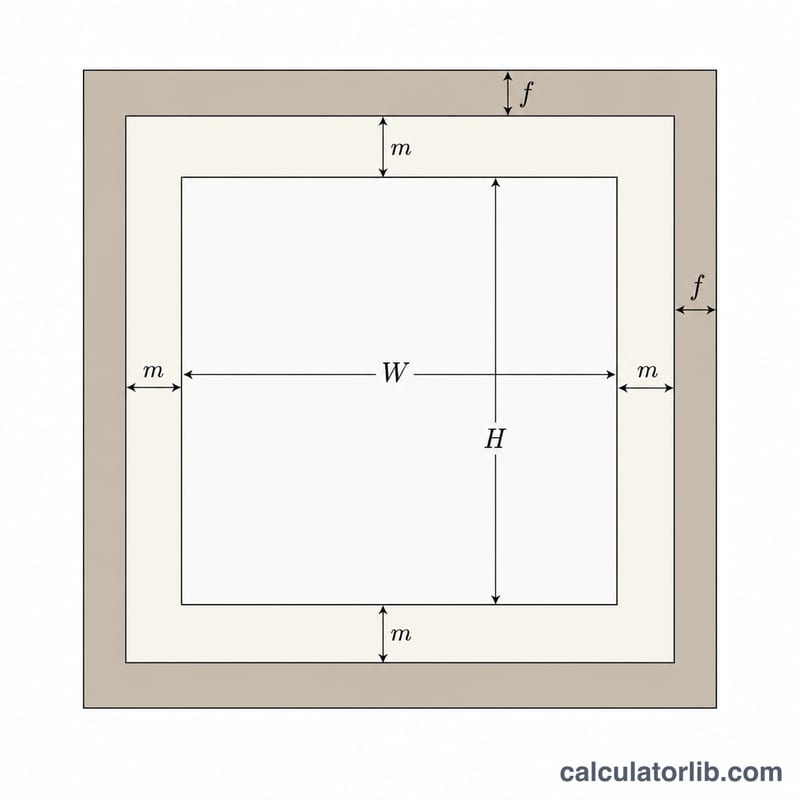
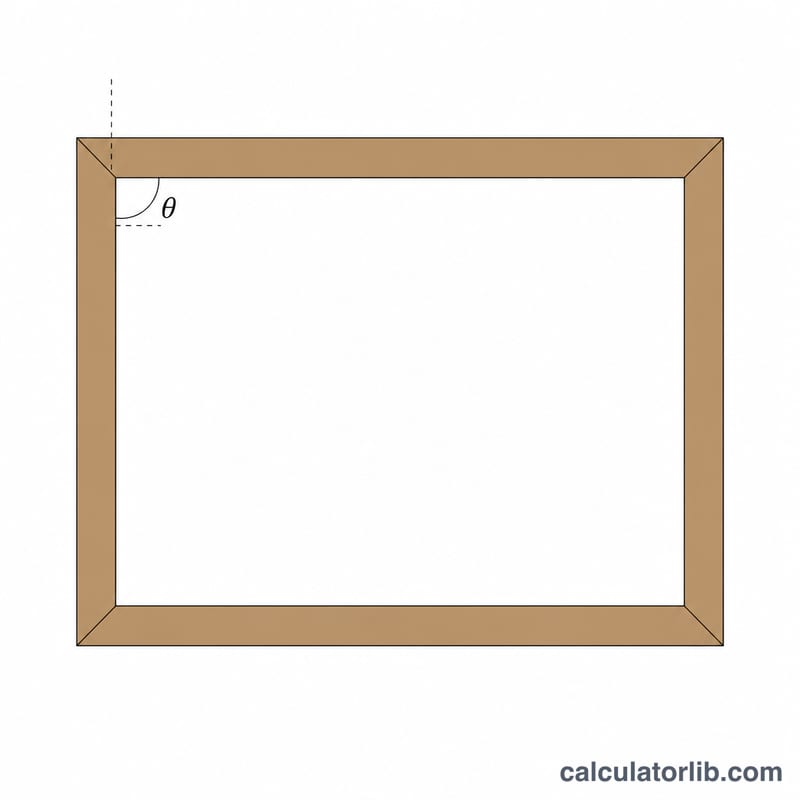
The outer width equals the picture width plus a mat border on each side plus a moulding width on each side: \(W + 2m + 2f\). The outer height follows the same pattern. The perimeter is twice the sum of those two dimensions. Because each of the four corners is cut at 45 degrees, you lose extra material at every joint; a practical mitre allowance of one moulding width per corner (\(8f\) total) is added so you do not come up short.
$$\begin{gathered} L = 2\,(W_o + H_o) + 8\,\text{Frame} \\[1.5em] \text{where}\quad \left\{ \begin{aligned} W_o &= \text{Width} + 2\,\text{Mat} + 2\,\text{Frame} \\ H_o &= \text{Height} + 2\,\text{Mat} + 2\,\text{Frame} \end{aligned} \right. \end{gathered}$$Worked example
Suppose you frame an 8 × 10 inch photo with a 2 inch mat and 1 inch moulding. Outer width = $$8 + 2(2) + 2(1) = 14 \text{ in.}$$ Outer height = $$10 + 2(2) + 2(1) = 16 \text{ in.}$$ Perimeter = $$2(14 + 16) = 60 \text{ in.}$$ Moulding to buy = $$60 + 8(1) = 68 \text{ inches.}$$
Standard Frame and Mat Sizes
The table below uses the calculator's formula with a 2 in mat border and 1 in moulding width on each side. All sizes are in inches. Outer width is \(W_o = W + 2m + 2f\), outer height is \(H_o = H + 2m + 2f\), and the moulding length is \(L = 2(W_o + H_o) + 8f\).
| Artwork size (in) | Outer width (in) | Outer height (in) | Moulding length (in) |
|---|---|---|---|
| 4 × 6 | 10 | 12 | 52 |
| 5 × 7 | 11 | 13 | 56 |
| 8 × 10 | 14 | 16 | 68 |
| 11 × 14 | 17 | 20 | 82 |
| 16 × 20 | 22 | 26 | 104 |
| 18 × 24 | 24 | 30 | 116 |
| 24 × 36 | 30 | 42 | 152 |
Worked example (8 × 10 in): \(W_o = 8 + 2(2) + 2(1) = 14\) in and \(H_o = 10 + 2(2) + 2(1) = 16\) in. Then \(L = 2(14 + 16) + 8(1) = 60 + 8 = 68\) in.
Common ready-made sizes: In the United States and Canada, ready-made frames are usually sold in inch sizes such as 4×6, 5×7, 8×10, 8.5×11, 11×14, 12×16, 16×20, 18×24 and 24×36. Many frames come with a pre-cut mat that fits a smaller picture. In regions that use ISO paper sizes, frames are commonly sold in A-series sizes (A4, A3, A2) or metric sizes such as 30×40, 40×50 and 50×70 cm. If you work in centimetres, use the same unit for every input.
FAQ
Why add a mitre allowance? The 45-degree corner cuts consume extra material at the outer edge of each joint, so buying exactly the perimeter length leaves you short.
Can I ignore the mat? Yes — set the mat border to 0 if you are framing without a mat.
What units does it use? Any consistent unit; the labels say inches, but centimetres work the same way.