
What is the Price After Coupon Calculator?
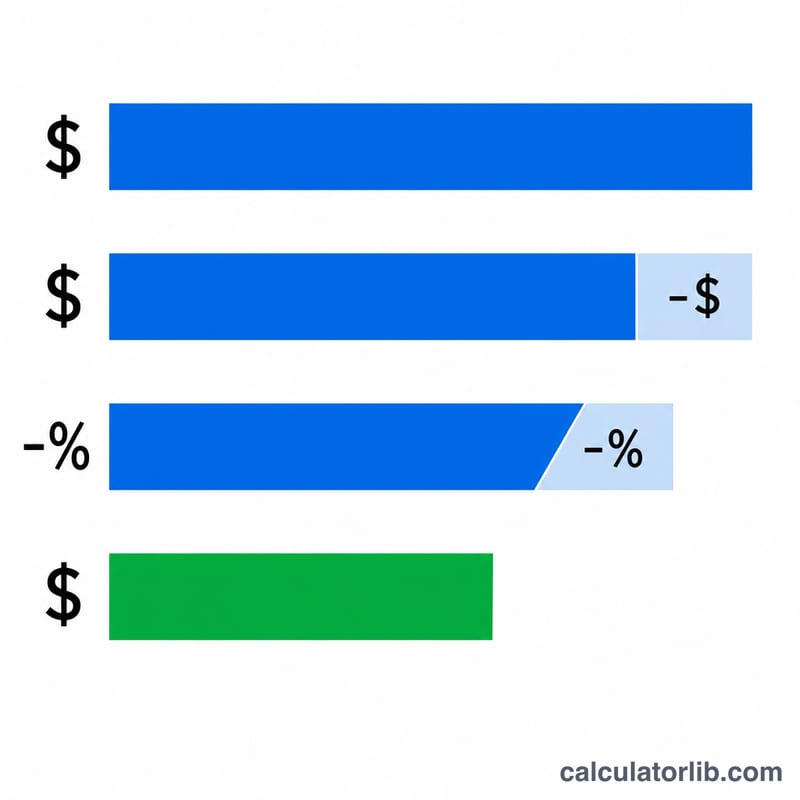
This tool tells you exactly what you'll pay when you stack a fixed-amount coupon (like "$10 off") and a percentage coupon (like "15% off") on a single purchase. It mirrors how most checkout systems apply discounts: the flat dollar amount comes off first, then the percentage is applied to the reduced subtotal. The result is your real out-the-door price, plus how much you saved and your effective discount.
How to use it
Enter the original price of the item. Add any dollar-off coupon (a fixed amount, e.g. 10 for $10 off) and any percent-off coupon (e.g. 15 for 15% off). Leave a field at 0 if you only have one type of coupon. The calculator returns the final price, the subtotal after the dollar coupon, your total dollars saved, and the overall discount percentage.
The formula explained
The math is: $$\text{Final} = \left(\text{Price} - \text{DollarOff}\right) \times \left(1 - \frac{\text{PercentOff}}{100}\right)$$ The flat coupon reduces the base first, which is why order matters — a percent applied to a smaller subtotal saves you less than if it were applied to the full price. The calculator never lets the price go below $0.
Worked example
Suppose an item costs $100, you have a $10-off coupon and a 15%-off coupon. First subtract $10 → $90. Then apply 15% off → $$90 \times 0.85 = 76.50$$ $76.50. You saved $23.50, an effective discount of 23.5%.
FAQ
Does the order of coupons matter? Yes. Applying the dollar coupon before the percentage gives a higher final price than the reverse. Most retailers apply flat amounts first, which is the convention used here.
Can the final price be negative? No. If your coupons exceed the price, the calculator floors the result at $0.
Does this include sales tax? No. This shows the pre-tax discounted price. Add applicable tax separately at checkout.