What Is the Profit Calculator?
This profit calculator helps you quickly determine how much money your business or product makes. By entering your total revenue (the money received from sales) and your total cost (what you paid to produce or acquire the goods), it instantly computes your net profit, profit margin percentage, and markup. These three numbers are the foundation of pricing, budgeting, and financial analysis for any business.
How to Use It
Enter your total revenue and total cost in the fields above, then submit. The tool returns your profit in dollars along with two key ratios: profit margin (profit as a share of revenue) and markup (profit as a share of cost). Use it to test prices, compare products, or check whether a deal is worthwhile.
The Formula Explained
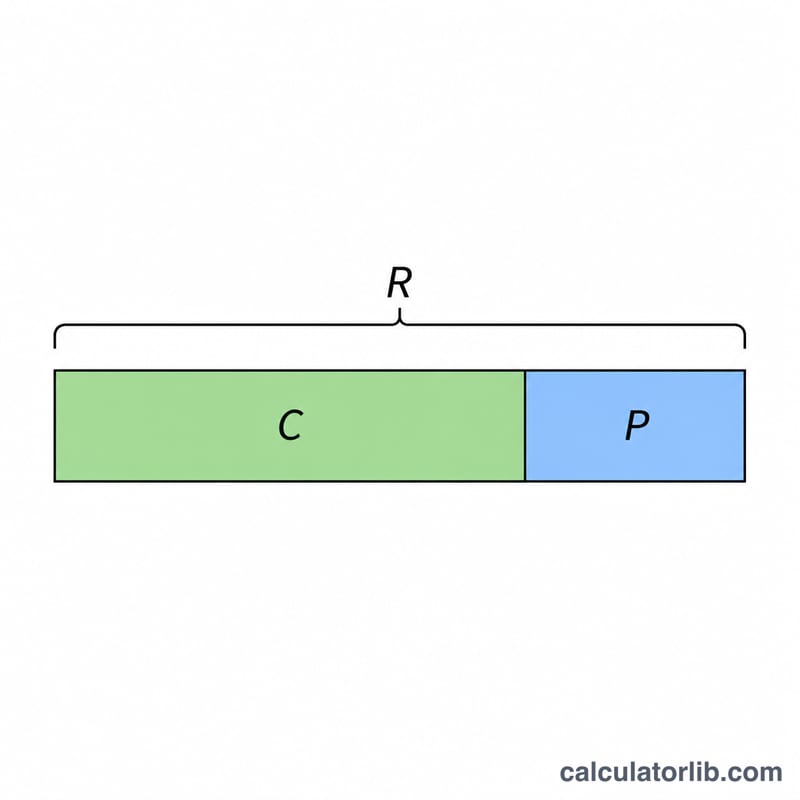
Profit is the simplest of all business metrics: $$\text{Profit} = \text{Revenue} - \text{Cost}$$ The profit margin shows what fraction of each sales dollar you keep: $$\frac{\text{Revenue} - \text{Cost}}{\text{Revenue}} \times 100$$ The markup instead expresses profit relative to cost: $$\frac{\text{Revenue} - \text{Cost}}{\text{Cost}} \times 100$$ Margin and markup are often confused — margin is always lower than markup for the same sale because revenue is larger than cost.
Worked Example
Suppose you sell an item for $1,000 (revenue) that cost you $600 to make. $$\text{Profit} = 1000 - 600 = \mathbf{400}$$ $$\text{Profit margin} = \frac{400}{1000} \times 100 = \mathbf{40\%}$$ $$\text{Markup} = \frac{400}{600} \times 100 \approx \mathbf{66.67\%}$$ So you keep 40 cents of every sales dollar, marking the product up by two-thirds over its cost.
Margin vs. Markup Across Common Scenarios
The same profit gives two different percentages depending on the base. Margin divides profit by revenue. Markup divides profit by cost. The table compares five scenarios (amounts in any single currency).
| Revenue | Cost | Profit | Profit Margin % | Markup % |
|---|---|---|---|---|
| 100 | 80 | 20 | 20% | 25% |
| 100 | 50 | 50 | 50% | 100% |
| 1,000 | 600 | 400 | 40% | 66.67% |
| 200 | 250 | -50 | -25% | -20% |
| 150 | 100 | 50 | 33.33% | 50% |
Worked example (1,000 revenue, 600 cost)
Profit: \(1000 - 600 = 400\).
Margin: \(\frac{400}{1000} \times 100\% = 40\%\).
Markup: \(\frac{400}{600} \times 100\% = 66.67\%\).
Markup from margin
With margin \(m\) and markup \(k\) written as decimals:
$$k = \frac{m}{1 - m}$$
Check with the 1,000/600 row: \(m = 0.40\), so \(k = \frac{0.40}{0.60} = 0.6667\), or 66.67%. Check with the loss row: \(m = -0.25\), so \(k = \frac{-0.25}{1.25} = -0.20\), or -20%.
For any positive profit, margin is below 100%, so \(1 - m\) is less than 1 and markup is larger than margin. A 50% margin equals a 100% markup. When there is a loss, both figures are negative, and the markup is smaller in size than the margin only if the cost exceeds revenue (here -20% vs. -25%).
Interpreting Your Profit, Margin and Markup
- Positive profit: revenue is greater than cost.
- Zero profit: revenue equals cost, which is break-even.
- Negative profit: cost is greater than revenue, which is a loss. Margin and markup then come out negative.
Margin is the share of each unit of sales you keep as profit. A 40% margin means 0.40 of every sales dollar is profit. Markup is the return over cost: a 66.67% markup means the selling price is 66.67% above what the item cost.
Gross, operating and net margin
- Gross margin: (revenue - cost of goods sold) ÷ revenue. It ignores overhead.
- Operating margin: operating profit ÷ revenue, after operating expenses such as rent, wages and marketing, but before interest and taxes.
- Net margin: net profit ÷ revenue, after all expenses, interest and taxes.
This calculator uses the single cost you enter. If that cost is only the product cost, the result is a gross figure. If it includes every expense, the result is closer to net.
Converting between margin and markup
$$\text{Markup} = \frac{\text{Margin}}{1 - \text{Margin}} \qquad \text{Margin} = \frac{\text{Markup}}{1 + \text{Markup}}$$
Example: a 25% markup gives a margin of \(\frac{0.25}{1.25} = 0.20\), or 20%. Confusing the two is a common pricing mistake. Adding a 30% markup to cost does not give a 30% margin.
Context matters
Typical margins vary widely by industry. Grocery retail often runs on thin margins, while software and some services have much higher ones. Compare your figures with similar businesses, and look at the trend over time as well as a single result. This is general information, not financial advice.
Key Terms: Revenue, Cost, Margin, Markup
- Revenue
- The total money received from sales before any costs are deducted (also called sales or turnover).
- Cost
- The money spent to earn that revenue. COGS (cost of goods sold) is the direct cost of producing or buying what you sold, such as materials and direct labor. Operating expenses are the other running costs, such as rent, salaries, utilities and marketing.
- Gross profit
- Revenue minus COGS.
- Net profit
- What remains after all costs are subtracted, including operating expenses, interest and taxes. In this calculator, net profit is revenue minus the cost you enter.
- Profit margin
- Profit divided by revenue, expressed as a percentage: \(\frac{\text{Profit}}{\text{Revenue}} \times 100\%\).
- Markup
- Profit divided by cost, expressed as a percentage: \(\frac{\text{Profit}}{\text{Cost}} \times 100\%\).
- Break-even
- The point where revenue equals total cost, so profit is zero. Margin and markup are both 0% there.
FAQ
What is the difference between margin and markup? Margin is profit divided by revenue; markup is profit divided by cost. The same dollar profit gives a higher markup percentage than margin percentage.
Can profit be negative? Yes. If your cost exceeds your revenue, profit (and margin) will be negative, indicating a loss.
Is this gross or net profit? It depends on which costs you enter. Include only product costs for gross profit, or all operating expenses for net profit.