
What this calculator does
This tool turns a selling price (revenue) and the gross margin percentage built into that price into three useful numbers: the gross profit, the original cost to produce or buy the item, and the mark-up percentage on cost. It is region-neutral pure arithmetic, so the dollar sign is just a placeholder for any currency you use.
How to use it
Enter the price you sell at under Revenue / Price, then enter the Gross Margin as a percentage. Press calculate. The hero box shows gross profit; the table below shows the implied cost and the mark-up on that cost. Gross margin should normally be below 100% so that the cost stays positive.
The formula explained
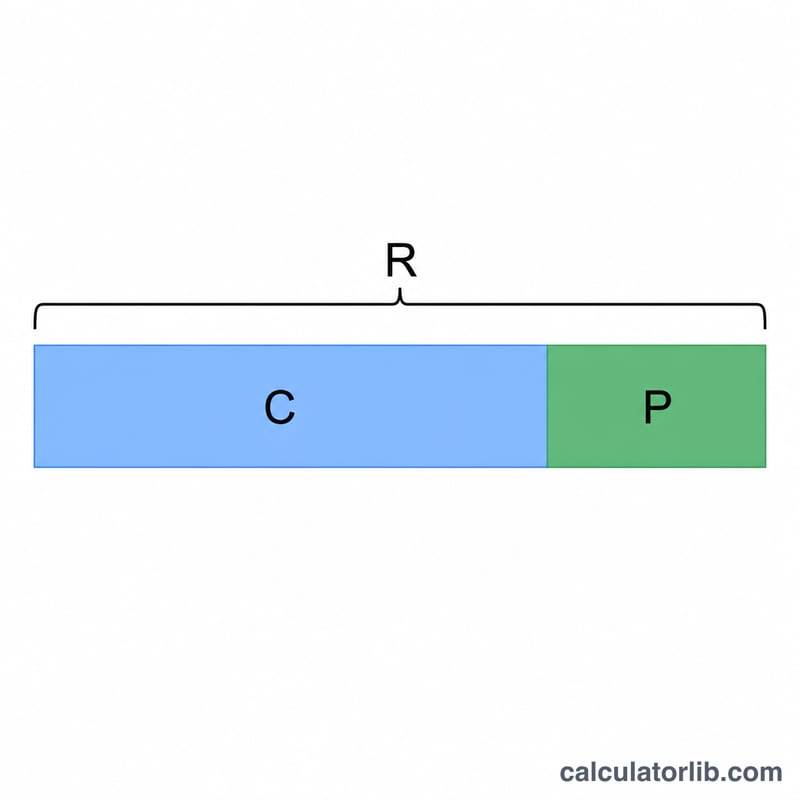
Gross margin is profit measured as a fraction of revenue. First convert the margin to a decimal: \(G = \text{grossMarginPercent} / 100\). Then:
$$\text{Gross profit} = \text{Revenue} \times G$$
$$\text{Cost} = \text{Revenue} - \text{Gross profit}$$
$$\text{Mark-up \%} = \frac{\text{Gross profit}}{\text{Cost}} \times 100$$
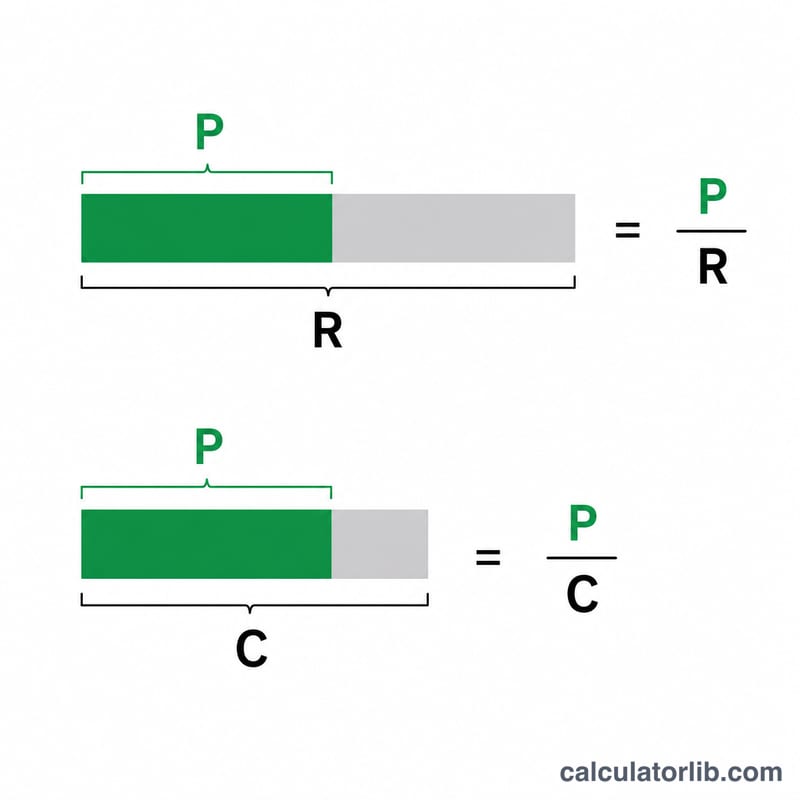
Note the key distinction: margin divides profit by price, while mark-up divides profit by cost. A 50% margin equals a 100% mark-up.
Worked example
Sell at $550.00 with a 50% gross margin. \(G = 0.50\), so gross profit:
$$\text{Gross profit} = 550 \times 0.50 = \$275.00$$Cost:
$$\text{Cost} = 550 - 275 = \$275.00$$Mark-up:
$$\text{Mark-up} = \frac{275}{275} \times 100 = 100.00\%$$FAQ
Why is mark-up bigger than margin? Because mark-up is measured against the smaller base (cost), while margin is measured against the larger base (price).
What if the margin is 100%? Then cost is zero and the mark-up is mathematically undefined (division by zero). This tool reports 0 in that case as a safeguard; treat it as not meaningful.
Can the margin exceed 100%? Only artificially; it would make the implied cost negative, which is nonsensical for normal pricing, so double-check your inputs.