
What is a Reverse Sales Tax Calculator?
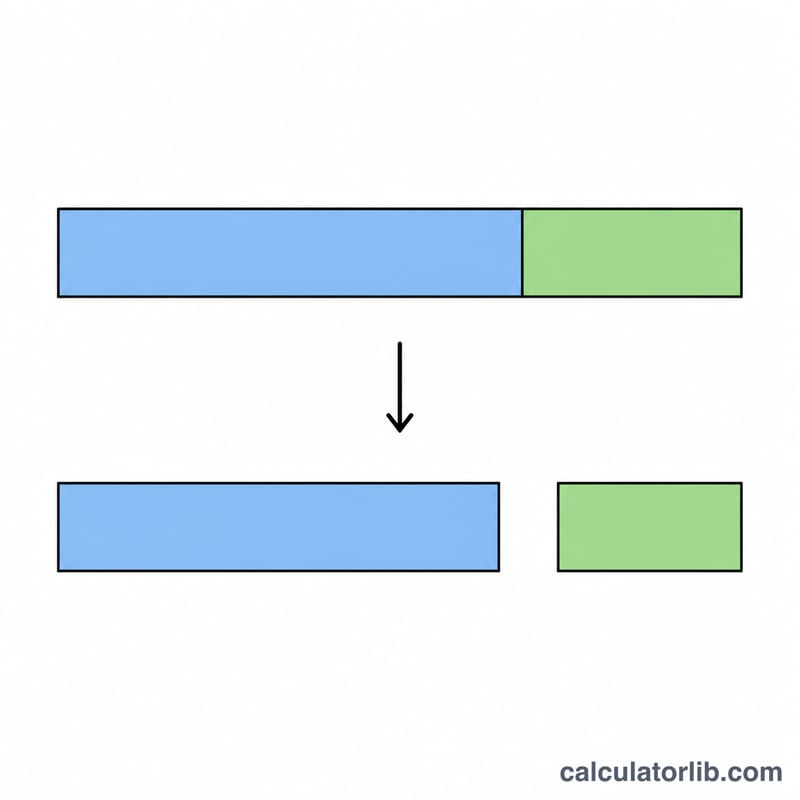
A Reverse Sales Tax Calculator is a tool that helps you determine the original price of an item before tax was applied, when you only know the final price (tax-inclusive amount) and the tax rate. This calculator essentially works backward from a standard sales tax calculation to find the pre-tax amount.
When to Use a Reverse Sales Tax Calculator
Here are some common scenarios where a reverse sales tax calculator proves useful:
- When you have a receipt showing only the total amount paid and need to determine the actual price of the item before tax.
- For business accounting purposes, when you need to separate the tax amount from the total for expense reporting and tax filing.
- When comparing prices between tax-inclusive and tax-exclusive listings to make fair price comparisons.
How to Calculate Reverse Sales Tax
To calculate the pre-tax amount from a tax-inclusive total, use this formula:
$$\text{Pre-tax Amount} = \dfrac{\text{Total Amount}}{1 + \dfrac{\text{Tax Rate (\%)}}{100}}$$Once you have the pre-tax amount, you can also calculate how much tax was applied:
$$\text{Tax Amount} = \text{Total Amount} - \text{Pre-tax Amount}$$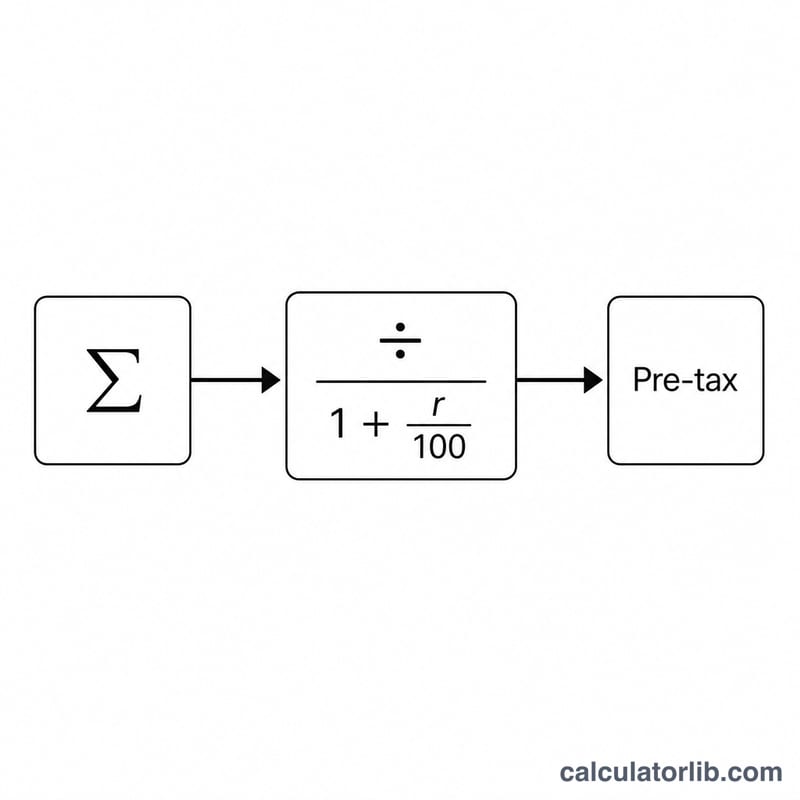
Examples
Example 1: Basic Reverse Sales Tax Calculation
You purchased an item and paid $108.90 including tax. If the sales tax rate is 8.9%, what was the pre-tax price of the item?
| Data | Value |
|---|---|
| Total Amount (including tax) | $108.90 |
| Tax Rate | 8.9% |
| Pre-tax Amount | $100.00 |
| Tax Amount | $8.90 |
Example 2: Higher Tax Rate Calculation
You bought a product with a final price of $235.20 in an area with a 20% sales tax rate. What was the original price before tax?
| Data | Value |
|---|---|
| Total Amount (including tax) | $235.20 |
| Tax Rate | 20% |
| Pre-tax Amount | $196.00 |
| Tax Amount | $39.20 |
Example 3: Business Expense Calculation
Your company has a receipt for $527.34 for office supplies, and the local sales tax is 7.5%. What amount should be recorded as the actual expense for accounting purposes?
| Data | Value |
|---|---|
| Total Amount (including tax) | $527.34 |
| Tax Rate | 7.5% |
| Pre-tax Amount | $490.55 |
| Tax Amount | $36.79 |
Related Calculators
For additional tax and financial calculations, you might find these calculators helpful:
- Sales Tax Calculator - Calculate the tax amount and total price when you know the pre-tax price
- VAT Calculator - Calculate Value Added Tax for countries using VAT systems
- Percentage Calculator - Calculate various percentage problems
Common U.S. Sales Tax Rates by State
The table below lists representative statewide base sales tax rates for several major U.S. states. These figures are the state-level base rates only — they exclude local (county, city, and special district) add-on taxes, which can raise the combined rate by several percentage points in many jurisdictions. When using the Reverse Sales Tax Calculator, enter the combined rate that actually appeared on your receipt if you know it, not just the state base rate.
| State | State Base Rate |
|---|---|
| California | 7.25% |
| Texas | 6.25% |
| New York | 4.00% |
| Florida | 6.00% |
| Washington | 6.50% |
For example, suppose a receipt in California shows a total of $107.25 and the combined rate charged was the 7.25% state base rate. The pre-tax price works out to $100.00, confirming the original listed price before tax was applied.
Note: Some states (Alaska, Delaware, Montana, New Hampshire, and Oregon) have no statewide sales tax, though Alaska permits local sales taxes. Always verify the exact combined rate for your location and the date of purchase, as rates change over time.
Key Terms Explained
- Total Amount (tax-inclusive)
- The full price you actually paid, already containing the sales tax. This is the figure printed as the grand total on a receipt and the value you enter into the Total Amount field of the calculator.
- Pre-tax Amount
- The original price of the goods or services before any sales tax was added. This is the result the reverse calculation produces using \(\text{Pre-Tax} = \dfrac{\text{Total Amount}}{1 + \frac{\text{Tax Rate}}{100}}\).
- Tax Rate
- The percentage at which sales tax is charged, entered in the Tax Rate (%) field. For an accurate reverse calculation, use the full combined rate (state plus any local add-ons) that was applied to the purchase.
- Tax Amount
- The dollar value of the tax itself — the difference between the Total Amount and the Pre-tax Amount, i.e. \(\text{Tax Amount} = \text{Total Amount} - \text{Pre-Tax}\). On a $107.25 total at 7.25%, the tax amount is $7.25.
- Tax-inclusive vs. tax-exclusive pricing
- Tax-inclusive pricing means the displayed price already contains the tax (common in many countries and in this reverse calculation). Tax-exclusive pricing means tax is added on top of the listed price at checkout, which is the standard practice in the United States. A reverse sales tax calculation converts a tax-inclusive total back into its tax-exclusive base price.
Frequently Asked Questions
How do you calculate reverse sales tax?
Divide the total amount including tax by one plus the tax rate expressed as a decimal. The result is the pre-tax price. To find the tax paid, subtract that pre-tax price from the total. For example, with an 8% rate, divide the total by 1.08.
What is the formula for the pre-tax amount?
Pre-tax amount = Total ÷ (1 + tax rate). Convert the percentage to a decimal first, so 7% becomes 0.07. The tax amount equals Total minus the pre-tax amount. This works for any rate as long as the total already includes the tax.
Can I find the original price if I only know the total and tax rate?
Yes. That is exactly what a reverse calculation does. As long as you know the final amount paid and the applicable tax rate, you can work backward to the original pre-tax price. You do not need to know the dollar tax amount in advance.
Why use a reverse tax calculator instead of a regular one?
A regular calculator adds tax to a known pre-tax price. A reverse calculator does the opposite: it starts from the total you actually paid and removes the tax. This is useful for receipts, expense reports, and accounting where only the tax-inclusive total is shown.
Can I see an example of a reverse sales tax calculation?
Suppose you paid $108 total with an 8% sales tax. Divide $108 by 1.08 to get $100, the pre-tax price. The tax portion is $108 minus $100, or $8. A higher rate works the same way: $115 at 15% becomes $115 ÷ 1.15 = $100.
Is the result accurate for accounting and expense reports?
The math is exact when you enter the correct tax rate. Small rounding differences of a cent can occur because retailers round each line item. For business records, confirm the rate applied on your receipt and round the final figures to two decimal places.