
Backwards Tax Calculator
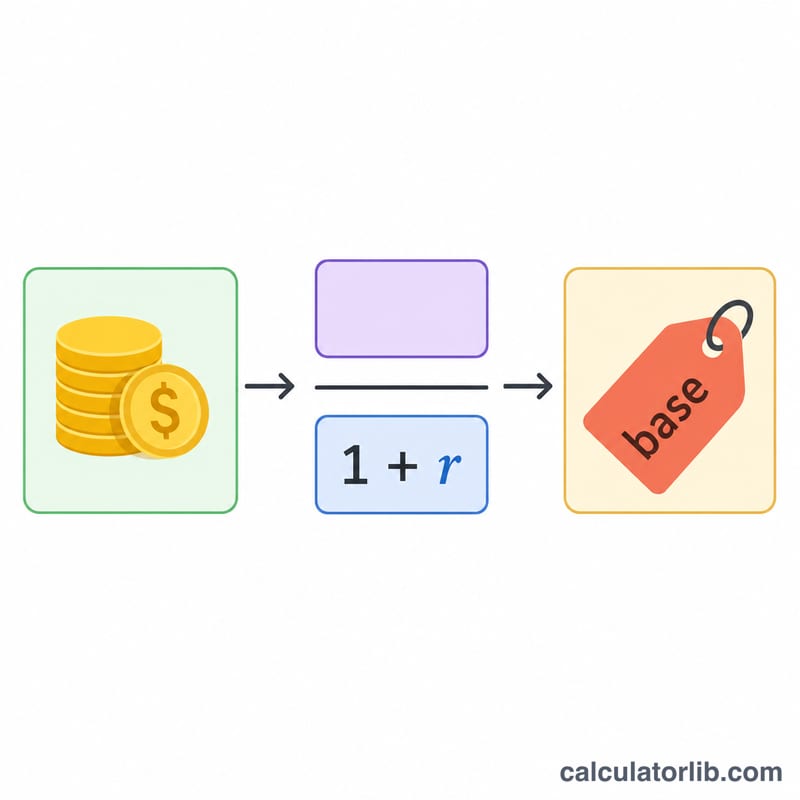
A Backwards Tax Calculator (or Reverse Sales Tax Calculator) is a tool that helps you determine the pre-tax amount when you know the total amount after tax has been applied. This is particularly useful when you need to find the original price of an item based on its final price.
When to Use a Backwards Tax Calculator
You might need to use a backwards tax calculator in the following situations:
- When you know the total cost (including tax) and need to determine the original price
- When calculating business expenses where you need to separate the tax amount from total payments
- When budgeting for purchases and you need to know how much of your spending goes to tax versus the actual items
How to Calculate Sales Tax Backwards
There are two common scenarios when calculating tax backwards:
1. When the amount includes tax (gross amount):
Before Tax Amount = After Tax Amount / (1 + (Tax Rate / 100))
Tax Amount = After Tax Amount - Before Tax Amount
2. When the amount doesn't include tax (net amount):
Tax Amount = After Tax Amount × (Tax Rate / 100)
Before Tax Amount = After Tax Amount
After Tax Amount (including tax) = Before Tax Amount + Tax Amount
The effective tax rate (the actual percentage of tax paid relative to the pre-tax amount) can be calculated as:
Effective Tax Rate = (Tax Amount / Before Tax Amount) × 100%
Examples of Calculating Sales Tax Backwards
Example 1: Finding Original Price from a Total Including Tax
If you purchased an item for $108.90 and the sales tax rate is 8.9%, what was the pre-tax price?
| Information | Value |
|---|---|
| Total Amount (Including Tax) | $108.90 |
| Tax Rate | 8.9% |
| Pre-Tax Amount | $100.00 |
| Tax Amount | $8.90 |
Calculation: $108.90 / (1 + (8.9/100)) = $108.90 / 1.089 = $100.00
Example 2: Finding Tax Amount When Starting with Net Price
If an item costs $75 before tax and the tax rate is 6%, what will be the total cost after tax?
| Information | Value |
|---|---|
| Pre-Tax Amount | $75.00 |
| Tax Rate | 6% |
| Tax Amount | $4.50 |
| Total Amount (Including Tax) | $79.50 |
Calculation: Tax Amount = $75 × (6/100) = $4.50
Total = $75 + $4.50 = $79.50
Example 3: Calculating Business Expense with Different Tax Rate
Your business made a purchase of $1,230 including tax. If the tax rate is 23%, how much was the pre-tax amount for your accounting records?
| Information | Value |
|---|---|
| Total Amount (Including Tax) | $1,230.00 |
| Tax Rate | 23% |
| Pre-Tax Amount | $1,000.00 |
| Tax Amount | $230.00 |
Calculation: $1,230 / (1 + (23/100)) = $1,230 / 1.23 = $1,000
Related Tax Calculations
Understanding how to calculate taxes backwards can be helpful for various financial planning situations. You might also find these related calculators useful:
- Sales Tax Calculator - Calculate sales tax on purchases
- Discount Calculator - Calculate discount prices
- VAT Calculator - Calculate Value Added Tax
- Profit Margin Calculator - Calculate profit margins on sales
- Percent Off Calculator - Calculate savings from percentage discounts
Tips for Using the Backwards Tax Calculator
Keep the following tips in mind when using a backwards tax calculator:
- Always ensure you know whether your starting amount includes tax (gross) or excludes tax (net)
- Use the correct tax rate for your location as sales tax varies by state, county, and even city
- For business accounting, always keep records of both the pre-tax and post-tax amounts
- Remember that some items may be tax-exempt or have different tax rates based on local regulations
Common Sales Tax Rates by US State
The table below lists widely-published statewide base sales tax rates for several major U.S. states. These are the state-level rates only — many cities, counties, and special districts add their own local sales tax on top, so the combined rate you actually pay at checkout is often higher. Use these as a starting point when entering a Tax Rate (%) into the Backwards Tax Calculator.
| State | State Base Sales Tax Rate | Notes |
|---|---|---|
| California (CA) | 7.25% | Highest statewide base rate; local add-ons push many areas above 9% |
| Texas (TX) | 6.25% | Local jurisdictions may add up to 2% |
| New York (NY) | 4.00% | Local rates (e.g. NYC) add significantly |
| Florida (FL) | 6.00% | Counties may add a discretionary surtax |
| Illinois (IL) | 6.25% | Chicago and others add local tax |
| Washington (WA) | 6.50% | Combined local rates among the highest |
| Oregon (OR) | 0% | No statewide sales tax |
| Delaware (DE) | 0% | No statewide sales tax |
| Montana (MT) | 0% | No general statewide sales tax |
| New Hampshire (NH) | 0% | No general statewide sales tax |
| Alaska (AK) | 0% | No statewide tax, but local sales taxes exist |
For example, on a $107.25 receipt in California at the 7.25% base rate, working backwards gives a pre-tax price of $100.00. Rates change periodically; confirm the current combined rate for a specific address before relying on it.
Key Terms Explained
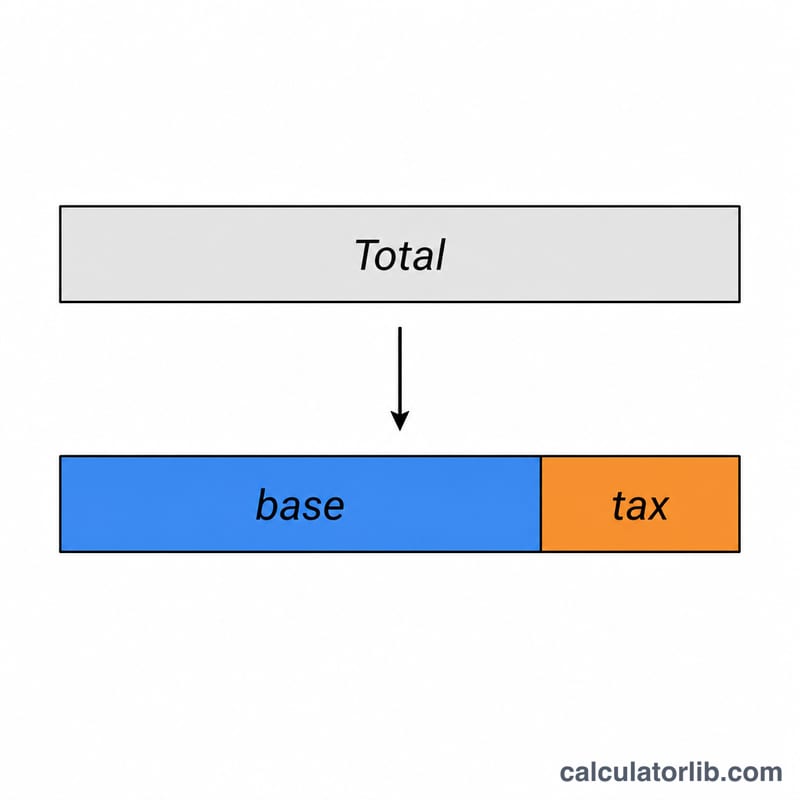
- Gross (tax-inclusive) amount
- The total amount paid including tax — the final figure on a receipt. In this calculator this is the After-Tax Amount you enter to work backwards from.
- Net (pre-tax) amount
- The original price before any tax is applied, also called the base or before-tax amount. It is found by dividing the gross amount by \(1 + \tfrac{\text{rate}}{100}\).
- Tax amount
- The dollar value of tax charged — the difference between the gross and net amounts: \(\text{Tax} = \text{Gross} - \text{Net}\). For a $107.25 total at 7.25%, the tax amount is $7.25 on a $100.00 net price.
- Nominal tax rate
- The stated statutory percentage applied to the net amount (e.g. 7.25%). It is the rate used in the formula and is applied to the pre-tax base, not the tax-inclusive total.
- Effective tax rate
- The tax expressed as a percentage of the gross (tax-inclusive) total rather than the net base: \(\text{Effective rate} = \tfrac{\text{Tax}}{\text{Gross}} \times 100\). Because the denominator is larger, the effective rate is always slightly lower than the nominal rate — e.g. a 7.25% nominal rate corresponds to roughly 6.76% of the gross total.