
What this calculator does
This tool tells you how many camera megapixels you need to print a photo at a given paper size without visible pixelation. It works for any size of print and is based on universal physics, so it applies in any country. The preset list covers common international and Japanese photo paper sizes, including L, 2L, A-series and the JIS B-series used widely in Japan.
How to use it
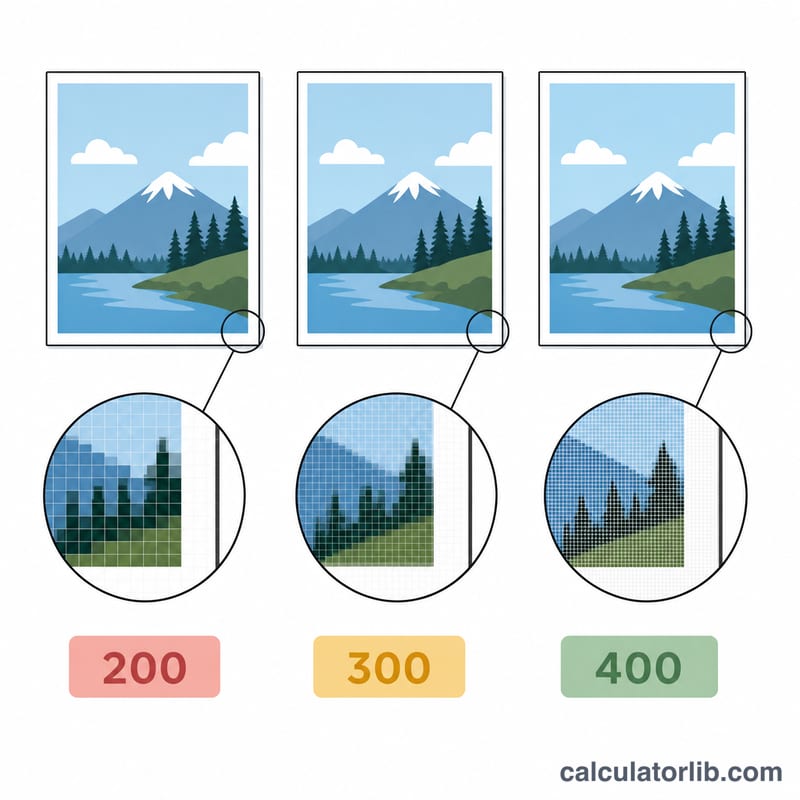
Choose a paper size from the dropdown. The calculator returns the required pixel count at three print resolutions: 200 dpi (low, fine for large prints viewed from a distance), 300 dpi (the standard photo-quality target), and 400 dpi (high detail for close viewing). Each row shows the value both in megapixels and in "man-gaso" units of 10,000 pixels (100 man-gaso = 1 megapixel).
The formula explained
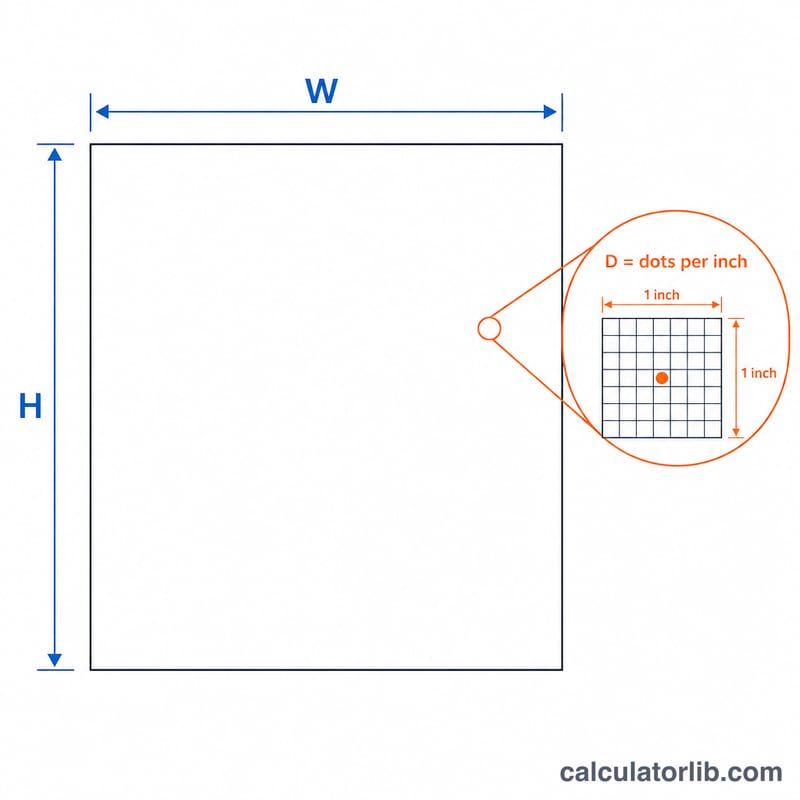
A print of width W and height H inches at D dots-per-inch needs \(W \times D\) pixels across and \(H \times D\) pixels down. Multiply the two for the total pixel count. Paper sizes are stored in millimeters, so each dimension is first converted to inches by dividing by 25.4. The combined formula is
$$\text{Total Pixels} = \frac{W_{mm} \times H_{mm} \times D^{2}}{25.4^{2}}$$Divide by 1,000,000 for megapixels.
Worked example
L size is \(89 \times 127\) mm. At 300 dpi the print is \(1051 \times 1500\) pixels, about 1,576,772 pixels = 157.7 man-gaso or 1.58 megapixels. At 200 dpi it needs only 0.70 MP, and at 400 dpi about 2.80 MP. So almost any modern camera handles an L-size print easily, while A4 at 300 dpi needs roughly 8.7 MP.
FAQ
Why 300 dpi? 300 dpi is the long-standing standard for sharp photographic prints viewed at normal reading distance. 200 dpi is acceptable for posters seen from farther away.
Do more megapixels always look better? No. Beyond the resolution needed for your print size, extra megapixels add file size but no visible sharpness. Match the megapixels to the intended print.
Does orientation matter? No. Total pixels are the product of both sides, so swapping width and height gives the same count.