
What is the Viewing Distance Calculator?
This tool tells you how far to sit from a TV or projector screen so the picture fills a comfortable portion of your field of view. Sitting too far away wastes resolution and immersion; sitting too close makes pixels visible and forces you to move your eyes across the image. The calculator uses your screen's diagonal size, its aspect ratio, and your preferred horizontal viewing angle to give a recommended distance in feet, meters, inches, and centimeters.
How to use it
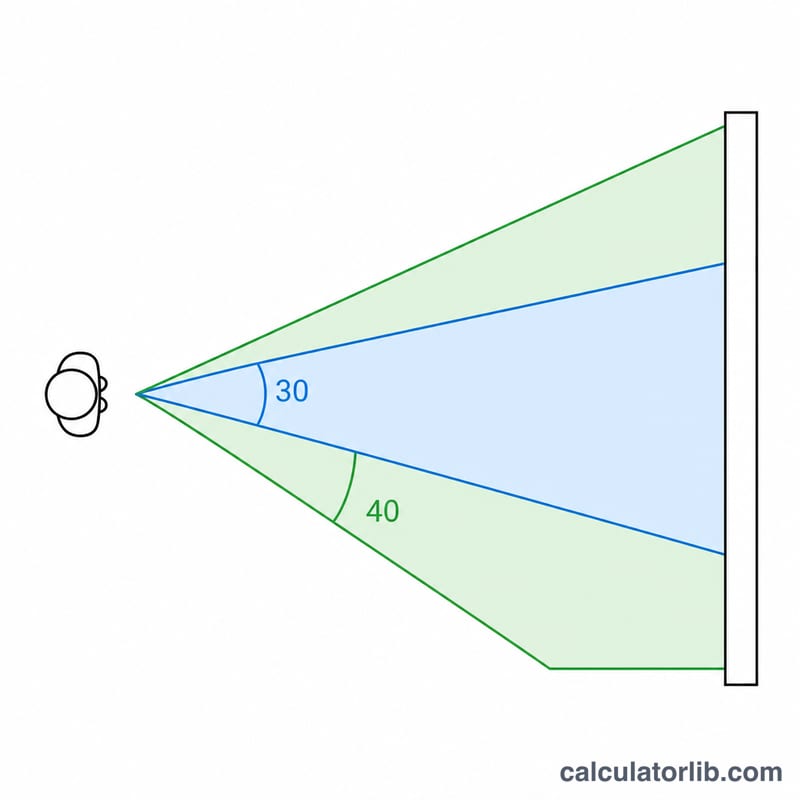
Enter your screen diagonal in inches, choose the aspect ratio (16:9 for most modern TVs), and set a preferred viewing angle. Industry guidelines suggest about 30° for a balanced experience (SMPTE) and up to 40° for a more cinematic, immersive feel (THX). Press calculate and read the recommended distance.
The formula explained
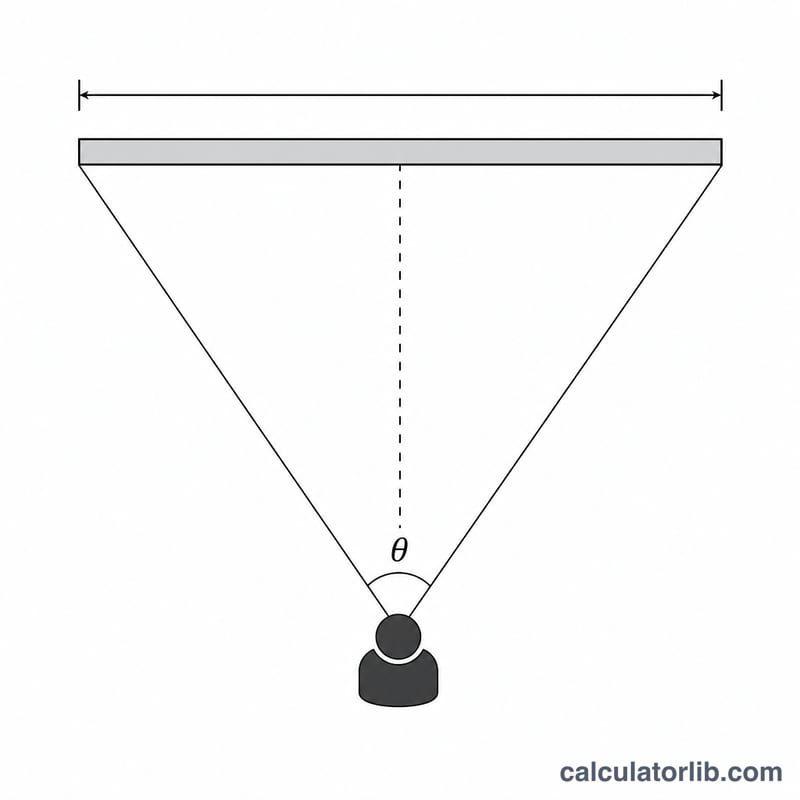
First the calculator converts the diagonal into screen width, because viewing angle is measured horizontally. For an aspect ratio \(r = \text{width}/\text{height}\), the width is $$W = D \cdot \frac{r}{\sqrt{r^{2}+1}}.$$ Then the geometry of an isosceles triangle gives the distance: $$d = \frac{W}{2\,\tan\!\left(\dfrac{\theta}{2}\right)},$$ where \(\theta\) is the viewing angle. A wider angle means a closer seat.
Worked example
Take a 65-inch 16:9 TV (\(r = 1.7778\)) and a 30° viewing angle. $$W = 65 \times \frac{1.7778}{\sqrt{1.7778^{2} + 1}} = 65 \times 0.8716 \approx 56.65 \text{ in}.$$ $$d = \frac{56.65}{2 \times \tan(15°)} = \frac{56.65}{2 \times 0.2679} \approx 105.7 \text{ in} \approx 8.8 \text{ ft}.$$
FAQ
Which viewing angle should I pick? 30° is a safe all-purpose choice for mixed TV and movies. Choose 40° if you want a front-row cinema feel and have 4K content.
Does this work for projectors? Yes — use your projected image's diagonal size and the same formula applies.
Why does it use width, not diagonal? Human horizontal field of view drives immersion, so the angle is measured across the screen width.