

What is the Weeks Between Dates Calculator?
This tool counts how many full weeks — plus any leftover days — fall between two calendar dates. It works for any pair of dates, including across months and leap years, and it ignores time zones by using calendar days only.
How to use it
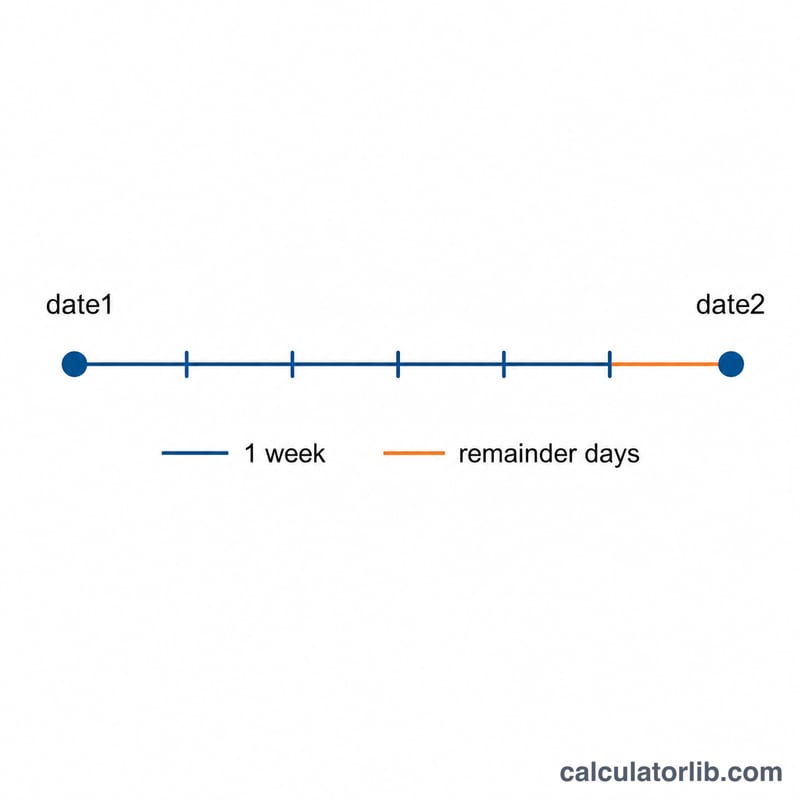
Pick a start date and an end date. The calculator computes the total number of days between them, then splits that into whole weeks and remainder days. It also shows the total as a decimal number of weeks. The order does not matter — if you enter the dates in reverse, the result uses the absolute difference.
The formula explained
First the total day count is found: $$D = \text{date}_2 - \text{date}_1$$ Whole weeks are \(\left\lfloor D \div 7 \right\rfloor\) and the remainder is \(D - 7 \times \text{weeks}\). Decimal weeks are simply \(D \div 7\).
Worked example
From January 1, 2024 to March 1, 2024 there are 60 days (2024 is a leap year, so February has 29 days: \(31 - 1 + 29 + 1 = 60\)). That gives $$\left\lfloor 60 \div 7 \right\rfloor = 8$$ whole weeks with a remainder of \(60 - 56 = 4\) days, or about \(8.57\) weeks.
FAQ
Does it count the end date? The result is the gap between the two dates, so the end date is the boundary and is not added as an extra day.
What about leap years? Leap days are included automatically because the calculation uses actual calendar days.
Can I enter the later date first? Yes. The calculator uses the absolute difference, so reversed dates give the same positive result.