
What Is the Audio File Size Calculator?
This calculator estimates the size of an uncompressed (PCM/WAV) audio file from four basic recording parameters: sample rate, bit depth, number of channels, and duration. Because uncompressed audio stores a fixed number of bits for every sample, its size is fully predictable — unlike compressed formats such as MP3, AAC, or FLAC, whose size depends on the codec and content.
How to Use It
Enter your sample rate in Hz (CD quality is 44,100 Hz; pro audio often uses 48,000 or 96,000 Hz), choose the bit depth (16-bit for CD, 24-bit for studio work), select the channel count (1 mono, 2 stereo, 6 for 5.1, 8 for 7.1), and type the duration in seconds. The result shows the size in megabytes, with bytes, kilobytes, and the raw bitrate listed below.
The Formula Explained
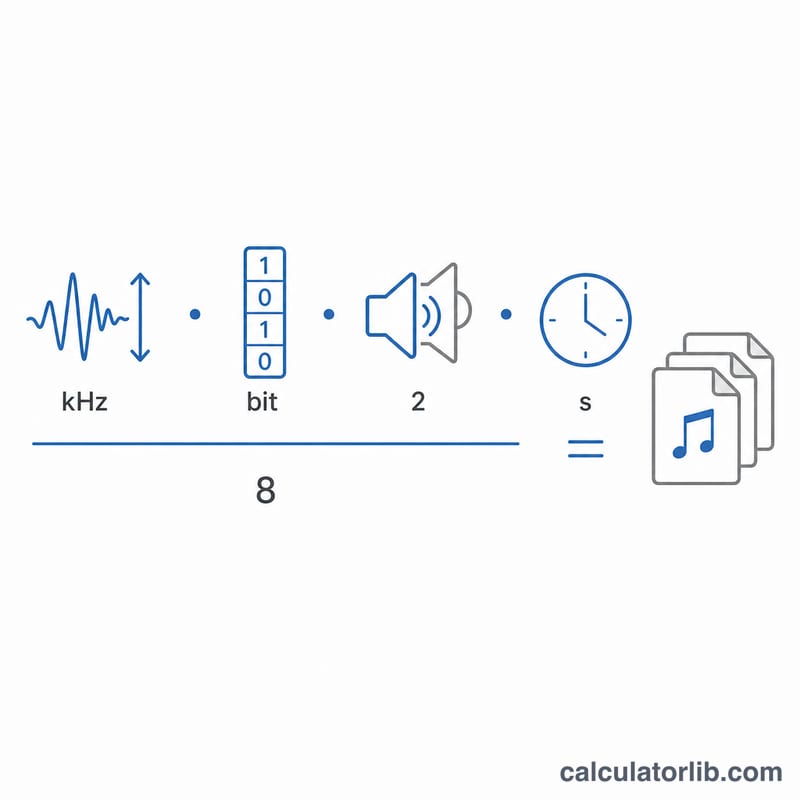
The data rate per second equals sample rate × bit depth × channels. Multiply by the duration to get total bits, then divide by 8 to convert bits into bytes:
$$\text{size\_bytes} = \frac{\text{sample\_rate} \times \text{bit\_depth} \times \text{channels} \times \text{duration}}{8}$$
Dividing by 1024 gives kilobytes, and by \(1024^2\) gives megabytes.
Worked Example
A 3-minute (180 s) CD-quality stereo track: $$44{,}100 \times 16 \times 2 \times 180 \div 8 = 31{,}752{,}000 \text{ bytes} \approx 30.28 \text{ MB}.$$ Its bitrate is $$44{,}100 \times 16 \times 2 \div 1000 = 1{,}411.2 \text{ kbps}$$ — the classic "1411 kbps" of CD audio.
Key Audio Terms Explained
- Sample Rate (Hz)
- The number of amplitude measurements (samples) taken per second when converting a continuous analog signal to digital. Measured in hertz (Hz) or kilohertz (kHz). By the Nyquist theorem, a sample rate of \(f_s\) can accurately represent frequencies up to \(f_s/2\), so 44.1 kHz captures audio up to about 22.05 kHz.
- Bit Depth (bits/sample)
- The number of bits used to encode each individual sample. Higher bit depth means finer amplitude resolution and a larger dynamic range — roughly \(6.02 \times n\) dB for \(n\) bits. 16-bit gives ~96 dB; 24-bit gives ~144 dB.
- Channels
- The number of independent audio streams stored. Mono is 1 channel, stereo is 2, and surround formats use 6 (5.1) or 8 (7.1). File size scales linearly with the channel count because each channel stores its own samples.
- PCM (Pulse-Code Modulation)
- The standard method of digitally representing uncompressed audio by recording the amplitude of the signal at uniform intervals. PCM is the raw audio data that uncompressed formats store directly.
- WAV (Waveform Audio File Format)
- A common container format that typically holds uncompressed PCM audio along with header metadata describing sample rate, bit depth, and channels. Because it stores raw samples, WAV size is fully predictable from its parameters.
- Bitrate (kbps)
- The amount of data per second of audio, in kilobits per second. For uncompressed PCM it equals \(\text{sample rate} \times \text{bit depth} \times \text{channels}\). For example, CD audio is \(44100 \times 16 \times 2 = 1{,}411{,}200\) bits/s, or 1,411 kbps.
- Byte vs Bit
- A bit is the smallest unit of digital data (0 or 1); a byte is 8 bits. Bitrates are usually quoted in bits per second, while file sizes are quoted in bytes — which is why the size formula divides the bit total by 8.
- Uncompressed vs Lossy
- Uncompressed audio (PCM/WAV) stores every sample exactly, giving full fidelity but large files. Lossy formats (MP3, AAC) discard inaudible or less-important data to shrink the file, trading some quality for far smaller sizes. Lossless compression (FLAC, ALAC) reduces size with no quality loss but does not follow this fixed PCM size formula.
FAQ
Does this work for MP3 or AAC? No. Those use lossy compression; their size depends on the encoder's target bitrate, not the raw sample math. This tool models uncompressed PCM (WAV/AIFF).
Why divide by 8? Bit depth is measured in bits, but file size is measured in bytes, and \(1 \text{ byte} = 8 \text{ bits}\).
Is real WAV slightly larger? Yes — a WAV header adds about 44 bytes, negligible for any normal-length file.