
What this calculator does
The GIF / Video Frame File Size Calculator estimates how large an animated GIF or short video clip will be based on its pixel dimensions, color depth, number of frames, and a compression factor. It is useful for designers, web developers, and anyone trying to keep media assets within an upload or page-weight budget before exporting them.
How to use it
Enter the width and height in pixels, pick the bits per pixel (8 for a typical 256-color GIF, 24 for true color, 32 with alpha), and the total number of frames. Finally set a compression factor between 0 and 1: a value of 1 represents fully uncompressed raw data, while 0.5 assumes the encoder achieves roughly 50% of raw size. The result shows the estimated size in megabytes, kilobytes, bytes, and per frame.
The formula explained
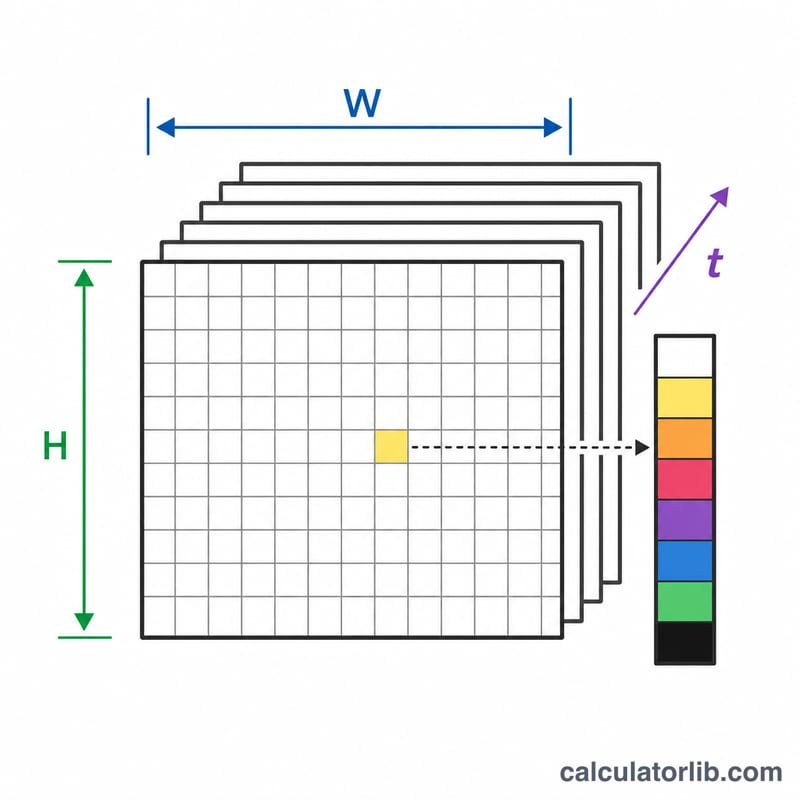
Each pixel needs bits per pixel bits. Multiply by the number of pixels (width × height) and by the frame count to get the total bits, then divide by 8 to convert bits to bytes. Real GIF/video files use compression, so we multiply by a compression factor c:
$$\text{size\_bytes} = \frac{\text{width} \times \text{height} \times \text{bpp} \times \text{frames}}{8} \times c$$
Worked example
A 320×240 animation with 8-bit color, 30 frames, and a compression factor of 0.5: $$320 \times 240 \times 8 \times 30 \div 8 \times 0.5 = 1{,}152{,}000 \text{ bytes} \approx 1{,}125 \text{ KB} \approx 1.1 \text{ MB}.$$
FAQ
Why is my real GIF smaller? GIFs use LZW compression and frame differencing; lower the compression factor (e.g. 0.2–0.4) to model that.
What bits per pixel should I use for GIF? Standard GIFs are limited to 256 colors, so 8 bits per pixel is the natural choice.
Is this exact? No — it is an estimate. Actual size depends on the codec, redundancy between frames, and the image content.