
What This Calculator Does
The Pay Increase Percentage Calculator tells you how big your raise really is. Instead of just seeing a larger paycheck number, you find out the percentage change between your old salary and your new salary — the figure most people actually compare against inflation, industry averages, and past raises. It works with any currency since it deals only in ratios.
How to Use It
Enter your previous (old) salary and your new salary in the same units (annual, monthly, or hourly — just keep them consistent). The calculator returns your percent increase, the raise amount, and a quick summary of both figures. A negative result means your pay decreased.
The Formula Explained
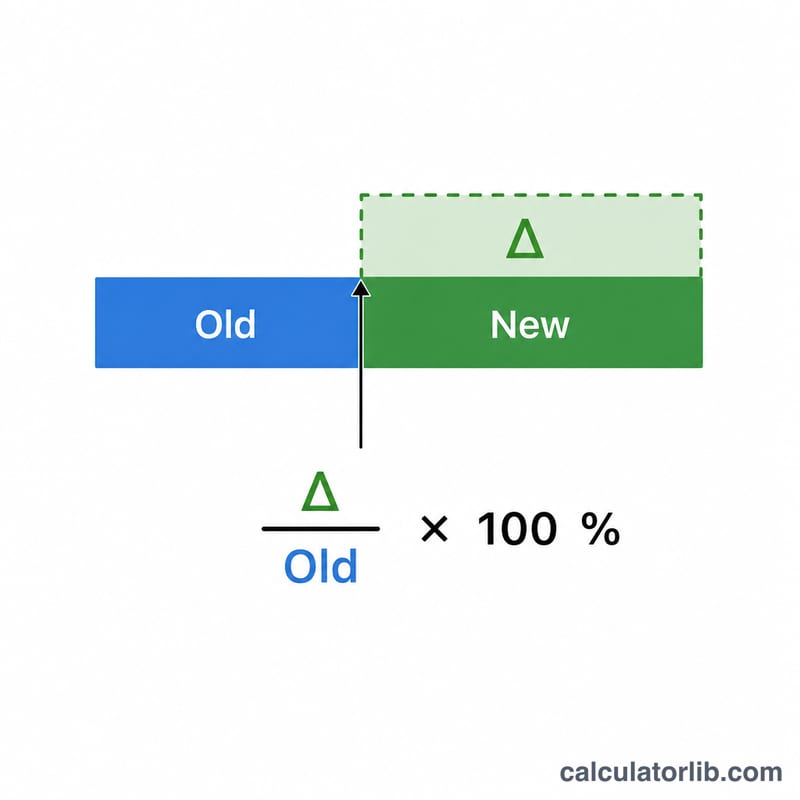
The percentage increase is calculated as $$\text{Increase \%} = \frac{\text{New} - \text{Old}}{\text{Old}} \times 100$$. You subtract the old salary from the new one to get the raise amount, divide by the old salary to express it as a proportion of where you started, then multiply by 100 to turn it into a percentage.
Worked Example
Suppose your old salary was $50,000 and your new salary is $55,000. The raise amount is \($55{,}000 - $50{,}000 = $5{,}000\). Divide that by the old salary: $$\$5{,}000 \div \$50{,}000 = 0.10.$$ Multiply by 100 and you get a 10% pay increase.
FAQ
Should I use annual or monthly figures? Either works — the percentage is identical as long as both numbers use the same period.
What if my pay went down? The calculator will show a negative percentage, indicating a pay cut of that size.
Does this account for taxes or inflation? No, it shows the gross change in stated salary. Compare the result to current inflation to judge your real raise.