
What Is the Raise Percentage Calculator?
This calculator tells you what percentage raise you received (or are being offered) based on your current salary and your new salary. It converts a dollar increase into the percentage figure that recruiters, HR teams, and budget spreadsheets actually use, so you can compare offers and benchmark against inflation or market rates.
How to Use It
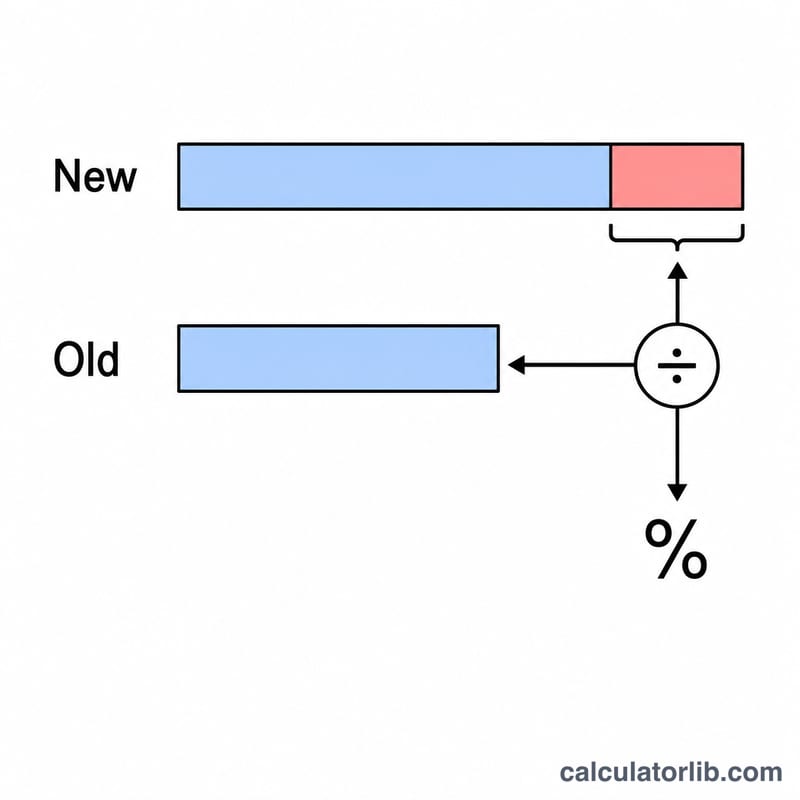
Enter your current (old) salary and your new salary in dollars. The tool subtracts the old amount from the new amount to find the dollar increase, then divides by the old salary and multiplies by 100 to express it as a percentage. Both whole salaries and hourly or monthly figures work — just use the same units in both boxes.
The Formula Explained
The math is a simple percent-change calculation: $$\text{Raise \%} = \frac{\text{New Salary} - \text{Old Salary}}{\text{Old Salary}} \times 100$$. The numerator is your dollar increase, and dividing by the old salary scales that increase relative to where you started. A negative result means a pay cut.
Worked Example
Suppose you earn $50,000 and your employer offers $55,000. The dollar increase is \($55{,}000 - $50{,}000 = $5{,}000\). Divide by the old salary: \($5{,}000 \div $50{,}000 = 0.10\). Multiply by 100 and you get a 10% raise.
$$\text{Raise \%} = \frac{$55{,}000 - $50{,}000}{$50{,}000} \times 100 = 10\%$$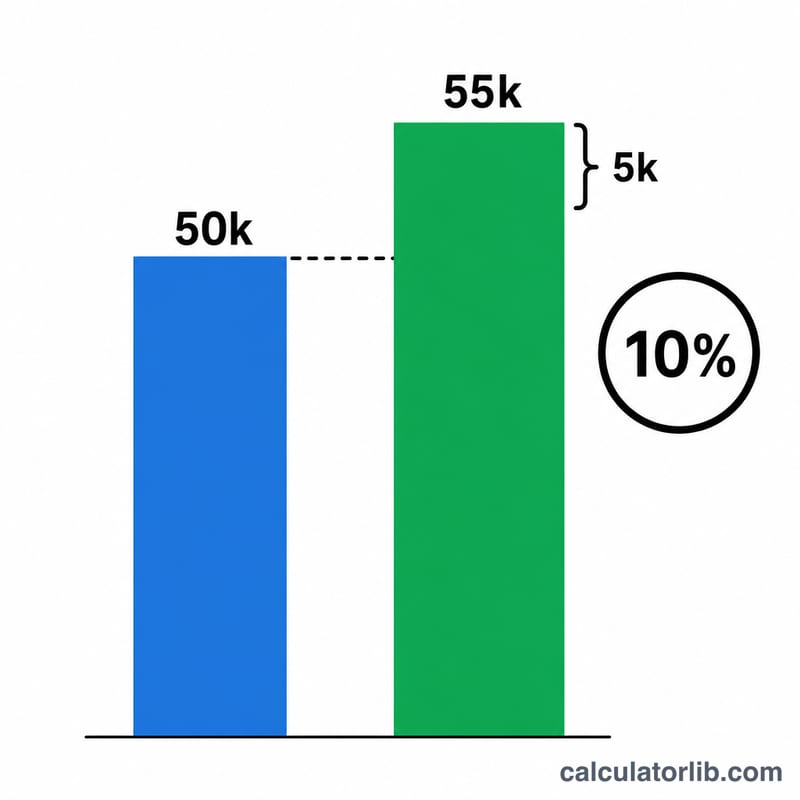
FAQ
Is this the same as a cost-of-living adjustment? The math is identical — a COLA is just a raise expressed as a percentage, typically tied to inflation.
Can I use hourly rates instead of annual salary? Yes. As long as both values are in the same unit (hourly, weekly, monthly, or annual), the percentage is the same.
What if my new salary is lower? The result will be negative, indicating a pay cut by that percentage.