


What Is the Shopify Profit Calculator?
Running a Shopify store means juggling more than just your selling price. Between the cost of the product, payment processing fees, and shipping, your actual take-home profit can be far smaller than the sticker price suggests. This calculator shows your true net profit and net margin per sale so you can price products with confidence.
How to Use It
Enter the selling price a customer pays, your cost of goods (COGS), the transaction fee percentage charged by your payment provider (Shopify Payments online is commonly around 2.9%), the flat fee per order (often $0.30), and any shipping cost you absorb. The calculator instantly returns your net profit and margin.
The Formula Explained
The math is straightforward:
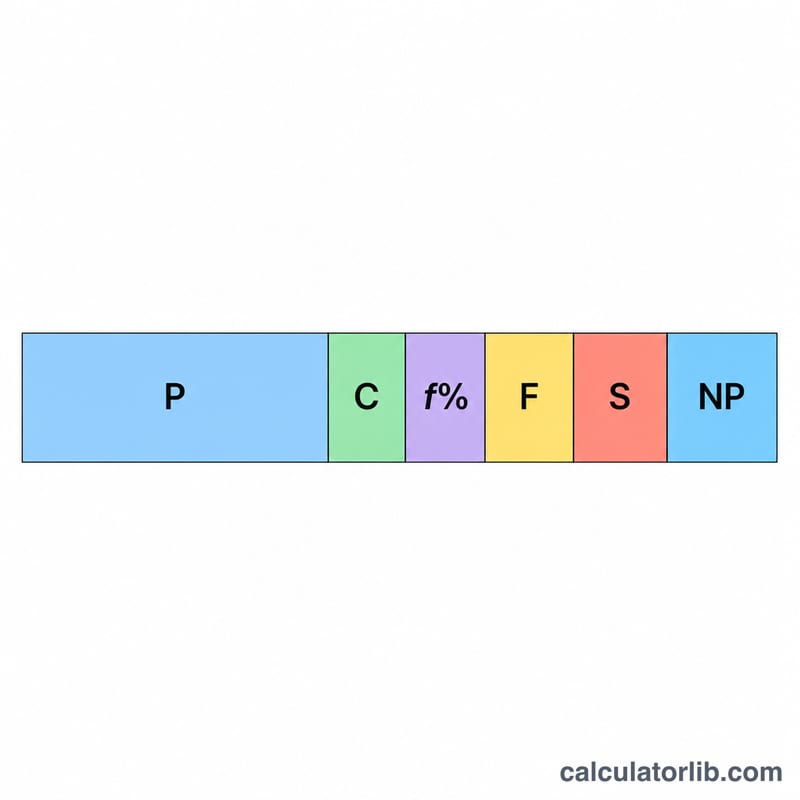
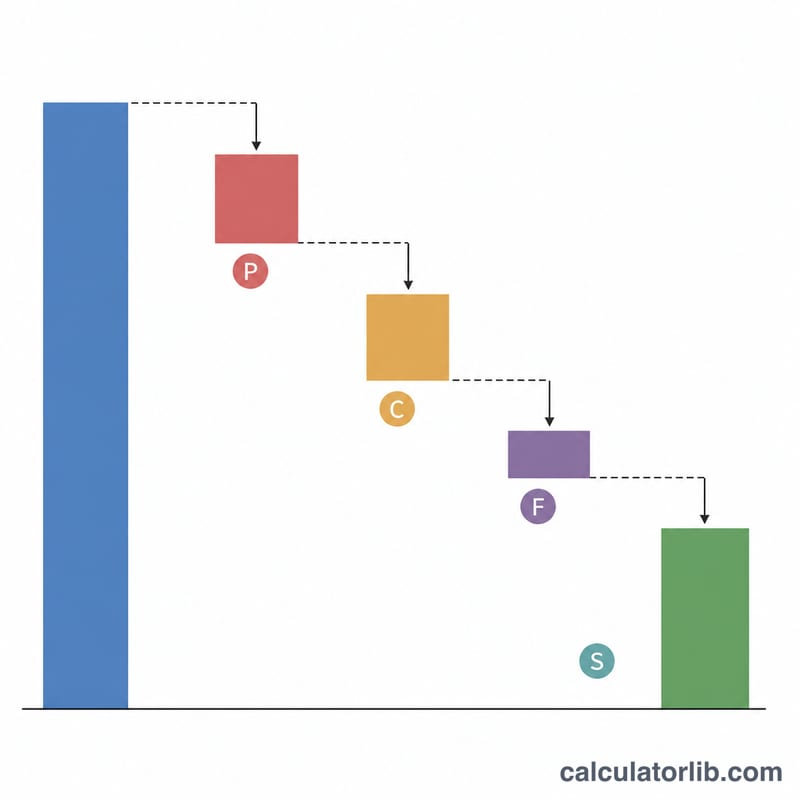
$$\text{Net Profit} = P - C - \left(P \times \frac{f}{100}\right) - F - S$$
The transaction fee is a percentage of the full selling price, while the flat fee is a fixed amount deducted from each order. Margin is then your net profit divided by the selling price, expressed as a percentage.
$$\text{Margin (\%)} = \frac{\text{Net Profit}}{\text{Selling Price (\$)}} \times 100$$
Worked Example
Suppose you sell an item for $50 that costs you $20 to source. Your processor charges 2.9% + $0.30 and you pay $5 in shipping. The transaction fee is \(50 \times 2.9\% = \$1.45\). Net profit = $$50 - 20 - 1.45 - 0.30 - 5 = \$23.25,$$ a net margin of 46.5%.
FAQ
Does this include Shopify's monthly subscription? No. This is a per-sale calculator. Spread your monthly plan cost across your sales volume separately to find your fully loaded profit.
What transaction fee should I use? Use the rate from your payment provider. Shopify Payments online rates vary by plan and country; check your account for the exact percentage and flat fee.
Can margin be negative? Yes. If fees, cost and shipping exceed your price, you lose money on the sale and the result will be negative — a sign to raise your price or cut costs.