What Is Week Over Week (WoW)?
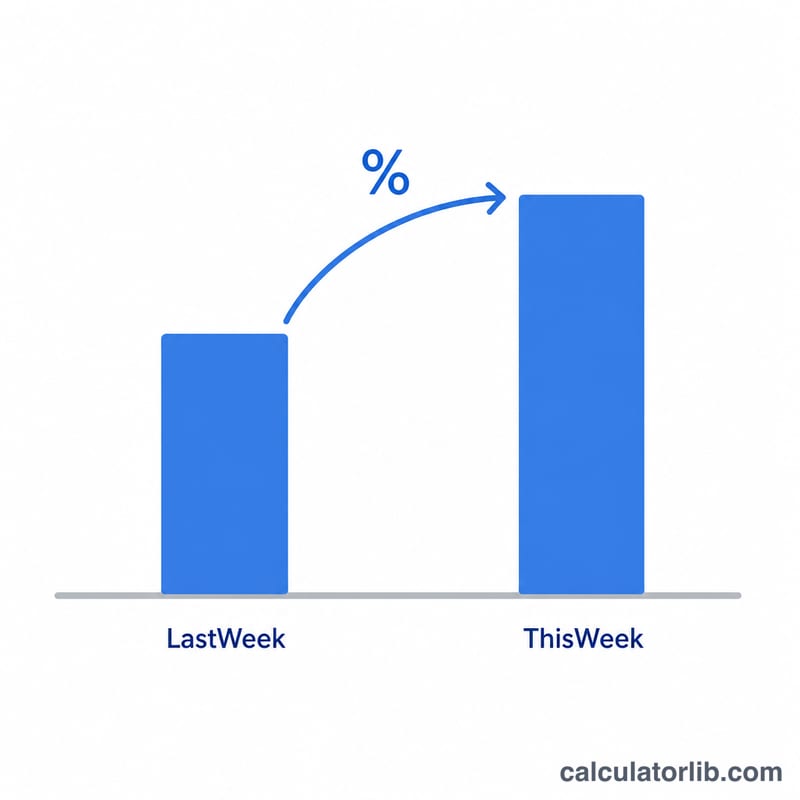
Week over week (WoW) is a comparison of a metric from one week to the immediately preceding week. It is widely used in analytics, sales, marketing, finance, and operations to spot short-term trends, measure the impact of a campaign, or track recurring performance. Because weekly cycles smooth out daily noise (like weekday vs. weekend swings), WoW comparisons give a cleaner read on momentum than day-over-day numbers.
How to Use This Calculator
Enter the value from last week and the value from this week. The calculator returns the percentage change, the absolute change, and an echo of both inputs. A positive percentage means growth; a negative percentage means decline. Works for revenue, users, clicks, sign-ups, page views, or any weekly number.
The Formula Explained
The core equation is:
$$\text{WoW \%} = \frac{\text{This Week} - \text{Last Week}}{\text{Last Week}} \times 100$$
First subtract last week's value from this week's value to get the absolute change. Then divide by last week's value to express that change relative to the starting point, and multiply by 100 to convert it into a percentage. If last week's value is zero, percentage change is undefined (division by zero), so the calculator returns 0 in that case.
Worked Example
Suppose your website had 100 sign-ups last week and 120 sign-ups this week. The absolute change is \(120 - 100 = 20\). The percentage change is $$20 \div 100 \times 100 = \textbf{20\%}.$$ Your sign-ups grew 20% week over week.
WoW Change Across Example Scenarios
Each row applies \(\text{WoW \%} = \frac{\text{This Week} - \text{Last Week}}{\text{Last Week}} \times 100\).
| Last Week | This Week | Absolute Change | WoW % |
|---|---|---|---|
| 100 | 120 | +20 | +20% |
| 200 | 150 | -50 | -25% |
| 50 | 50 | 0 | 0% |
| 1,000 | 1,050 | +50 | +5% |
| 10 | 30 | +20 | +200% |
| 0 | 40 | +40 | Undefined (calculator returns 0) |
When last week is 0, the formula divides by zero, so the percentage is mathematically undefined. The calculator returns 0 in that case rather than an error; the absolute change (+40) is the more meaningful figure there.
Note: percentage changes are not symmetric. A 50% drop followed by a 50% gain does not return to the original value: \(100 \times 0.5 = 50\), then \(50 \times 1.5 = 75\), which is 25% below the starting point. Recovering from a 50% drop requires a 100% gain.
Interpreting Your WoW Result
- Positive result: this week is higher than last week (growth).
- Negative result: this week is lower than last week (decline).
- 0%: the two weeks are equal (no change).
Small baselines inflate percentages. Going from 10 to 30 is +200%, while going from 1,000 to 1,050 is only +5%, even though the absolute changes are +20 and +50. Always read the percentage alongside the absolute change and the size of the base.
Single weeks can be distorted. Holidays, promotions, product launches, weather, outages and seasonal patterns can push one week up or down. A week that includes a public holiday, or follows a big promotion, is often not comparable to the week before it.
Trends are more reliable than one figure. A single WoW number is sensitive to noise. Looking at several consecutive weeks, or a rolling average (for example, a 4-week average compared with the prior 4-week average), smooths random swings and shows whether a change is persistent.
Percentage change vs. percentage-point change. If the metric is itself a rate, such as a conversion rate, the two differ. A rate moving from 4% to 5% is a +1 percentage-point change, but a +25% relative (percentage) change, since \(\frac{5 - 4}{4} \times 100 = 25\).
WoW Terminology and Related Metrics
- WoW (week over week)
- A comparison of a metric in one week against the immediately preceding week.
- DoD (day over day)
- A comparison of a metric on one day against the previous day.
- MoM (month over month)
- A comparison of a metric in one month against the previous month.
- QoQ (quarter over quarter)
- A comparison of a metric in one quarter against the previous quarter.
- YoY (year over year)
- A comparison of a metric in one period against the same period one year earlier, which helps account for seasonality.
- Absolute change
- The raw difference between the two values: \(\text{This Week} - \text{Last Week}\), in the metric's own units.
- Percentage change
- The absolute change divided by the base value, multiplied by 100, expressing the change relative to the starting level.
- Percentage points
- The arithmetic difference between two percentages (for example, 12% to 15% is 3 percentage points), distinct from the relative percentage change.
- Base period
- The earlier period used as the denominator in the comparison. In WoW, the base period is last week.
FAQ
What does a negative WoW% mean? It means this week's value is lower than last week's — a decline. For example, going from 200 to 150 is a \(-25\%\) change.
Why use WoW instead of month over month? WoW reacts faster, helping you catch sudden shifts (a viral post, an outage, a promotion) before a monthly report would reveal them.
What if last week was zero? Percentage change can't be computed from a zero base, since dividing by zero is undefined. In that situation, look at the absolute change instead.