
What is a Text to Hex Converter?
A Text to Hex converter turns each character of a string into its numeric code point and displays that code in hexadecimal (base 16). This is the standard ASCII-to-hex encoding used everywhere in computing — from inspecting network packets and debugging binary files to writing color codes, escape sequences, and low-level data formats. Because one byte (0–255) maps neatly to exactly two hex digits, the output is compact and unambiguous.
How to use it
Type or paste your text into the input box, choose how you want the hex bytes separated (none, space, colon, or dash), and read the result. "None" gives a continuous string ideal for copy-paste into code; spaces or colons make the output easier to read byte by byte.
The formula explained
For each character c we compute ord(c), its numeric code point. Standard English letters, digits, and punctuation fall in the 0–127 ASCII range. That number is converted to base 16 and zero-padded to two digits (the 02x format). All the two-digit blocks are then concatenated, with your chosen separator inserted between them.
$$\text{Hex} = \underset{c\,\in\,\text{Text}}{\Large\Vert}\; \text{pad}_2\!\left(\text{hex}\big(\text{code}(c)\big)\right)\;\bowtie\;\text{Separator}$$
Worked example
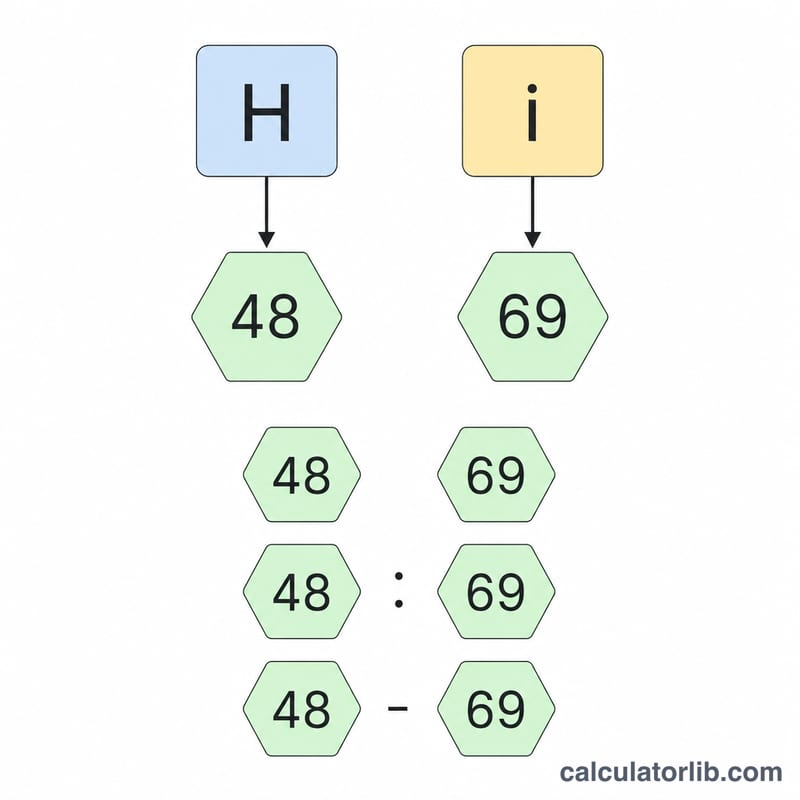
Take the word Hi. The character "H" has code 72, which is \(\text{0x48}\). The character "i" has code 105, which is \(\text{0x69}\). So "Hi" becomes 4869 with no separator, or 48 69 with spaces.
ASCII to Hex Reference Table
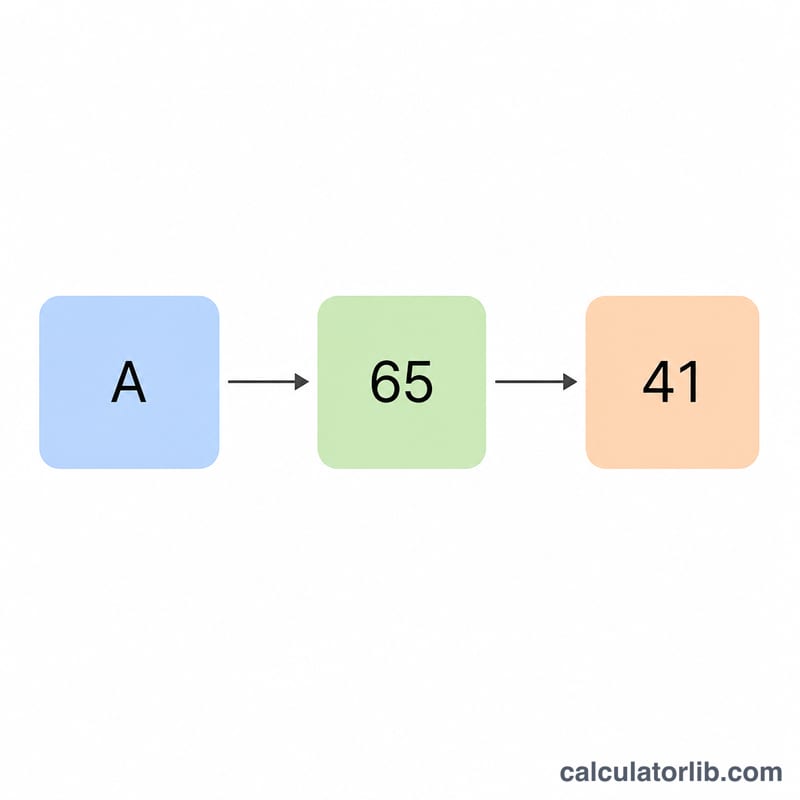
Each printable ASCII character maps to a single byte, written as a 2-digit hexadecimal code from 00 to FF. The hex value equals the character's decimal ASCII code converted to base 16. For example, the letter A has decimal code 65, and \(65 = 4 \times 16 + 1\), so its hex code is 41. Converting the word Hi with a space separator yields 48 69.
Digits 0–9
| Char | Decimal | Hex |
|---|---|---|
| 0 | 48 | 30 |
| 1 | 49 | 31 |
| 2 | 50 | 32 |
| 3 | 51 | 33 |
| 4 | 52 | 34 |
| 5 | 53 | 35 |
| 6 | 54 | 36 |
| 7 | 55 | 37 |
| 8 | 56 | 38 |
| 9 | 57 | 39 |
Uppercase A–Z
| Char | Dec | Hex | Char | Dec | Hex |
|---|---|---|---|---|---|
| A | 65 | 41 | N | 78 | 4E |
| B | 66 | 42 | O | 79 | 4F |
| C | 67 | 43 | P | 80 | 50 |
| D | 68 | 44 | Q | 81 | 51 |
| E | 69 | 45 | R | 82 | 52 |
| F | 70 | 46 | S | 83 | 53 |
| G | 71 | 47 | T | 84 | 54 |
| H | 72 | 48 | U | 85 | 55 |
| I | 73 | 49 | V | 86 | 56 |
| J | 74 | 4A | W | 87 | 57 |
| K | 75 | 4B | X | 88 | 58 |
| L | 76 | 4C | Y | 89 | 59 |
| M | 77 | 4D | Z | 90 | 5A |
Lowercase a–z
| Char | Dec | Hex | Char | Dec | Hex |
|---|---|---|---|---|---|
| a | 97 | 61 | n | 110 | 6E |
| b | 98 | 62 | o | 111 | 6F |
| c | 99 | 63 | p | 112 | 70 |
| d | 100 | 64 | q | 113 | 71 |
| e | 101 | 65 | r | 114 | 72 |
| f | 102 | 66 | s | 115 | 73 |
| g | 103 | 67 | t | 116 | 74 |
| h | 104 | 68 | u | 117 | 75 |
| i | 105 | 69 | v | 118 | 76 |
| j | 106 | 6A | w | 119 | 77 |
| k | 107 | 6B | x | 120 | 78 |
| l | 108 | 6C | y | 121 | 79 |
| m | 109 | 6D | z | 122 | 7A |
Space & Common Punctuation
| Char | Name | Decimal | Hex |
|---|---|---|---|
| (space) | Space | 32 | 20 |
| ! | Exclamation mark | 33 | 21 |
| # | Number sign | 35 | 23 |
| ( | Left parenthesis | 40 | 28 |
| ) | Right parenthesis | 41 | 29 |
| , | Comma | 44 | 2C |
| - | Hyphen-minus | 45 | 2D |
| . | Period | 46 | 2E |
| : | Colon | 58 | 3A |
| @ | At sign | 64 | 40 |
FAQ
Does it handle uppercase and lowercase differently? Yes — they have distinct ASCII codes (A=\(\text{0x41}\), a=\(\text{0x61}\)), so the hex output differs.
What about emoji or accented letters? Characters above code 255 use code points larger than one byte and may produce more than two hex digits per character. This tool pads to a minimum of two digits.
Can I reverse it? Yes — read pairs of hex digits, convert each back to a number, and map to its character to decode hex back to text.