
What is the Bytes to KB/MB/GB Converter?
This calculator converts a raw number of bytes into kilobytes (KB), megabytes (MB) and gigabytes (GB) at the same time. It supports both the binary base (1024) used by most operating systems and the decimal base (1000) used by storage manufacturers, so you always get the number you expect.
How to use it
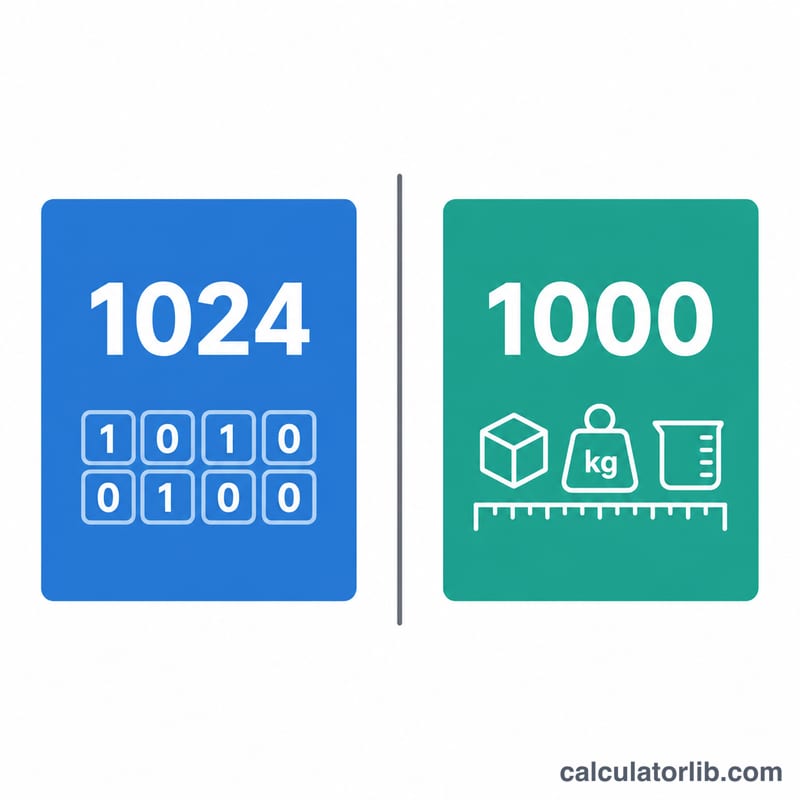
Enter the size in bytes, pick your base, and read off the converted values. Use 1024 (binary, KiB/MiB/GiB) to match how Windows, macOS and Linux report file sizes. Use 1000 (decimal) to match the capacity printed on a hard drive or USB stick.
The formula explained
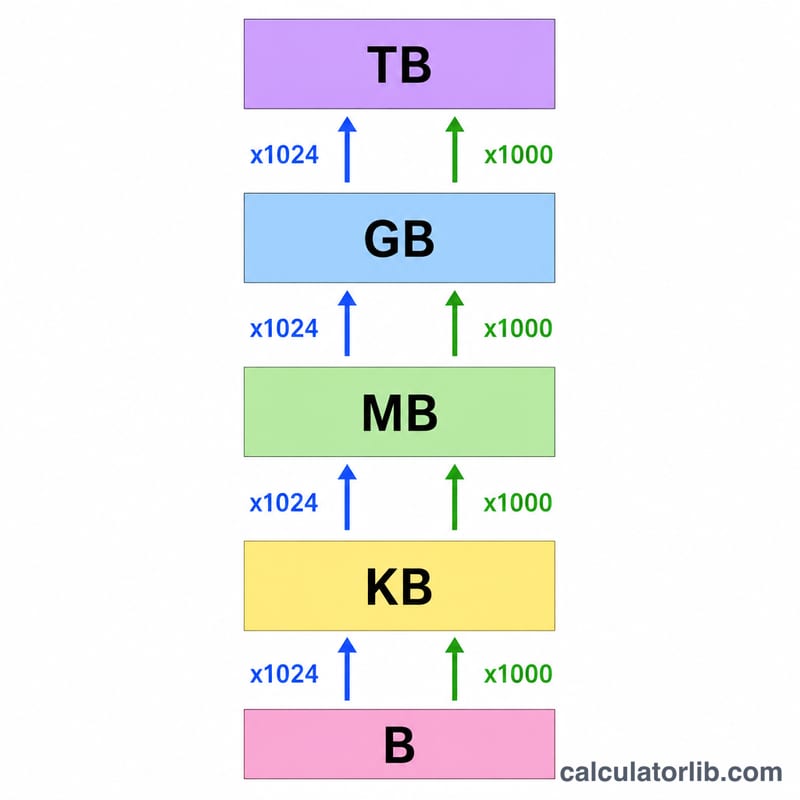
Each step up the scale divides by the base. With the binary base, one kilobyte is 1024 bytes, one megabyte is \(1024 \times 1024 = 1{,}048{,}576\) bytes, and one gigabyte is \(1024^{3} = 1{,}073{,}741{,}824\) bytes. The core formula is:
$$\text{MB} = \frac{\text{bytes}}{1{,}048{,}576}$$ For other units replace the divisor with 1024 (KB) or 1,073,741,824 (GB).
Worked example
Suppose a file is 5,242,880 bytes using the binary base. Megabytes = $$\frac{5{,}242{,}880}{1{,}048{,}576} = 5 \text{ MB}$$ Kilobytes = \(\frac{5{,}242{,}880}{1024} = 5{,}120\) KB. So that file is exactly 5 MB or 5,120 KB.
Data Size Conversion Table
Data sizes are defined two ways. The decimal (SI) system uses powers of 1000 and is standard for storage manufacturers and networking. The binary (IEC) system uses powers of 1024 and is what most operating systems use to report file and disk sizes. The table below shows the exact byte count for each unit in both systems.
| Unit | System / Base | Exact value in bytes | Power |
|---|---|---|---|
| 1 Byte (B) | — | 1 | \(b^0\) |
| 1 Kilobyte (KB) | Decimal (1000) | 1,000 | \(1000^1\) |
| 1 Kibibyte (KiB) | Binary (1024) | 1,024 | \(1024^1\) |
| 1 Megabyte (MB) | Decimal (1000) | 1,000,000 | \(1000^2\) |
| 1 Mebibyte (MiB) | Binary (1024) | 1,048,576 | \(1024^2\) |
| 1 Gigabyte (GB) | Decimal (1000) | 1,000,000,000 | \(1000^3\) |
| 1 Gibibyte (GiB) | Binary (1024) | 1,073,741,824 | \(1024^3\) |
| 1 Terabyte (TB) | Decimal (1000) | 1,000,000,000,000 | \(1000^4\) |
| 1 Tebibyte (TiB) | Binary (1024) | 1,099,511,627,776 | \(1024^4\) |
For example, a 500,000,000-byte file is exactly 500 MB in the decimal system, but only about 476.837 MiB in the binary system — which is why a drive labeled "500 MB" shows as roughly 477 MB in some operating systems.
Key Terms Explained
- Byte (B)
- The fundamental unit of digital data storage, equal to 8 bits. A single byte can represent one character of text in basic encodings such as ASCII.
- Kilobyte (KB)
- Under the SI (decimal) standard, 1 KB = 1,000 bytes (\(1000^1\)). The prefix "kilo" means one thousand. Commonly used by storage and networking vendors.
- Kibibyte (KiB)
- Under the IEC binary standard, 1 KiB = 1,024 bytes (\(2^{10}\)). "Kibi" is short for "kilo binary." This unit removes the ambiguity of using "KB" to mean 1,024 bytes.
- Megabyte (MB)
- Decimal: 1 MB = 1,000,000 bytes (\(1000^2\)). Used for file sizes by many applications and by disk manufacturers.
- Mebibyte (MiB)
- Binary: 1 MiB = 1,048,576 bytes (\(2^{20}\)). This is the value most operating systems mean when they display "MB" for RAM and file sizes.
- Gigabyte (GB)
- Decimal: 1 GB = 1,000,000,000 bytes (\(1000^3\)). The figure printed on hard drives and SSDs.
- Gibibyte (GiB)
- Binary: 1 GiB = 1,073,741,824 bytes (\(2^{30}\)). The reason a "1 TB" drive shows as roughly 931 GiB in your file manager.
- Binary base (1024)
- A counting system based on powers of 2, where each step up multiplies by 1,024. Formalized by the IEC with the bi-, kibi-, mebi-, gibi-, tebi- prefixes (KiB, MiB, GiB, TiB).
- Decimal base (1000)
- A counting system based on powers of 10, where each step up multiplies by 1,000. This matches the SI metric prefixes kilo-, mega-, giga-, tera- (KB, MB, GB, TB).
The IEC 80000-13 standard introduced the binary prefixes (KiB, MiB, etc.) specifically to end the long-standing confusion between the two systems. In practice, storage manufacturers and network speeds use decimal units, while RAM and many operating systems report capacity in binary units.
FAQ
Why does my drive show fewer GB than advertised? Manufacturers count in decimal (1 GB = 1,000,000,000 bytes) while your OS counts in binary (1 GB = 1,073,741,824 bytes), so the same drive looks smaller on screen.
What is the difference between MB and MiB? A mebibyte (MiB) is exactly 1,048,576 bytes (binary). A megabyte (MB) is technically 1,000,000 bytes (decimal), though "MB" is often used loosely to mean MiB.
Which base should I choose? Use 1024 for file sizes and RAM, and 1000 for storage device capacity and data-transfer speeds.