
What the GPA Raise Calculator Does
This tool tells you how many additional credit hours you must complete — all earned at a chosen grade — to lift your grade point average (GPA) from where it is now to a target you set. It is useful for students planning a comeback semester, deciding how many classes to take, or checking whether a goal is realistic before registration.
How to Use It
Enter four numbers: your current GPA, the target GPA you want, the credits you have already earned, and the future grade in grade points you expect to earn going forward (4.0 for an A, 3.0 for a B, and so on). The calculator returns the additional credits needed, your total credits afterward, and the projected GPA.
The Formula Explained
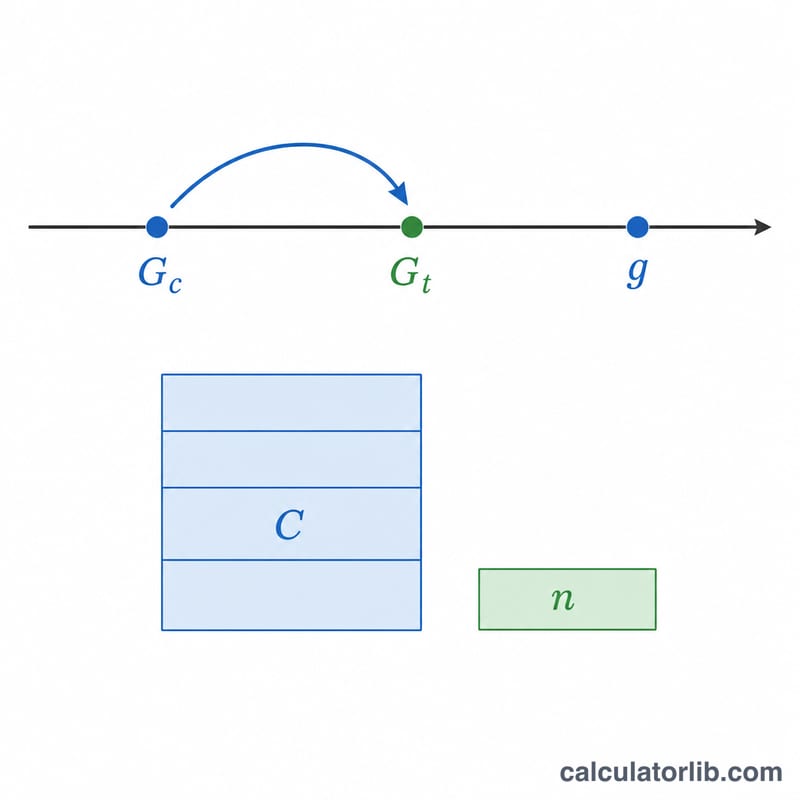
Your GPA is a weighted average of grade points by credits. To reach a target, the new credits must average above the target so they pull the overall figure up. Solving the weighted-average equation gives:
$$n = \frac{C \cdot (G_t - G_c)}{g - G_t}$$
where \(C\) is current credits, \(G_c\) is current GPA, \(G_t\) is target GPA, and \(g\) is the grade earned in the new credits. If \(g\) is not greater than \(G_t\), the target cannot be reached because the new work would not pull the average up.
Worked Example
Suppose you have 60 credits at a 3.0 GPA and want a 3.5, earning straight A's (4.0) from now on. Then $$n = \frac{60 \cdot (3.5 - 3.0)}{4.0 - 3.5} = \frac{60 \cdot 0.5}{0.5} = 60 \text{ credits}.$$ After those 60 credits you would have 120 total credits and a 3.5 GPA.
FAQ
Why does it say my target is not reachable? Because the future grade you entered is equal to or below your target GPA. New credits can only raise your average if they score above the target.
Does the result have to be a whole number? Credits often come in fixed sizes (e.g., 3 each). Round up to the next achievable amount to be safe — that will land you slightly above the target.
Does this work for a 5.0 weighted scale? Yes. Just enter all values on the same scale you use; the math is scale-agnostic.