
What Is the Bytes to Bits Converter?
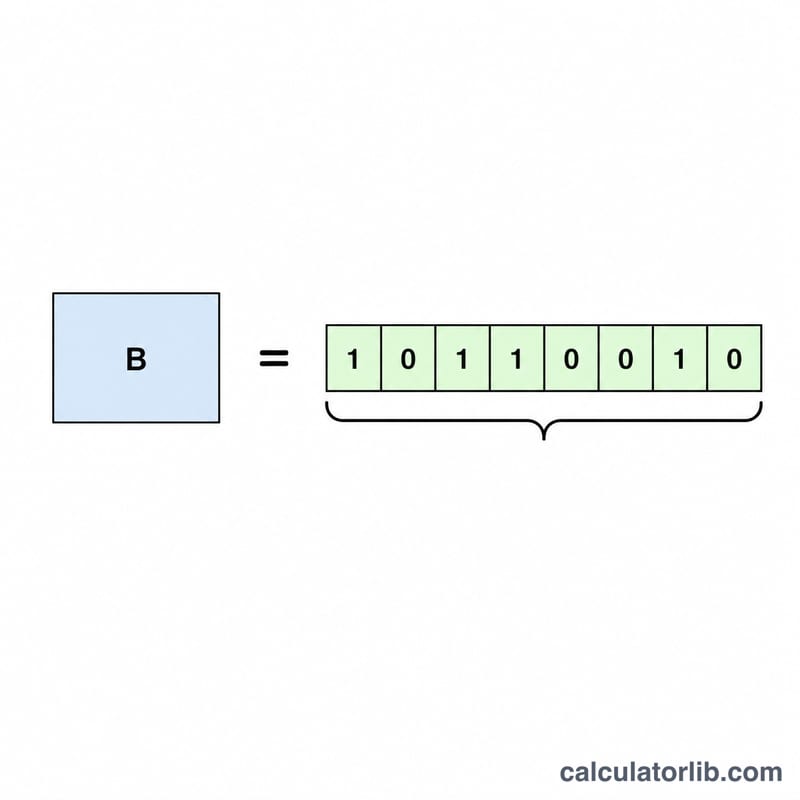
The Bytes to Bits Converter changes a data size measured in bytes (B) into the equivalent number of bits (bit). In digital systems a single byte is defined as 8 bits, so the conversion is a simple multiplication. This tool is handy for networking, storage, and programming work where data quantities are sometimes expressed in bytes and other times in bits.
How to Use It
Enter the amount of data in bytes into the input field and the calculator instantly returns the value in bits. You can enter whole numbers like 1024 or decimal values like 2.5 — the result scales accordingly. Thousand separators are added automatically as you type to keep large values readable.
The Formula Explained
The relationship between bytes and bits is fixed:
$$\text{bits} = \text{Bytes (B)} \times 8$$
Because one byte is composed of exactly 8 bits, you multiply the byte count by 8 to find the number of bits. To go the other way, divide bits by 8 to get bytes.
Worked Example
Suppose you have a file of 1024 bytes (1 kibibyte). Multiply by 8: $$1024 \times 8 = 8192 \text{ bits}.$$ So 1024 B equals 8,192 bit. Likewise, 2.5 bytes would be \(2.5 \times 8 = 20\) bits.
Definitions & Glossary
Understanding the difference between bits and bytes is essential when converting digital data using the formula \(\text{bits} = \text{bytes} \times 8\). The terms below are the most common units and notations you will encounter.
- Bit (b)
- The smallest unit of digital information, short for binary digit. A bit holds a single value of either 0 or 1. All larger data units are built from bits.
- Byte (B)
- A group of 8 bits, the standard unit used to represent a single character of text (such as a letter or digit) in most computing systems. Because one byte equals 8 bits, converting bytes to bits simply means multiplying by 8 — for example, 16 B = 128 bits.
- Nibble
- A group of 4 bits, exactly half of a byte. A single nibble can represent one hexadecimal digit (0–F), which is why two nibbles make up one byte.
- B vs b notation
- Capitalization matters: an uppercase B denotes a byte, while a lowercase b denotes a bit. For instance, "MB" means megabyte and "Mb" means megabit — quantities that differ by a factor of 8.
- Kilobit vs kilobyte
- A kilobit (kb or kbit) is 1,000 bits, while a kilobyte (kB) is 1,000 bytes — and therefore 8,000 bits. The same 8× relationship applies to megabit/megabyte, gigabit/gigabyte, and so on. (Note: in binary or "kibi" usage, 1 KiB = 1,024 bytes; the SI "kilo" prefix is 1,000.)
- bps (bits per second)
- A measure of data transfer rate equal to the number of bits transmitted each second. Network and internet speeds are typically advertised in bits per second (Mbps = megabits per second), whereas file sizes are usually given in bytes — so a 100 Mbps connection delivers a maximum of about 12.5 megabytes per second.
FAQ
How many bits are in a byte? There are 8 bits in a byte by the standard modern definition.
What is the difference between B and bit? A capital "B" denotes a byte and a lowercase "b" denotes a bit. Network speeds are often given in bits per second (bps), while file sizes are usually in bytes.
Can I convert decimal byte values? Yes. The calculator accepts decimals, so 1.5 bytes correctly converts to 12 bits.