What is the Sum Calculator?
The Sum Calculator adds together any list of numbers and returns the running total. Beyond the sum, it also reports how many values you entered, their average (mean), and the smallest and largest values — turning a simple addition into a quick statistical snapshot. It works with whole numbers, decimals, and negative numbers alike.
How to use it
Type your numbers into the box separated by commas or spaces (for example 5, 10, 15, 20). The order does not matter, and extra spaces are ignored. Press calculate and you will instantly see the total along with the count, average, minimum, and maximum.
The formula explained
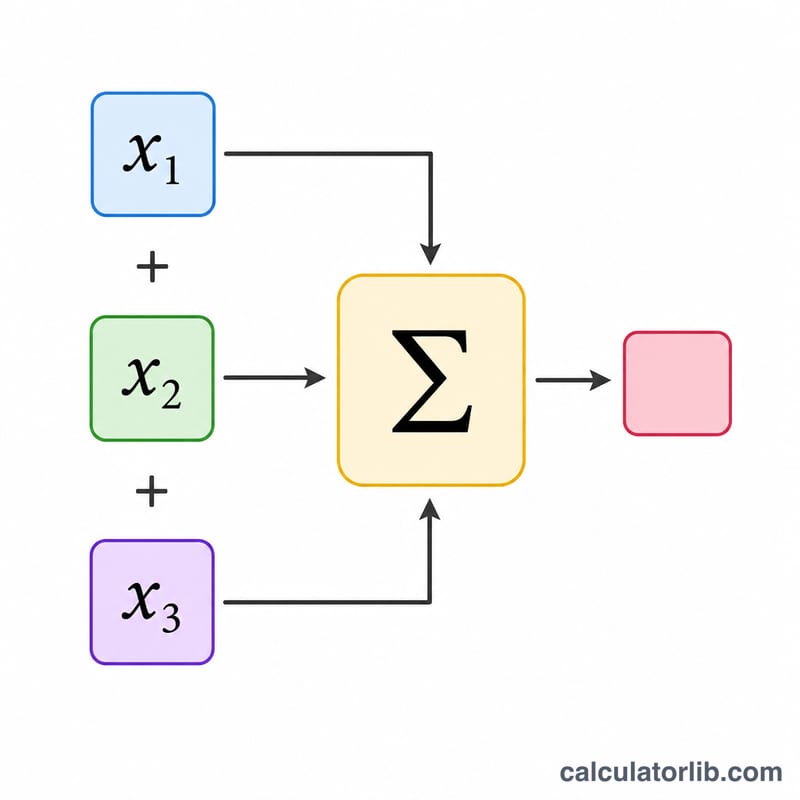
The sum is simply the addition of every value: $$\text{sum} = x_1 + x_2 + \cdots + x_n$$ The average is then the sum divided by the count of numbers, $$\text{mean} = \text{sum} \div n$$ Because addition is commutative and associative, you can list the numbers in any order and still get the same total.
Worked example
Suppose you enter 5, 10, 15, 20. The sum is $$5 + 10 + 15 + 20 = 50$$ There are 4 numbers, so the average is $$50 \div 4 = 12.5$$ The minimum is \(5\) and the maximum is \(20\).
More Worked Examples
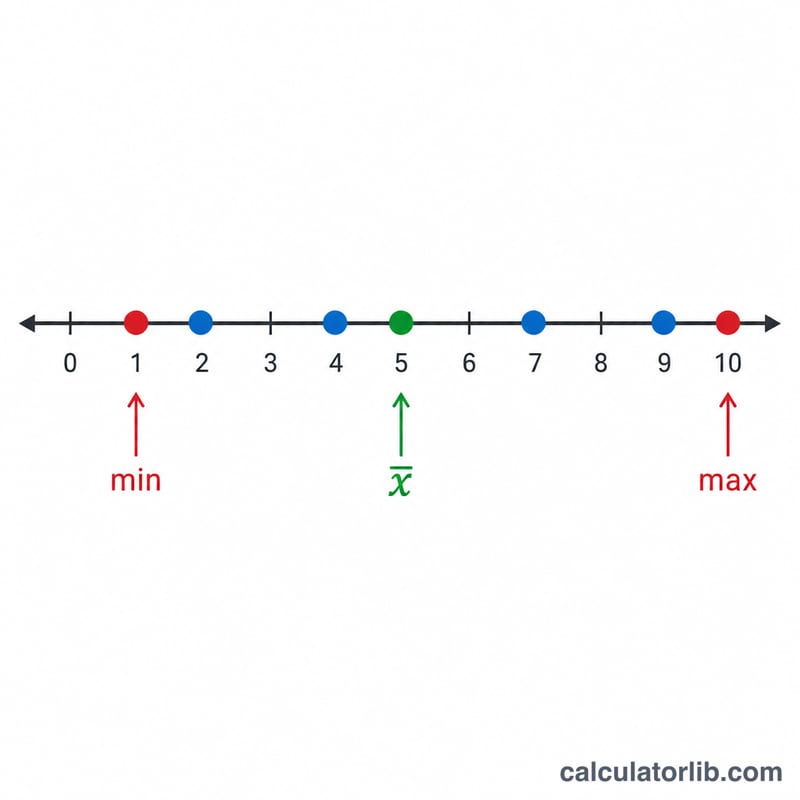
Each example below runs the same four operations the calculator performs on any list: add every value, count the values, divide to get the mean, and scan the list once for the smallest and largest entries.
Example 1 — Decimal values: 1.5, 2.25, 3
Addition step (left to right):
$$1.5 + 2.25 = 3.75, \qquad 3.75 + 3 = 6.75$$So the total is 6.75. The count is the number of entries, \(n = 3\). The mean divides the sum by that count:
$$\text{Mean} = \frac{6.75}{3} = 2.25$$To pick the extremes, compare the values on a number line: 1.5 < 2.25 < 3, so the minimum is 1.5 and the maximum is 3.
| Output | Value |
|---|---|
| Sum | 6.75 |
| Count (n) | 3 |
| Mean | 2.25 |
| Minimum | 1.5 |
| Maximum | 3 |
Example 2 — Mixed positive and negative values: 10, −3, 8, −5
Adding a negative number is the same as subtracting its absolute value. Working left to right:
$$10 + (-3) = 7, \qquad 7 + 8 = 15, \qquad 15 + (-5) = 10$$You can also group by sign, which is often faster by hand: the positives give \(10 + 8 = 18\), the negatives give \(-3 + (-5) = -8\), and \(18 - 8 = 10\). Both routes give a sum of 10.
$$\text{Mean} = \frac{10}{4} = 2.5$$The count is \(n = 4\) — negative values still count as entries. Ordering the set gives −5 < −3 < 8 < 10, so the minimum is −5 (a minimum can absolutely be negative) and the maximum is 10. Note that the mean, 2.5, is smaller than every positive value in the list because the negatives pull it down.
| Output | Value |
|---|---|
| Sum | 10 |
| Count (n) | 4 |
| Mean | 2.5 |
| Minimum | −5 |
| Maximum | 10 |
Example 3 — A longer real-world list: one week of expenses
Suppose you record five purchases during a week: 12.99, 45.50, 7.25, 60 and 33.10 (any currency — the arithmetic is identical whether these are dollars, euros or pounds). Adding them one at a time, keeping the decimal points aligned:
$$12.99 + 45.50 = 58.49$$$$58.49 + 7.25 = 65.74$$$$65.74 + 60 = 125.74$$$$125.74 + 33.10 = 158.84$$The week's total spending is 158.84, made up of \(n = 5\) purchases. The average purchase is:
$$\text{Mean} = \frac{158.84}{5} = 31.768$$That is 31.768 exactly; for money you would normally report it as 31.77 rounded to two decimal places. Scanning the list once for extremes: 7.25 is smaller than every other entry, so it is the minimum (the cheapest purchase), and 60 is larger than every other entry, so it is the maximum (the most expensive purchase). The spread between 7.25 and 60 tells you the mean of about 31.77 is not typical of any single purchase — a useful reminder that the average alone hides the range.
| Output | Value |
|---|---|
| Sum | 158.84 |
| Count (n) | 5 |
| Mean | 31.768 (≈ 31.77) |
| Minimum | 7.25 |
| Maximum | 60 |
Key Terms Explained
| Term | Meaning |
|---|---|
| Sum (total) | The result of adding every value in the list together, written \(\sum_{i=1}^{n} x_i\). For 1.5, 2.25, 3 the sum is 6.75. |
| Count (n) | How many values you entered. Every entry counts once, including zeros, negatives and repeated values — 4, 4, 4 has a count of 3, not 1. |
| Mean (average) | The sum divided by the count, \(\bar{x} = \frac{ {\sum x_i}}{n}\). It is the value each entry would have if the total were shared out equally. This is the arithmetic mean, not the median or mode. |
| Minimum | The smallest value in the set — the one furthest left on the number line. It can be negative, and it can be zero; −5 is smaller than −3, and both are smaller than 0. |
| Maximum | The largest value in the set, furthest right on the number line. If every value is identical, the minimum and maximum are equal and the mean equals both. |
| Range | Not shown by every calculator, but easy to derive: maximum − minimum. For 7.25 and 60 the range is 52.75, a quick measure of how spread out the data is. |
| Term / addend | Each individual number being added. In \(10 + (-3) + 8\), the terms (addends) are 10, −3 and 8. "Summand" means the same thing. |
| Sigma notation \(\sum x_i\) | The Greek capital sigma, Σ, is shorthand for "add up". In \(\sum_{i=1}^{n} x_i\), \(i\) is the index that steps from 1 to \(n\), and \(x_i\) is the \(i\)-th value in the list. So \(\sum_{i=1}^{3} x_i = x_1 + x_2 + x_3\). |
| Commutative property | Order does not change a sum: \(a + b = b + a\). Entering 8, −5, 10, −3 gives the same total, 10, as entering 10, −3, 8, −5. This is why re-adding in reverse is a valid check. |
| Associative property | Grouping does not change a sum: \((a + b) + c = a + (b + c)\). This is what lets you add all the positives first and all the negatives second, then combine the two subtotals. |
| Identity element | Zero is the additive identity: \(a + 0 = a\). Adding a 0 to your list changes the sum by nothing, but it does increase the count by one — and so it does change the mean. |
How to Add Numbers by Hand, Step by Step
- Parse the list and discard empty entries. Split the text wherever a comma, space or line break appears, and throw away anything blank — a trailing comma in "4, 9, 12," creates an empty slot that is not a value. Decide in advance how you will treat a stray entry that is not a number; the safest habit is to fix the typo rather than silently skip it, because a skipped entry lowers the count and therefore shifts the mean.
- Align the decimal places. Write the numbers in a column with the decimal points directly above one another, padding shorter values with trailing zeros: 60 becomes 60.00, 33.1 becomes 33.10. Misaligned decimals are the single most common hand-arithmetic error.
- Add the values. Either go straight left to right, carrying as usual, or split by sign: total the positive terms, total the absolute values of the negative terms, then subtract the second from the first. For 10, −3, 8, −5 that is \(18 - 8 = 10\). Both methods must agree.
- Count the values to get n. Count the entries that survived step 1, not the number of commas. Include zeros and duplicates — they are real data points.
- Divide the sum by n to get the mean. \(\bar{x} = \frac{ {\text{sum}}}{n}\). For a sum of 158.84 over 5 entries, \(158.84 \div 5 = 31.768\). A quick sanity check: the mean must always lie between the minimum and the maximum. If it does not, the addition or the count is wrong.
- Scan once for the smallest and largest. Read down the list holding two running values. Start both at the first entry; for each new entry, replace the running minimum if the entry is smaller and the running maximum if it is larger. One pass is enough — no sorting required. Remember that with negative numbers the value closest to zero is not the smallest: −5 < −3.
- Verify by re-adding in a different order. Because addition is commutative and associative, adding the list bottom-to-top, or grouping pairs that make round numbers (for example 12.99 + 7.25 + 45.50 + 33.10 + 60), must give exactly the same total. A mismatch tells you one of the two passes carried wrongly.
Rounding a non-terminating mean
Many divisions do not terminate. For instance, with the values 2, 3, 5 the sum is 10 and the count is 3, so:
$$\bar{x} = \frac{10}{3} = 3.333\overline{3}\ldots$$Practical guidance:
- Keep the exact sum and count; round only at the final display step, never mid-calculation, or the rounding error compounds.
- Round to two decimal places for money (3.33), and to one more decimal place than your raw data for measurements — data recorded to the nearest whole unit is usually reported as a mean to one decimal.
- Use standard round-half-up or round-half-to-even consistently; whichever you choose, apply it to the whole report.
- Mark a rounded mean as approximate with ≈ (for example \(\bar{x} \approx 3.33\)), and be aware that \(\bar{x} \times n\) may then no longer reproduce the original sum exactly — 3.33 × 3 = 9.99, not 10.
FAQ
Can I add negative numbers? Yes. Negative values are subtracted from the total automatically, e.g. \(10 + (-3) = 7\).
Does it handle decimals? Absolutely. You can mix decimals and whole numbers freely, such as 1.5, 2.25, 3.
What separators can I use? Commas, spaces, or a mix of both. Empty entries are ignored, so trailing commas are fine.