
What Is the Time Spent on Email Calculator?
Email is one of the biggest silent time sinks in modern work. A few minutes here and there add up to staggering totals across a year. This calculator turns three simple inputs — how many emails you handle each day, how long you spend on each one, and how many days you work — into a clear picture of your total email time, expressed in hours, full days, and equivalent 8-hour workdays.
How to Use It
Enter your emails per day (received plus sent that you actually act on), the average minutes per email you spend reading and replying, and the number of working days in the period you care about (260 is a typical full year). The calculator instantly shows your daily and total email load.
The Formula Explained
The math is straightforward:
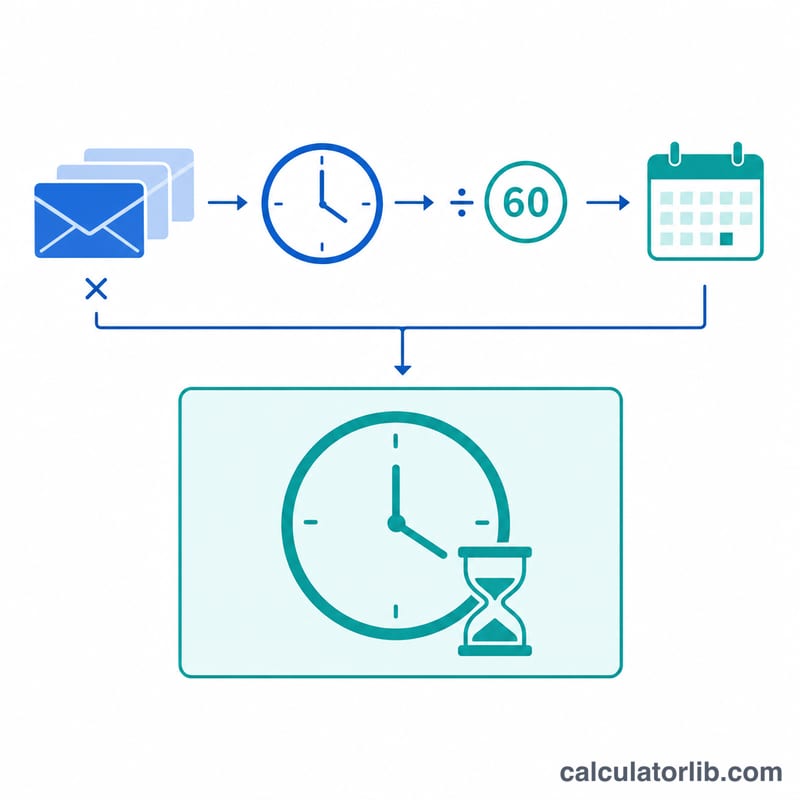
$$\text{total\_hours} = \frac{\text{emails\_per\_day} \times \text{minutes\_per\_email}}{60} \times \text{working\_days}$$
First we find the minutes spent per day (emails × minutes), divide by 60 to convert to hours, then multiply by the number of working days. Dividing the result by 8 reveals how many full workdays you effectively devote to your inbox.
Worked Example
Suppose you process 50 emails per day, spending 2 minutes each, across 260 working days. Minutes per day = \(50 \times 2 = 100\) minutes, or about 1.67 hours. Over 260 days that is $$\frac{100}{60} \times 260 = 433.33 \text{ hours}$$ — roughly 54 eight-hour workdays spent on email alone.
FAQ
What counts as an email I "handle"? Include any message you open, read, and respond to or file. Quick deletions barely register, so estimate the ones that take real attention.
How do I estimate minutes per email? Time yourself for an hour, count the emails handled, and divide. Most knowledge workers land between 1 and 5 minutes per message.
Why show workdays? Converting hours into 8-hour workdays makes the cost tangible and helps justify batching email, using templates, or reducing notifications.