
What Is a Timecode to Frames Calculator?
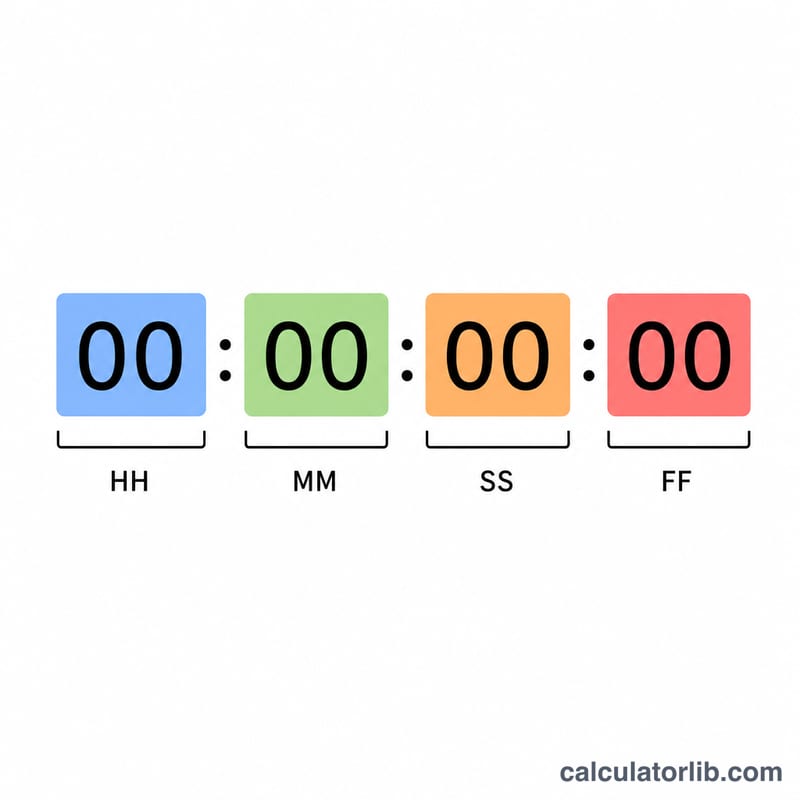
A timecode to frames calculator converts a SMPTE timecode written as HH:MM:SS:FF (hours, minutes, seconds, frames) into a single absolute frame count. Editors, colorists, VFX artists, and broadcast engineers use frame counts to address an exact picture in a sequence, sync audio, or pass cut points between tools that expect frame numbers rather than timecode strings.
How to Use It
Enter the hours, minutes, seconds, and frames portions of your timecode, then pick the project frame rate (fps). The calculator returns the total number of frames from the start (00:00:00:00). Choose the frame rate that matches your timeline — common choices are 24 for film, 25 for PAL, 30 for NTSC, and 59.94/60 for high-frame-rate video.
The Formula Explained
First convert the time portion to seconds: \(\text{HH} \times 3600 + \text{MM} \times 60 + \text{SS}\). Multiply that by the frame rate to get how many whole frames have elapsed in those seconds, then add the leftover frame count \(\text{FF}\):
$$\text{Frames} = \left[\left(\text{HH} \times 3600 + \text{MM} \times 60 + \text{SS}\right) \times \text{fps}\right] + \text{FF}$$
For fractional rates such as 29.97 or 23.976, this uses the true (non-drop) frame rate. Note that real-world drop-frame timecode (e.g. 29.97 DF) adjusts displayed numbers but not the underlying frame total; this tool computes the straight non-drop count.
Worked Example
Suppose your timecode is 00:01:00:00 at 30 fps. Total seconds = \(0 \times 3600 + 1 \times 60 + 0 = 60\). Frames = \(60 \times 30 + 0 = \)1,800 frames. At 24 fps the same one minute is \(60 \times 24 = 1{,}440\) frames.
FAQ
What does FF mean? FF is the frame field — the number of frames beyond the last whole second, ranging from 0 up to \(\text{fps} - 1\).
Does this handle drop-frame timecode? It computes the non-drop frame total. Drop-frame only changes how numbers are labeled, skipping certain frame labels to keep clock time accurate.
Why use fractional frame rates? NTSC video runs at 29.97 and 23.976 fps for historical color-signal reasons, so professional workflows often need these exact values.