
What is the Audio File Size Calculator?
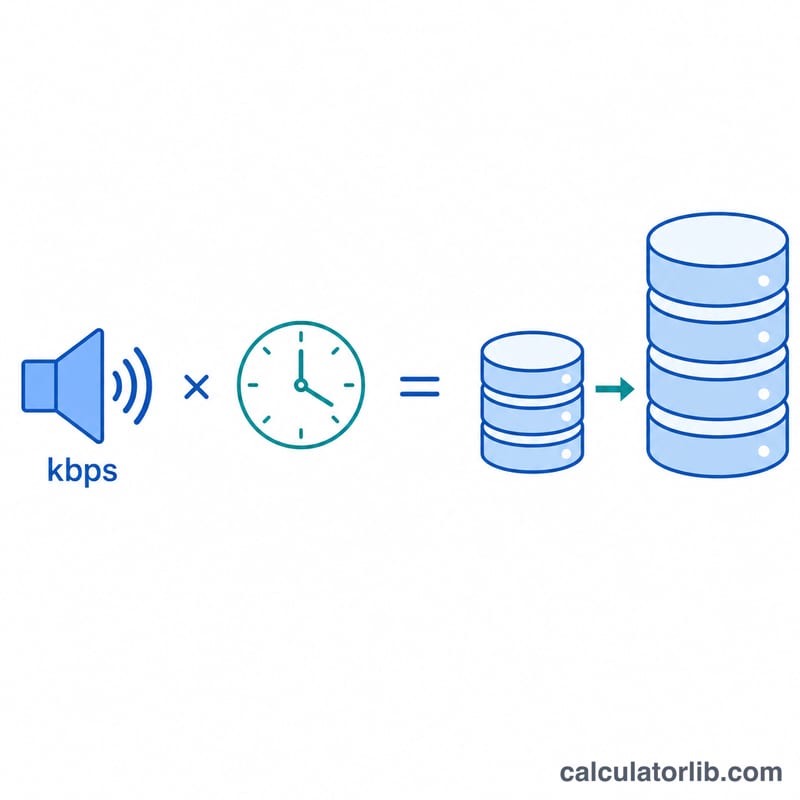
This tool estimates how much storage a recording, song, podcast, or stream will take based on its bitrate and duration. Bitrate (measured in kilobits per second, kbps) describes how many bits of data are used to represent one second of audio. Multiply that by the length of the clip and you get the total amount of data — which you can convert into kilobytes, megabytes, or gigabytes. The calculation is universal and applies to any constant-bitrate (CBR) audio or media file.
How to use it
Enter the bitrate in kbps (for example 128, 192, or 320 for MP3, or 1411 for CD-quality WAV). Enter the duration and choose whether it is in seconds, minutes, or hours. The calculator returns the estimated file size in MB, plus KB and GB equivalents.
The formula explained
The core equation is:
$$\text{size\_MB} = \frac{\text{bitrate\_kbps} \times \text{duration\_s}}{8 \times 1024}$$We divide by 8 because there are 8 bits in a byte, converting kilobits into kilobytes. We then divide by 1024 to convert kilobytes into mebibytes (MB). Note this uses binary units (1 MB = 1024 KB), which matches how most operating systems report file sizes.
Worked example
Suppose you record a 60-minute podcast at 128 kbps. First convert duration to seconds: \(60 \times 60 = 3600 \text{ s}\). Then: $$\frac{128 \times 3600}{8 \times 1024} = \frac{460{,}800}{8 \times 1024} = \frac{57{,}600}{1024} \approx \textbf{56.25 MB}$$ So roughly 56 MB of storage is needed.
Common Audio Bitrates and Formats
Audio file size is driven primarily by the bitrate — the number of kilobits used to encode each second of sound. Higher bitrates preserve more detail but produce larger files. The table below lists typical bitrates by format and use case, along with quality notes to help you choose a sensible setting before estimating file size.
| Format / Use | Typical Bitrate | Quality & Notes |
|---|---|---|
| MP3 (low) | 96 kbps | Acceptable for speech and low-bandwidth streaming; noticeable artifacts on music. |
| MP3 (standard) | 128 kbps | Long-standing “radio quality” default; good balance for casual listening. |
| MP3 (high) | 192 kbps | Very good music quality, hard to distinguish from source for most listeners. |
| MP3 (maximum) | 320 kbps | Highest standard MP3 quality; near-transparent for the vast majority of tracks. |
| AAC streaming (standard) | 128 kbps | Roughly matches 192 kbps MP3 quality at a smaller size; common streaming default. |
| AAC streaming (high) | 256 kbps | High-quality streaming tier (e.g. premium music services). |
| Spoken-word podcast | 64–96 kbps | Mono or low-rate stereo is fine for voice; keeps episode downloads small. |
| Audiobook (voice) | 32–64 kbps | Mono speech remains clear at very low rates, minimizing storage. |
| CD-quality WAV (PCM) | 1411 kbps | Uncompressed 16-bit / 44.1 kHz stereo; lossless but large. |
| High-res FLAC (lossless) | ~900–1400 kbps | Variable rate; perfectly preserves the original, size depends on content. |
Note that lossless formats (WAV, FLAC) and variable-bitrate (VBR) encodes give only approximate sizes — actual size varies with the audio content. Constant-bitrate (CBR) MP3/AAC matches the size formula closely.
Data Size Unit Conversions
Audio bitrate is measured in bits per second, while file sizes are reported in bytes (and multiples). The single most important conversion is that 1 byte = 8 bits, which is the source of the \(\div 8\) in the size formula. The table also shows both the binary (1024-based) units used by most operating systems and the decimal (1000-based) units used by storage manufacturers.
| Unit | Binary (1024-based) | Decimal (1000-based) |
|---|---|---|
| 1 byte (B) | 8 bits | 8 bits |
| 1 kilobyte (KB) | 1024 bytes | 1000 bytes |
| 1 megabyte (MB) | 1024 KB = 1,048,576 bytes | 1000 KB = 1,000,000 bytes |
| 1 gigabyte (GB) | 1024 MB = 1,073,741,824 bytes | 1000 MB = 1,000,000,000 bytes |
| 1 kilobit (kb) | 1000 bits = 125 bytes | 1000 bits = 125 bytes |
| 1 megabit (Mb) | 1000 kb = 125,000 bytes | 1000 kb = 125,000 bytes |
This calculator uses the binary (1024-based) convention, so 1 MB = 1024 KB and 1 GB = 1024 MB, matching how Windows and most file managers display size. Note that bitrate uses lowercase “b” for bits (kbps = kilobits per second), while file size uses uppercase “B” for bytes (MB = megabytes) — mixing these up is the most common source of an 8× error.
FAQ
Is the result exact? For constant-bitrate files it is very close. Variable-bitrate (VBR) files and container/metadata overhead can make the real file slightly larger or smaller.
Why divide by 1024 and not 1000? We use binary units (mebibytes) to match how Windows and most file managers display sizes. If your software uses decimal megabytes, divide by 1000 instead.
What bitrate should I use? Spoken-word podcasts sound fine at 64–128 kbps; music streaming commonly uses 192–320 kbps; lossless CD audio is about 1411 kbps.