


How to use the calendar
The calendar opens on the current month in your own time zone, with today outlined. Use the arrows, the month list or the year box to go to any month from year 1 to 9999, or switch to Year to see all twelve months; a month name in the year view opens that month. The ← and → keys move a month, T comes back to today and Y switches the view.
Weeks start on Sunday, as on US calendars; under Options you can start them on Monday or Saturday. The narrow first column is the ISO 8601 week number of the week's Monday. Your choice is kept in this browser.
Holidays are the eleven federal holidays of 5 U.S.C. 6103, on their legal dates. When one falls on a weekend, federal offices close on the Friday before or the Monday after; those observed days are not marked. For years whose official list has been published (named under the calendar), it marks the published days off instead, substitute and observed days included. Print puts the month or year on screen on one A4 page.
Worked example
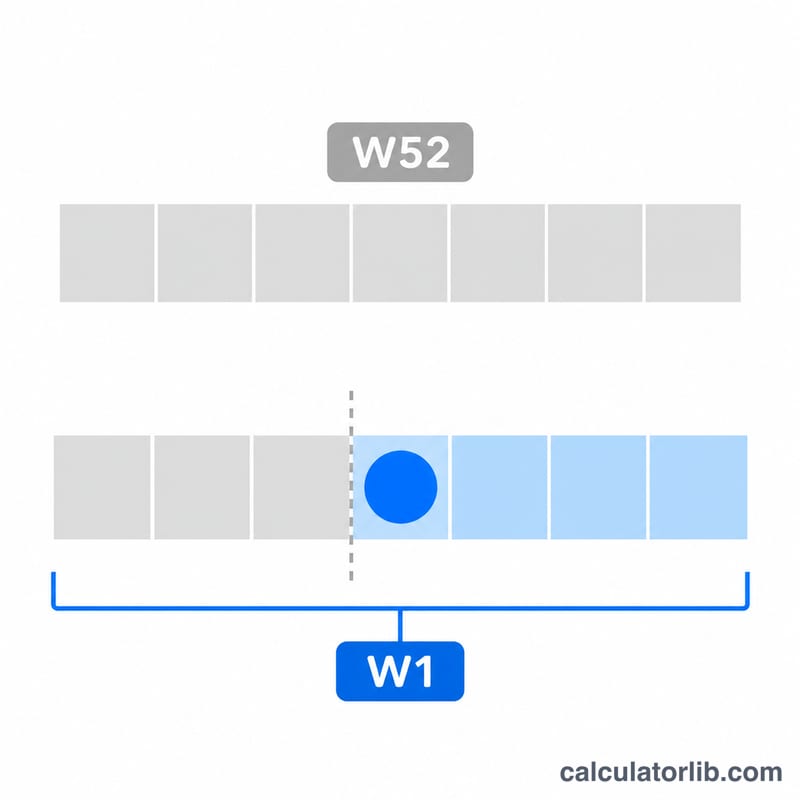
2027 has 365 days and 52 ISO weeks. 1 January 2027 is a Friday, so it belongs to week 53 of 2026: an ISO week belongs to the year that holds its Thursday. 2026 is one of the years with 53 ISO weeks. The next leap year after 2027 is 2028.
Frequently asked questions
What is an ISO week number? ISO 8601 numbers the weeks from Monday to Sunday; week 1 is the week with the year's first Thursday, so a year has 52 or 53 weeks and 1 January can be in week 52 or 53 of the year before.
Can I see another country's holidays? Each language shows one country's list: US on the English page, Spain on the Spanish page and so on.
Does the calendar use my time zone? Yes. Today is your device's date, so near midnight it can differ from the date in another country.