
What This Calculator Does
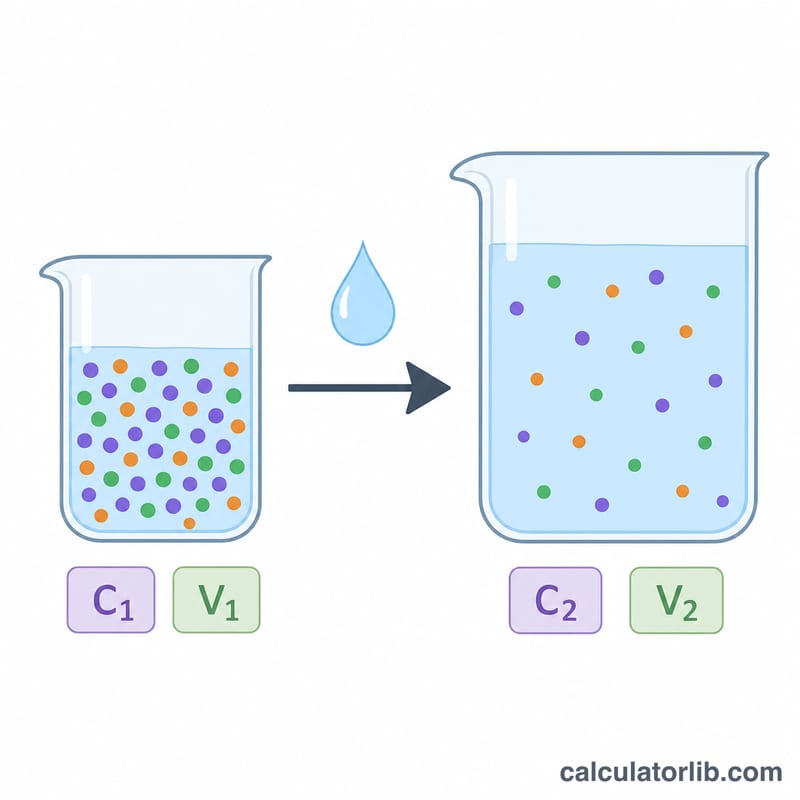
This tool tells you exactly how much water to add to an existing solution to dilute it down to a desired (lower) target molarity. It is based on the classic dilution equation, where the number of moles of solute stays constant while the volume increases.
How to Use It
Enter the initial concentration (C1) in moles per liter, the initial volume (V1) in milliliters, and the target concentration (C2) you want to reach. The calculator returns the volume of water to add and the resulting final total volume. Note that C2 must be smaller than C1 — you cannot concentrate a solution by adding water.
The Formula Explained
The dilution equation is \(C_1 \cdot V_1 = C_2 \cdot V_2\), where \(V_2\) is the final total volume. Solving for \(V_2\) gives \(V_2 = C_1 \cdot V_1 / C_2\). Since the water you pour in is just the difference between the final and starting volumes,
$$\text{V}_{\text{water}} = \frac{C_1 \cdot V_1}{C_2} - V_1$$The volume units cancel, so as long as V1 and the answer are in the same unit (here, mL), the math works.
Worked Example
Suppose you have 100 mL of a 1 M stock solution and want a 0.25 M solution. The final volume is
$$\frac{1 \times 100}{0.25} = 400 \text{ mL}$$The water to add is
$$400 - 100 = 300 \text{ mL}$$So you dilute your 100 mL of stock up to 400 mL total by adding 300 mL of water.
FAQ
Why must C2 be less than C1? Adding water can only dilute a solution. To increase concentration you would need to add more solute or evaporate water.
Can I use liters instead of mL? Yes — just keep V1 and the result in the same unit. The answer comes out in whatever unit you entered V1.
Does temperature matter? For most lab dilutions volumes are treated as additive and temperature effects are negligible, though precise work may require volumetric correction.