
What is the HSL to RGB Converter?
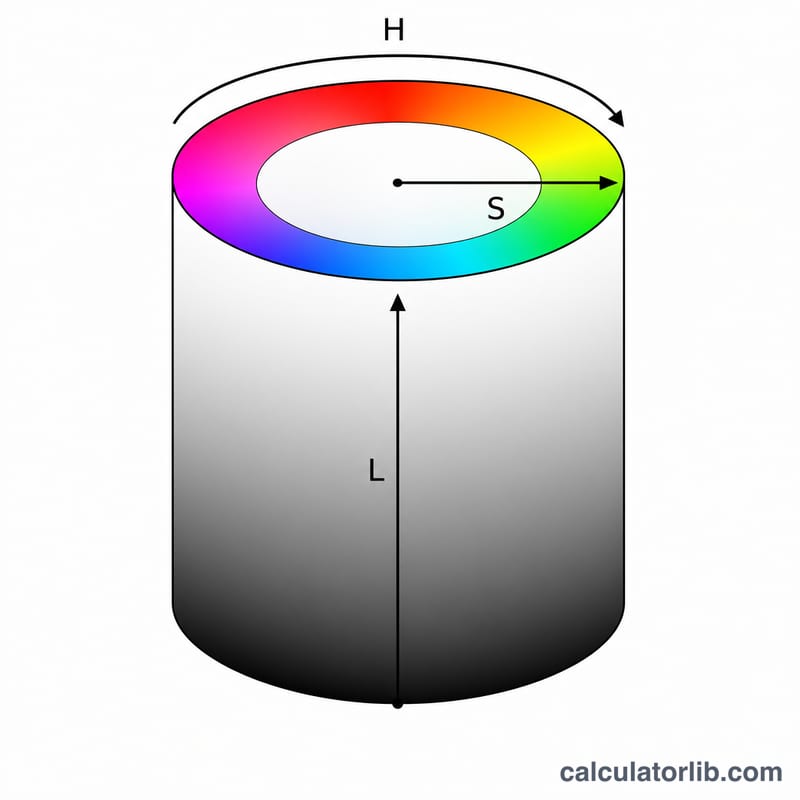
This tool converts a color expressed in the HSL model — Hue, Saturation, and Lightness — into the RGB model used by screens, CSS, and image files. HSL is intuitive for designers because it separates the "color" (hue) from how vivid (saturation) and how bright (lightness) it is, while RGB describes the same color as amounts of red, green, and blue light. The conversion is exact and works for any valid HSL input.
How to use it
Enter the hue in degrees (0–360), saturation as a percentage (0–100), and lightness as a percentage (0–100). The calculator returns the equivalent rgb(r, g, b) values, each from 0 to 255, plus a live color swatch so you can confirm the result visually.
The formula explained
First the saturation and lightness are scaled to the 0–1 range. Chroma is \(C = (1 - |2L - 1|)\,S\), the colorfulness of the result. A helper value \(X = C\left(1 - \left|\left(\tfrac{H}{60}\bmod 2\right) - 1\right|\right)\) handles the intermediate blend within each 60° hue sextant, and \(m = L - \tfrac{C}{2}\) shifts everything to match the requested lightness. Depending on which 60° sector the hue falls in, C, X, and 0 are assigned to R, G, and B in a specific order, then m is added and each channel is multiplied by 255 and rounded.
$$C = (1 - |2L - 1|)\,S,\quad X = C\left(1 - \left|\left(\tfrac{H}{60}\bmod 2\right) - 1\right|\right),\quad m = L - \tfrac{C}{2}$$$$(R,G,B) = \big((R'+m)\cdot 255,\ (G'+m)\cdot 255,\ (B'+m)\cdot 255\big)$$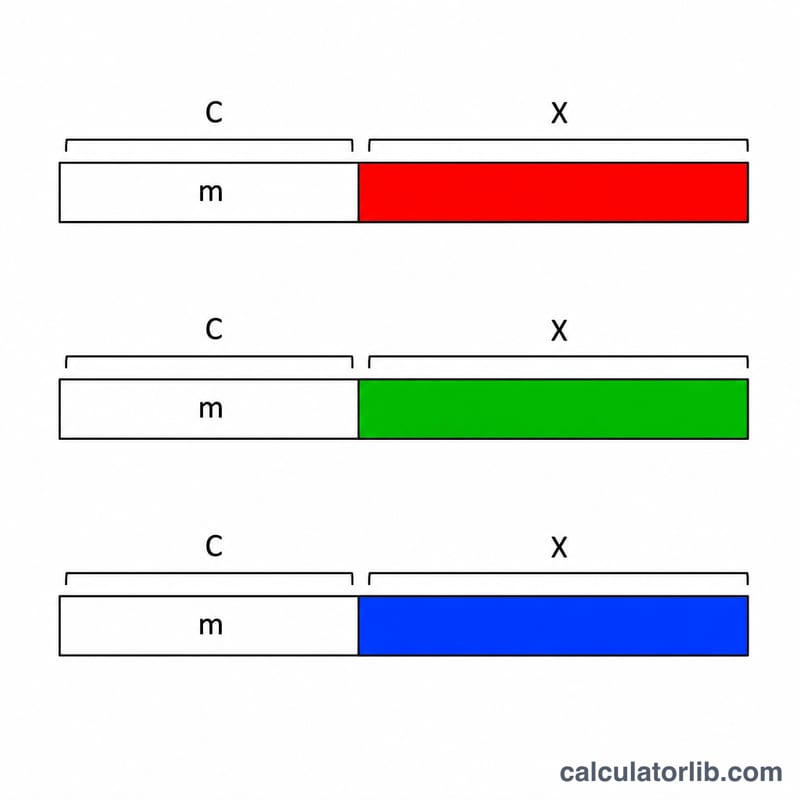
Worked example
For HSL(210°, 50%, 50%): \(S = 0.5\), \(L = 0.5\).
$$C = (1 - |0|)\cdot 0.5 = 0.5$$\(H/60 = 3.5\), so \((3.5 \bmod 2) = 1.5\) and
$$X = 0.5\cdot(1 - |1.5 - 1|) = 0.25$$$$m = 0.5 - 0.25 = 0.25$$Hue 210° is in sector 3 (180–240°), giving \((R',G',B') = (0, X, C) = (0, 0.25, 0.5)\). Adding m and ×255: \(R = 64\), \(G = 128\), \(B = 191\) → rgb(64, 128, 191).
FAQ
What ranges do the inputs use? Hue is 0–360 degrees; saturation and lightness are 0–100 percent.
Why are values rounded? RGB channels must be whole numbers from 0 to 255, so the scaled result is rounded to the nearest integer.
Is gray possible? Yes — set saturation to 0 and any hue, and R, G, and B will all equal the lightness value scaled to 0–255.