What Is the RGB to CMYK Converter?
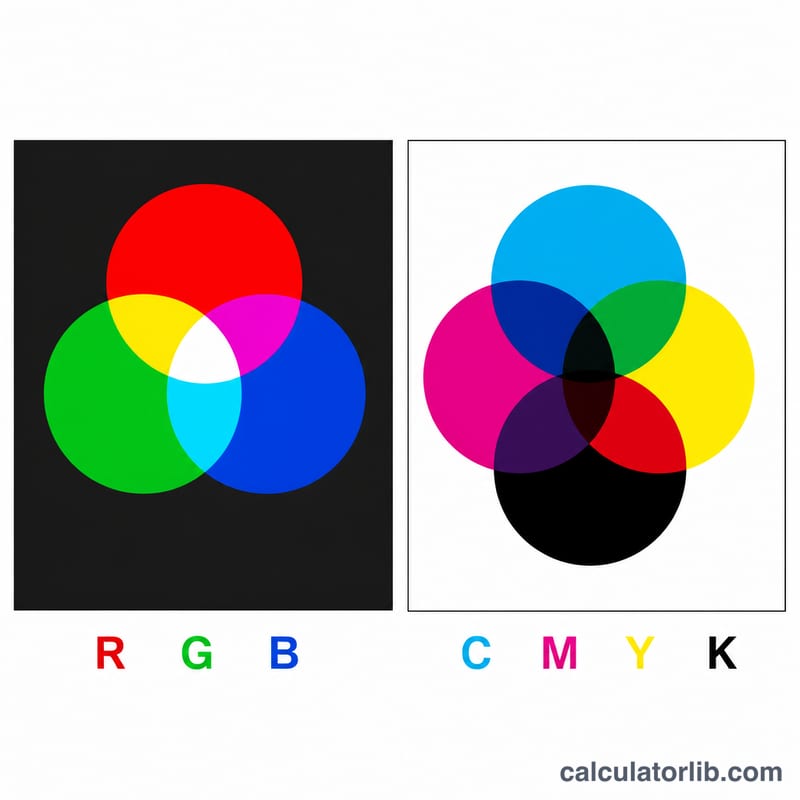
This tool converts colors from the RGB model (Red, Green, Blue — used on screens and digital displays) to the CMYK model (Cyan, Magenta, Yellow, Key/Black — used in printing). RGB is an additive model based on emitted light, while CMYK is a subtractive model based on reflected light from ink on paper. Designers regularly convert between the two when preparing artwork for print.
How to Use It
Enter your Red, Green, and Blue values, each ranging from 0 to 255. Submit the form and you'll instantly get the equivalent CMYK percentages (0–100% for each channel). Values outside 0–255 are automatically clamped to the valid range.
The Formula Explained
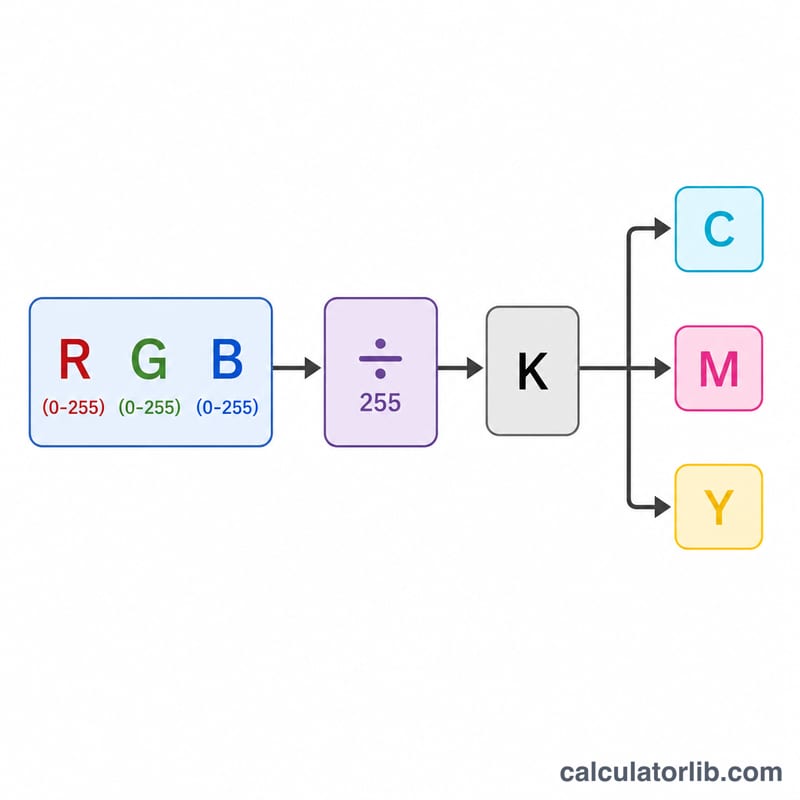
First, each RGB channel is normalized to a 0–1 range by dividing by 255: \(R' = R/255\), \(G' = G/255\), \(B' = B/255\). The black key channel is \(K = 1 - \max(R', G', B')\). The remaining channels are then
$$C = \frac{1-R'-K}{1-K}, \quad M = \frac{1-G'-K}{1-K}, \quad Y = \frac{1-B'-K}{1-K}$$When the color is pure black (\(R=G=B=0\)), \(K\) equals 1 and \(C\), \(M\), \(Y\) are set to 0 to avoid division by zero.
Worked Example
Take the "Tomato" color RGB(255, 99, 71). Normalized: \(R'=1\), \(G'=0.388\), \(B'=0.278\). Since the max is 1, \(K = 1 - 1 = 0\). Then
$$C = \frac{1 - 1 - 0}{1 - 0} = 0\%, \quad M = \frac{1 - 0.388}{1} = 61.18\%, \quad Y = \frac{1 - 0.278}{1} = 72.16\%$$So the CMYK is approximately (0%, 61.18%, 72.16%, 0%).
Common RGB Colors and Their CMYK Values
The table below uses the simple, device-independent conversion: \(K = 1 - \max(R', G', B')\), where \(R' = R/255\), and so on. Values are rounded to one decimal place. Professional print workflows give different numbers because they use ICC color profiles.
| Color name | RGB | Naive CMYK % (C / M / Y / K) |
|---|---|---|
| Black | (0, 0, 0) | 0 / 0 / 0 / 100 |
| White | (255, 255, 255) | 0 / 0 / 0 / 0 |
| Red | (255, 0, 0) | 0 / 100 / 100 / 0 |
| Green | (0, 255, 0) | 100 / 0 / 100 / 0 |
| Blue | (0, 0, 255) | 100 / 100 / 0 / 0 |
| Yellow | (255, 255, 0) | 0 / 0 / 100 / 0 |
| Cyan | (0, 255, 255) | 100 / 0 / 0 / 0 |
| Magenta | (255, 0, 255) | 0 / 100 / 0 / 0 |
| Gray | (128, 128, 128) | 0 / 0 / 0 / 49.8 |
| Navy | (0, 0, 128) | 100 / 100 / 0 / 49.8 |
Worked check for Navy: \(B' = 128/255 \approx 0.502\), so \(K = 1 - 0.502 = 0.498\) (49.8%). Then \(C = \frac{1 - 0 - 0.498}{1 - 0.498} = 1\) (100%), \(M = 1\) (100%), and \(Y = \frac{1 - 0.502 - 0.498}{1 - 0.498} = 0\).
Interpreting Your CMYK Result
- Each percentage is an ink coverage level. C, M, Y and K show how much cyan, magenta, yellow and black ink is laid down, from 0% (none) to 100% (full solid coverage).
- K greater than 0 means black ink darkens the color. In this formula, K is taken from the brightest RGB channel, so any color whose channels are all below 255 gets some black.
- Equal R = G = B gives only K. Neutral grays have C = M = Y = 0, and the gray level is carried entirely by black ink. For example, (128, 128, 128) gives K ≈ 49.8%.
- High combined CMY values mean heavy ink coverage. Adding C + M + Y + K gives the total area coverage (TAC). Presses and papers limit TAC, typically to about 240–340% depending on the press, paper and printing process. Coated sheetfed stock tolerates more ink than uncoated or newsprint stock. Colors above the limit can smear, dry slowly or set off onto other sheets.
- This formula is device-independent. It is a mathematical conversion and knows nothing about real inks, paper or press behavior. For real print output, convert with ICC profiles such as SWOP (a US standard for web offset printing) or FOGRA39 (a European standard for coated paper), usually in design software and agreed with your printer.
- Out-of-gamut colors will shift. Screens can show vivid colors, such as saturated blues, greens and bright cyans, that CMYK inks cannot reproduce. Printed, they usually look duller than on screen. The naive 100/100/0/0 for pure blue, for example, prints as a deeper purplish blue.
Treat the numbers here as a starting point for design and learning, and always check a printed proof for color-critical work.
FAQ
Why does my printed color look different? CMYK has a smaller color gamut than RGB, so vivid screen colors (especially bright greens and blues) often appear duller in print. This converter uses the standard mathematical conversion, not an ICC color-managed profile.
What does K stand for? K is the "Key" plate, which in practice is black ink. It's called "Key" because the other plates are aligned (keyed) to it.
What CMYK does pure white give? RGB(255,255,255) produces 0% for all four CMYK channels — no ink at all, leaving the white paper.