
What Is a Percentage Fee Calculator?
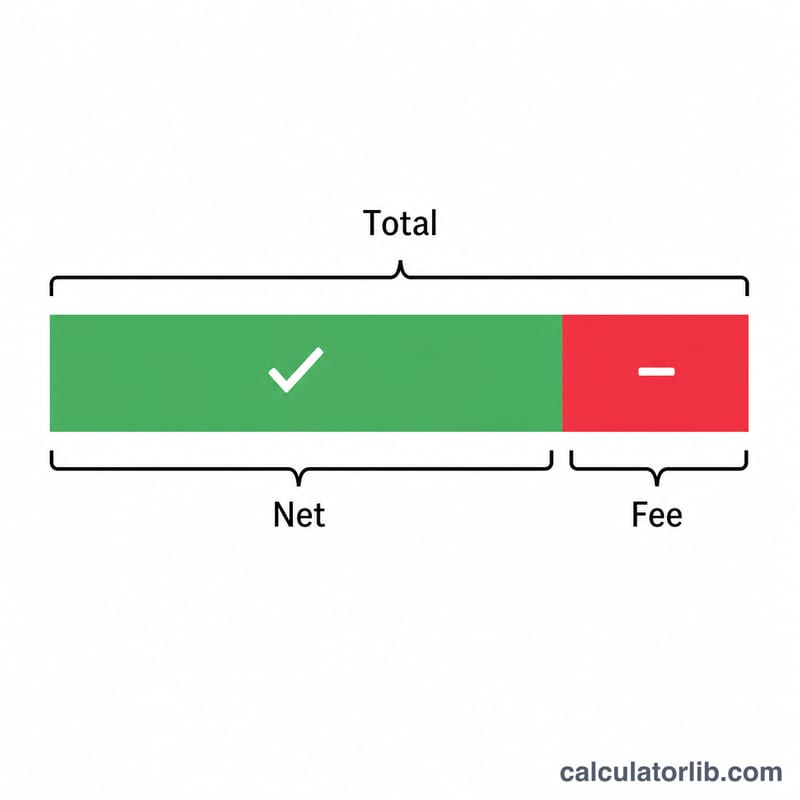
A percentage fee calculator shows how much of a payment is taken as a fee and how much you actually keep. Many platforms — payment processors, marketplaces, freelancing sites, and brokers — charge a fee expressed as a percentage of the transaction. This tool turns that percentage into concrete dollar figures so you can see both the fee you pay and the net amount you receive.
How to Use It
Enter the gross amount of the transaction and the fee percentage charged. The calculator instantly returns the fee amount and the net total you keep. It works with any currency since the math is purely proportional.
The Formula Explained
The fee is the gross amount multiplied by the fee rate divided by 100: $$\text{Fee} = \text{Amount} \times \frac{\text{Fee\%}}{100}$$ The net you keep is simply the gross amount minus that fee, which is equivalent to $$\text{Net} = \text{Amount} \times \left(1 - \frac{\text{Fee\%}}{100}\right)$$ For example, a 100% fee leaves nothing, while a 0% fee leaves the full amount.
Worked Example
Suppose you receive a $1,000 payment through a processor that charges a 2.9% fee. The fee is \(1{,}000 \times 2.9 / 100 = \$29.00\). Your net is \(1{,}000 - 29 = \$971.00\). So you keep $971 and the platform takes $29.
FAQ
Does this include fixed fees? No. This calculator handles only a single percentage fee. If your provider also adds a flat fee (e.g. $0.30 per transaction), subtract that separately.
Can I use it for discounts? Yes. A percentage fee and a percentage discount use the same math — the "net" is your price after the discount.
What if the fee is over 100%? The net becomes negative, meaning the fee exceeds the amount. Fees are normally between 0% and 100%.